
Wi-Fi analyzer
Review nearby radios, see signal posture, group the strongest access points by band, and keep the live survey surface readable enough for real field use.
DTNT brings Wi-Fi visibility, IP discovery, speed testing, saved profile review, and operator-facing diagnostics into one desktop app so you can inspect the network without bouncing between five separate utilities.
These are the product surfaces DTNT is built around today. The goal is not more tabs for the sake of more tabs. It is tighter workflows for Wi-Fi inspection, local-device discovery, and repeatable proof when you need to show what happened on a network.
Review nearby radios, see signal posture, group the strongest access points by band, and keep the live survey surface readable enough for real field use.
Focus on one band at a time and compare occupied lanes without the usual clutter of overlapping charts that hide the real decision.
Discover local devices, split infrastructure from endpoints, and surface browser-access targets quickly when you need to sign in to equipment.
Track latency, download, upload, and saved history so you can compare runs, keep proof, and export what matters later.
Review Windows saved Wi-Fi profiles, compare live security posture, and keep activation and release details close to the rest of the app.
DTNT is tuned to read like desktop software instead of a toy dashboard, with tighter states, denser technical surfaces, and calmer detail rails.
The product site now gives each of the major workflows a clearer place in the story, so buyers can understand what the app actually does before they hit install or buy Pro.
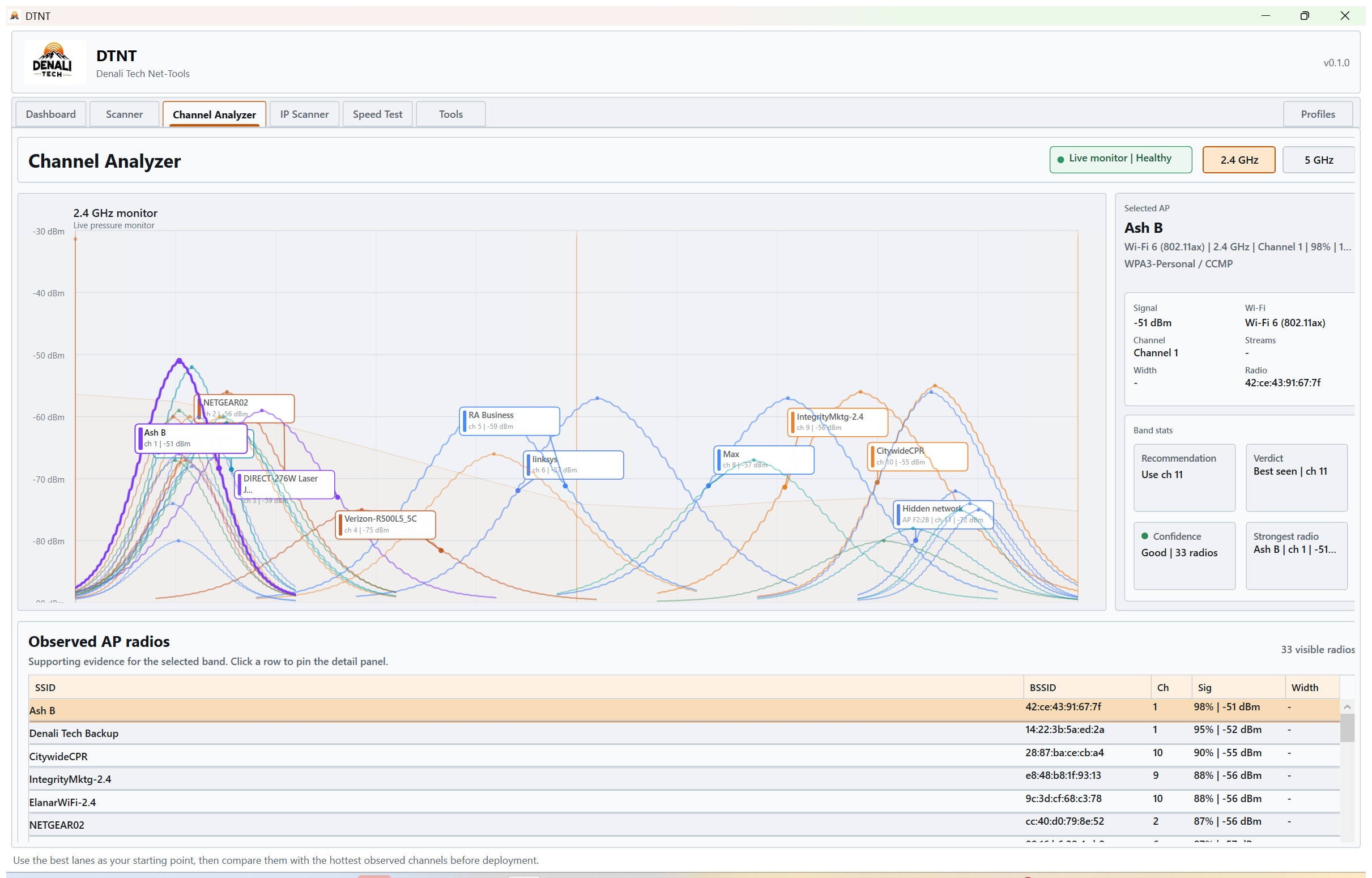
Stay focused on one band at a time and compare lane pressure without chart clutter getting in the way.
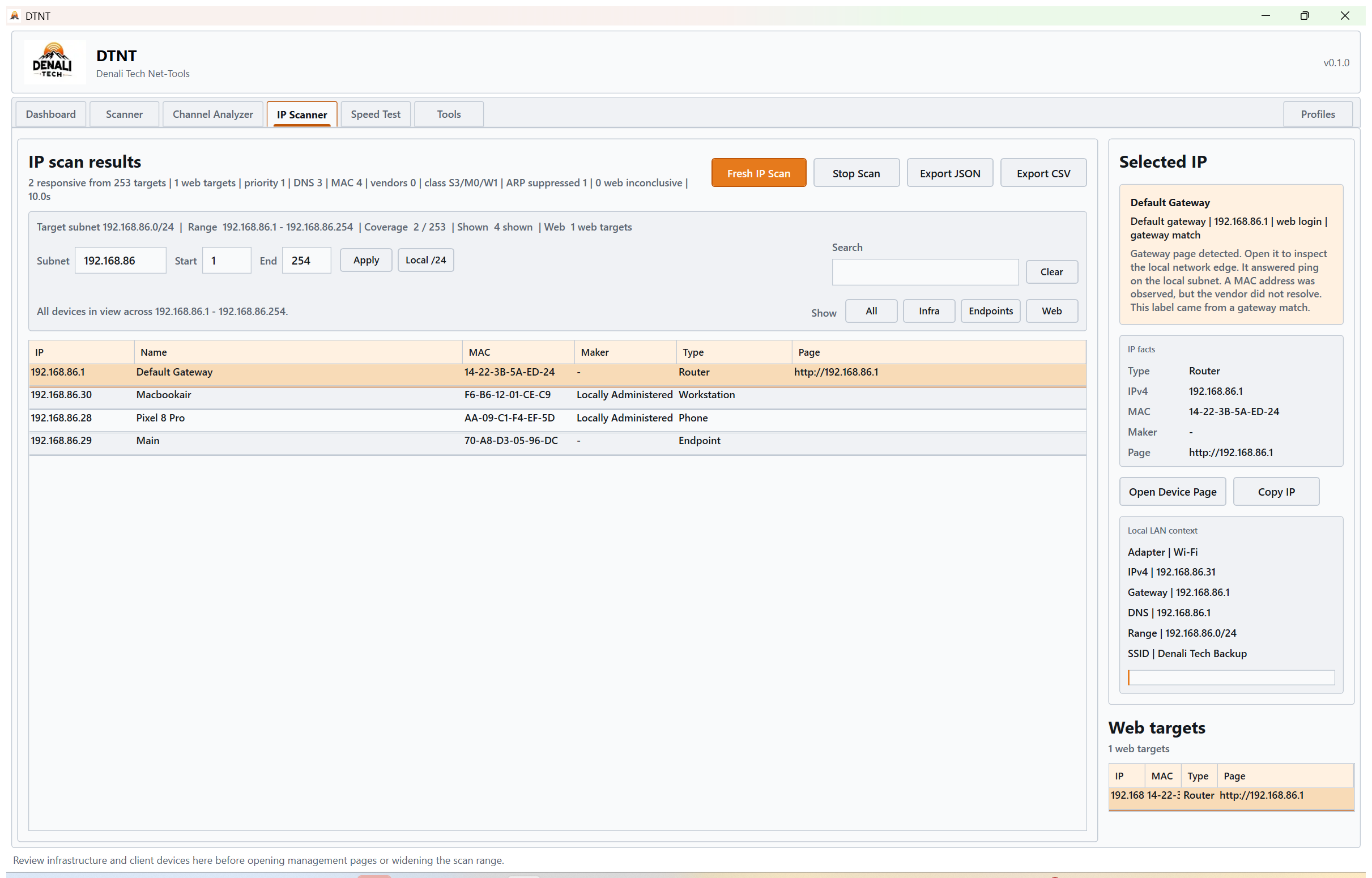
Scan the active network range, surface web targets, and keep infrastructure easier to separate from client devices.
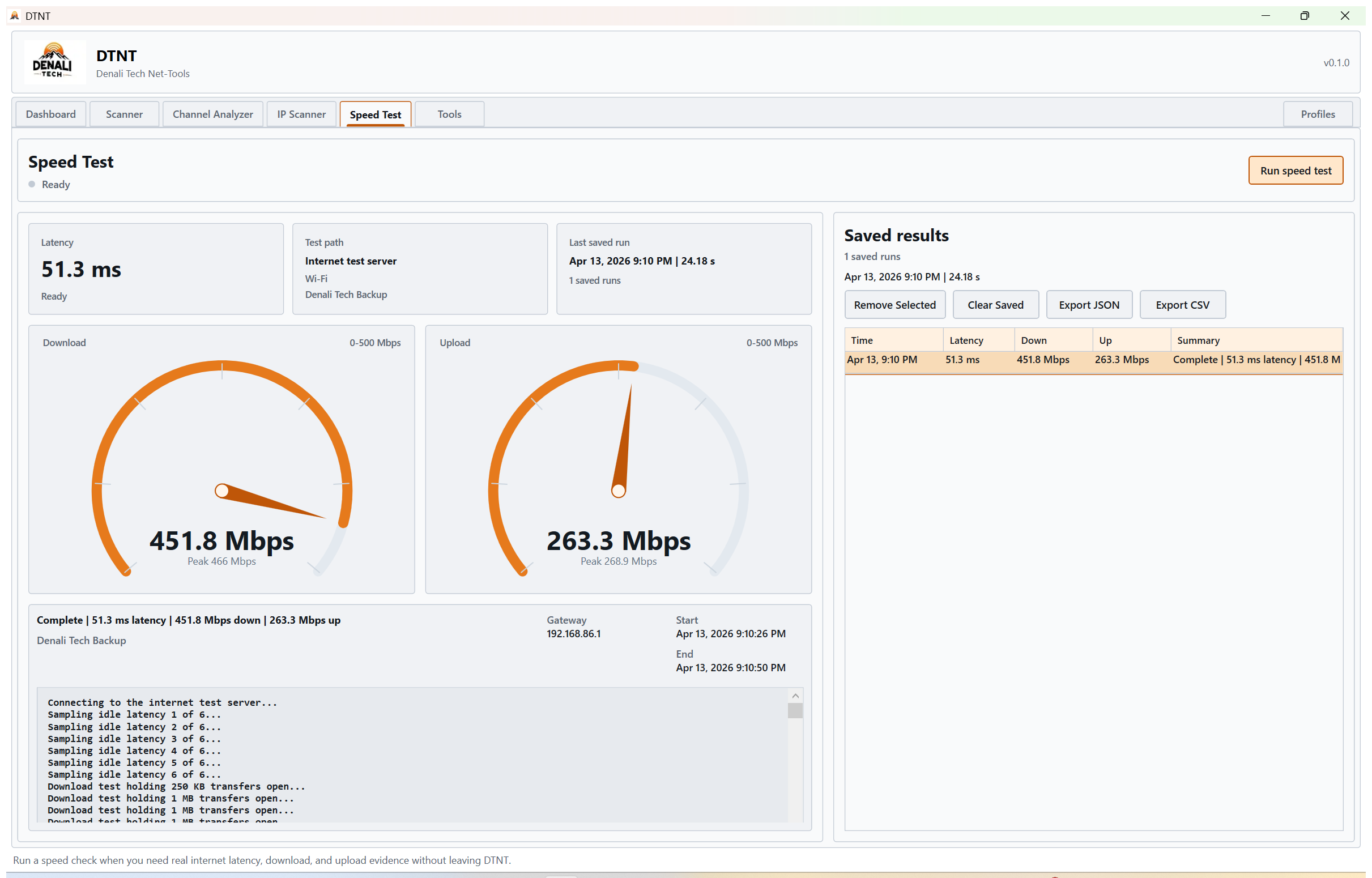
Save latency, download, and upload runs so you can compare results later instead of relying on memory.
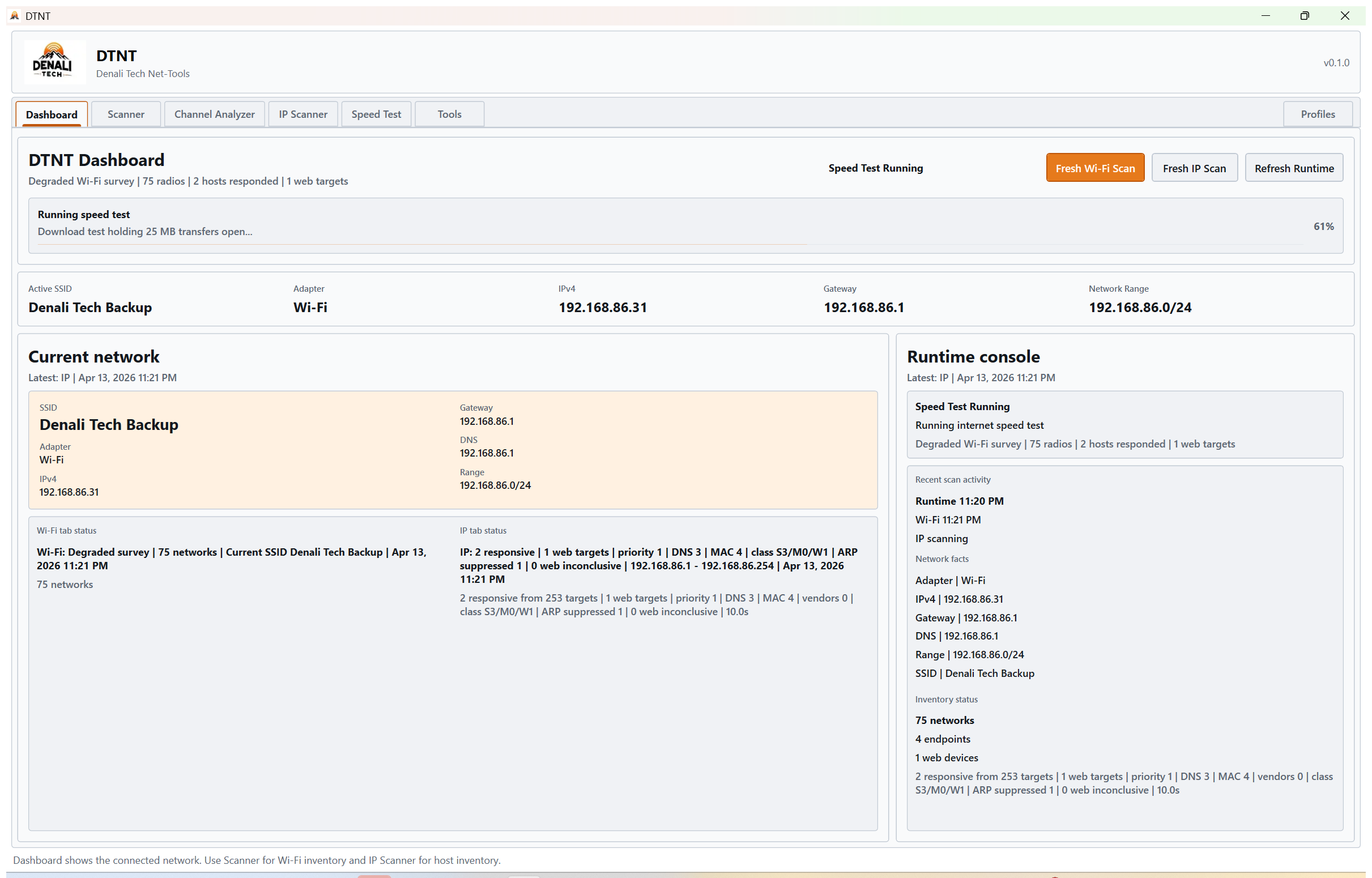
Keep the active adapter, subnet, gateway, and local identity visible while you work through the rest of the suite.
DTNT is a fit for people who need quick local visibility without opening a browser tab jungle, juggling multiple free tools, or writing down results by hand after every check.
DTNT is built around a simple promise: help you see Wi-Fi, see the local network, and keep proof of what changed, all from one Windows app.Denali Tech product direction