Which Luma camera goes in each location?
Start with what you need to see. Compare real 220, 520 Color and 820 Hybrid models, then decide whether a PTZ, floodlight or different lens solves a particular problem.
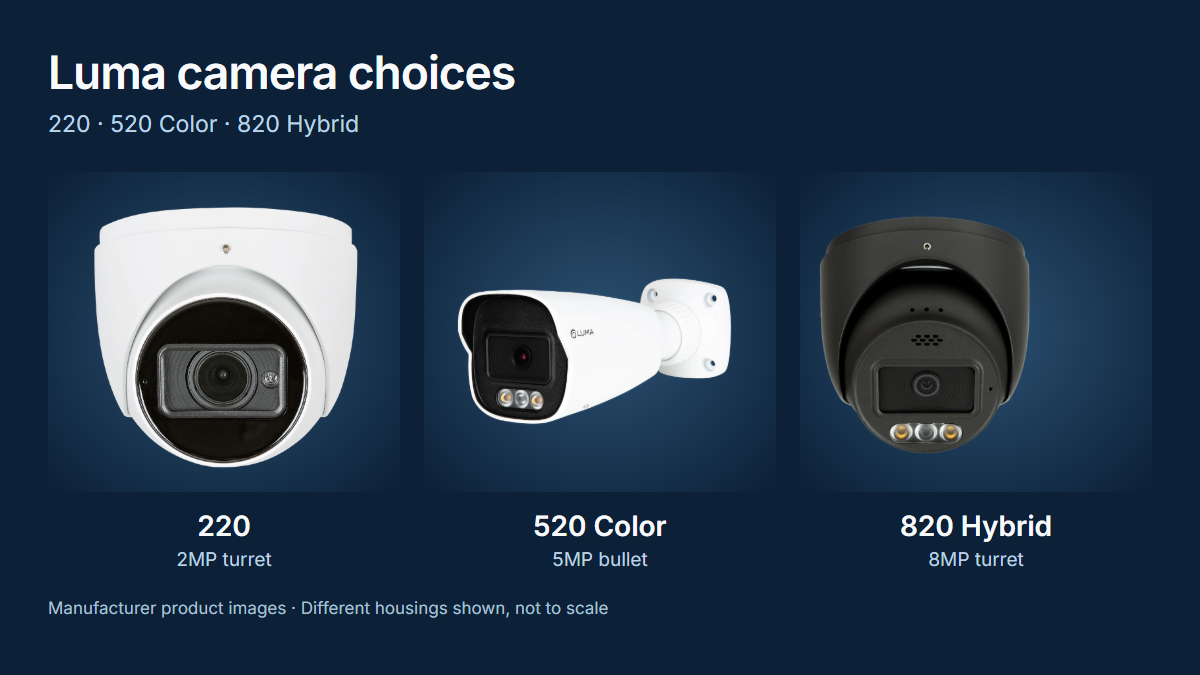
Which tier should you choose? The 220 provides 1080p observation; the 520 adds resolution with separate IR and full-color options; the 820 includes 4K and selected Hybrid deterrence models. None guarantees a recognizable face or license plate at any distance. Lens, placement, lighting and recording settings matter just as much.
In this guide
Start with the job each camera must perform
An overview of the yard and a close view of a visitor are different jobs. Mark the target area and distance first. A wide lens sees more ground but gives a distant person fewer pixels. Check a moving person at night as well as a still daytime image.
Plan for useful footage, not simply the largest megapixel number. Several well-chosen views can be more helpful than one expensive camera trying to see everything.
The three core Luma camera tiers
These are specific X20 examples, not specifications for every camera carrying the same series number. The color, lens and housing suffix matter when ordering.
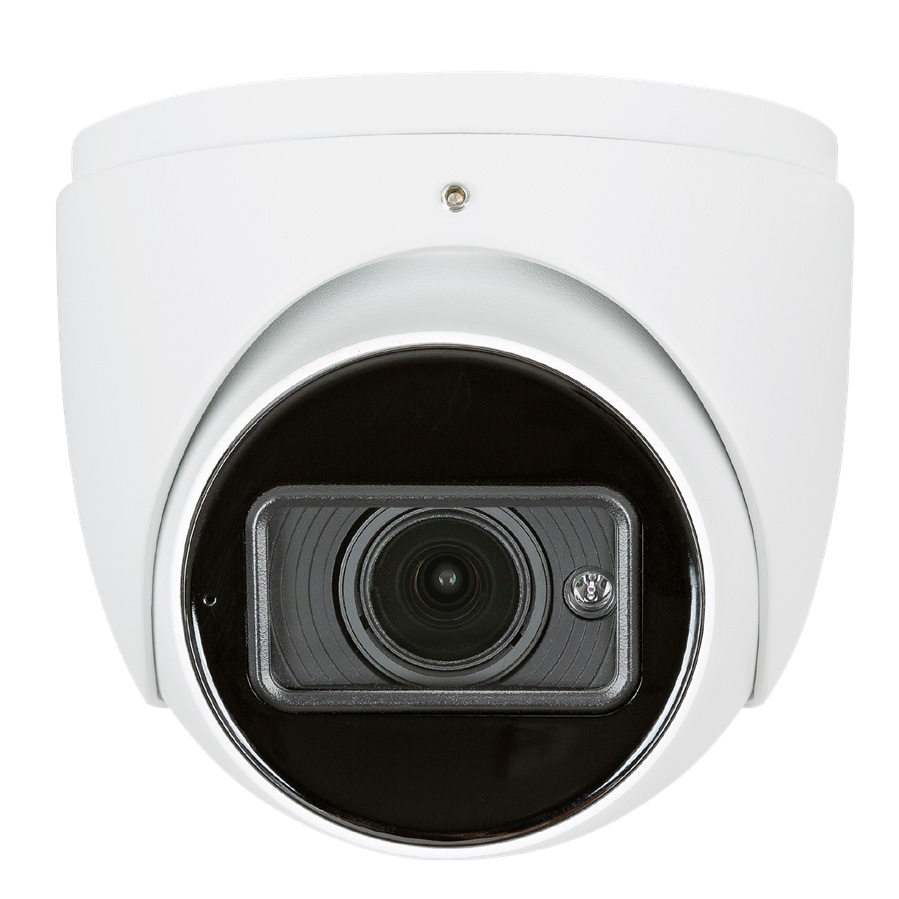
220: everyday observation
LUM-220-IP-TFW · white turret2MP, 1920 × 1080, with a fixed 2.8mm lens. This model documents Starlight low-light imaging and IR night illumination.
A starting point for general observation. Tight framing still matters when a face or package is the priority.
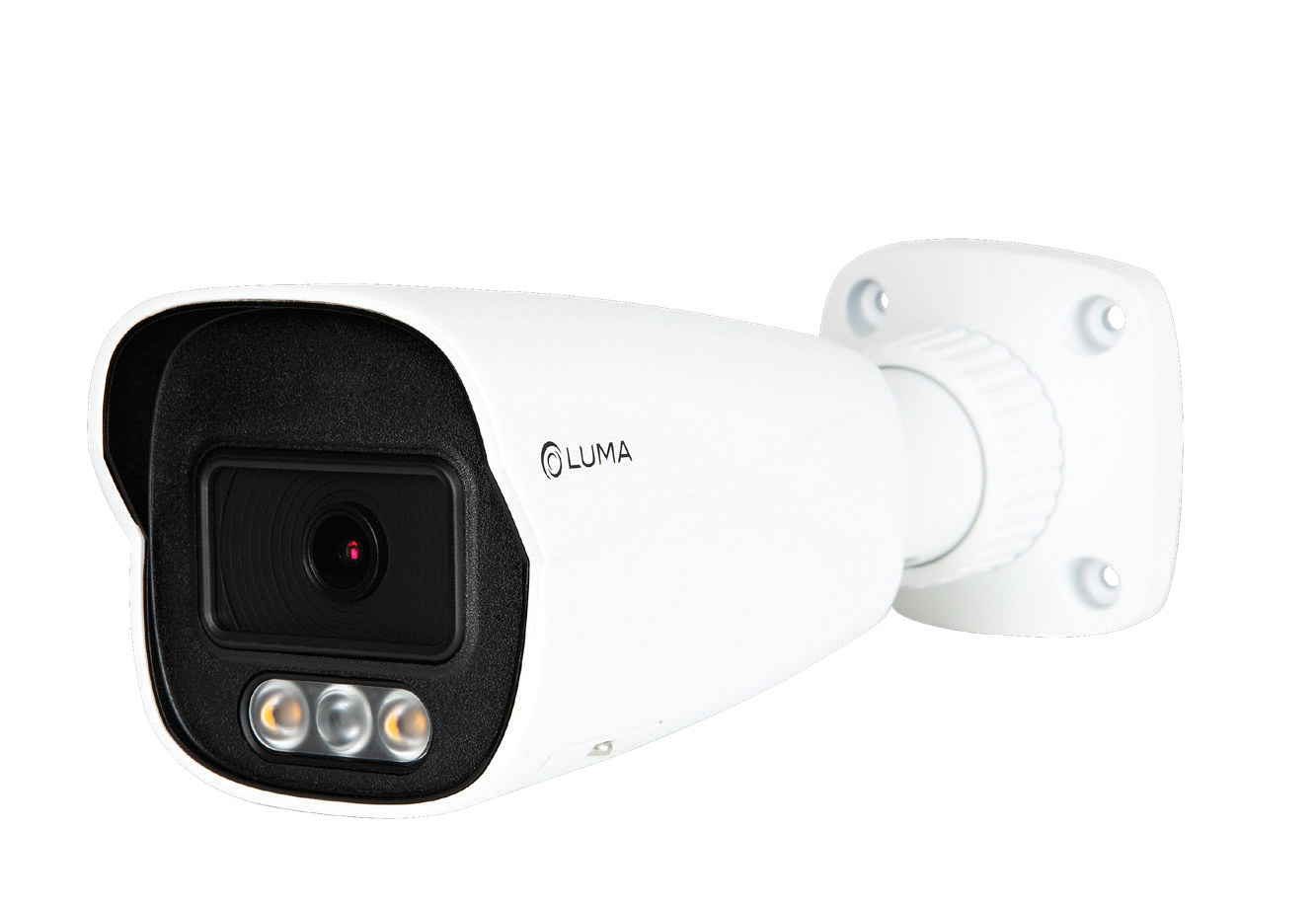
520 Color: color detail
LUM-520-IP-BFCW · white bullet5MP, 2592 × 1944, with a fixed 2.8mm lens and white LED illumination. This is the full-color variant, not the ordinary 520 IR model.
Consider it where color information is useful and visible nighttime lighting is acceptable. “24/7 Color” does not mean color without any light.
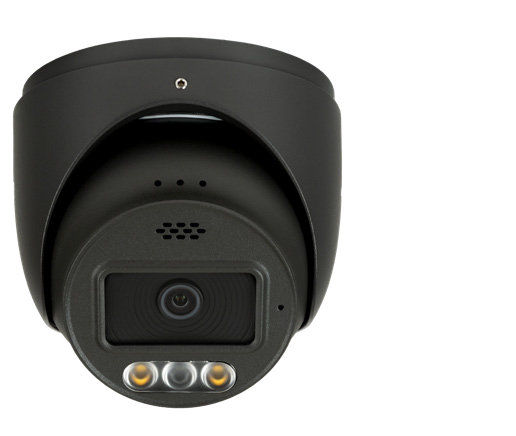
820 Hybrid: 4K and deterrence
LUM-820-IP-TFHB · black turret8MP, 3840 × 2160, with a fixed 2.8mm lens, IR and Color at Night modes. Its speaker and lights support configured active deterrence.
This fixed-lens model does not have optical zoom. Motorized-lens variants are separate products; ordinary 820 IR cameras do not inherit every Hybrid feature.
Exact-model specification and ordering checks
- The 520 Color PDF contains a conflicting 8MP feature bullet. Its model table and current catalog both identify this BFC model as 5MP / 2592 × 1944; those are the figures used here.
- Check the full SKU for lens, microphone, speaker, alarm connections, power, mounts, weather rating and firmware support. Similar housings do not establish identical features.
- These manufacturer-listed X20 examples are described as NDAA compliant. Do not apply that statement automatically to every older Luma product or treat it as a guarantee against security vulnerabilities.
Bullet, turret or dome?
- Bullet: a visible, directional housing. Confirm the mounting base and cable protection suit the surface.
- Turret: a compact adjustable housing, useful under many residential soffits. Check the actual aim before approving the position.
- Dome: a covered lens assembly. Tamper ratings vary by model; keep its cover clean and check nighttime reflections.
The photos show housing examples. They do not mean that every tier comes in every lens, color or feature combination.
4MP smart-tracking PTZ with 25× optical zoom
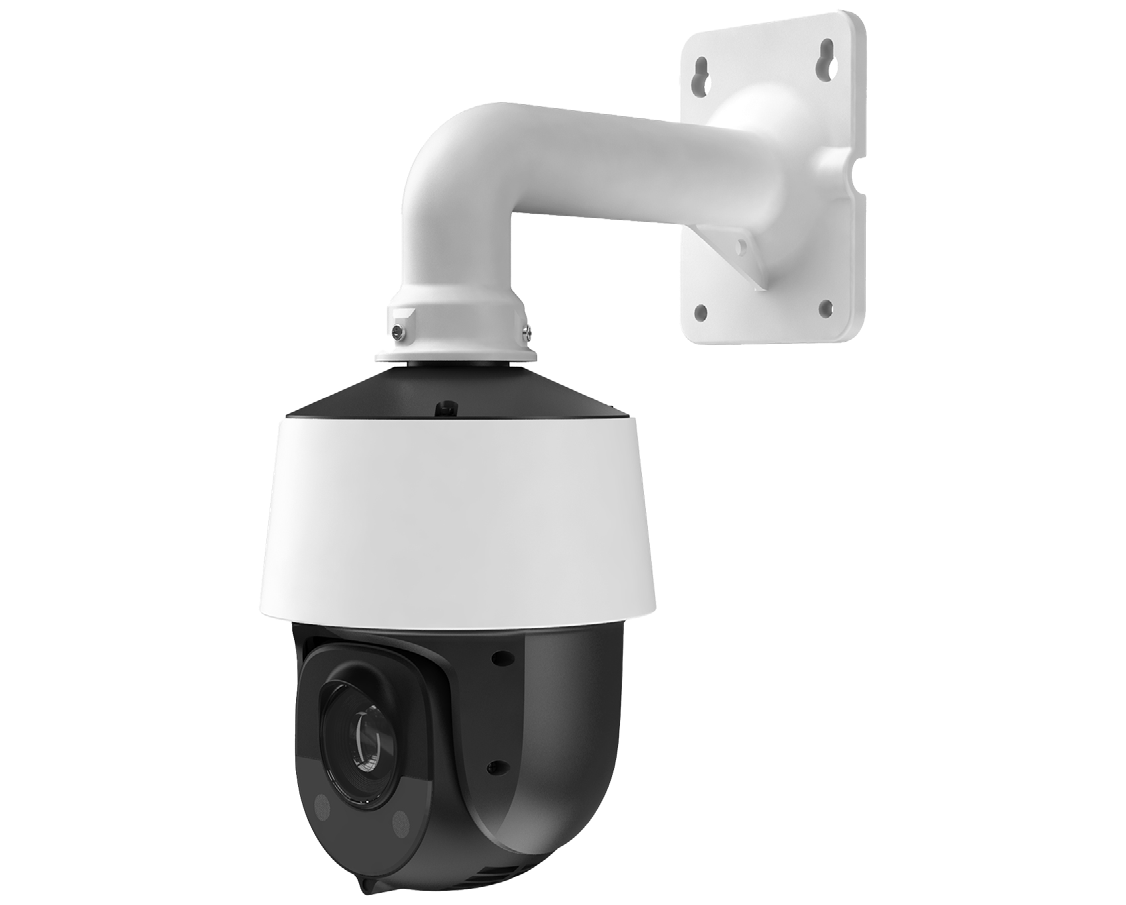
The 4MP LUM-420-IP-PTZ-25W can pan, tilt and optically zoom, with presets and smart tracking. It is a specialist option for inspecting a distant subject or following activity across a larger property.
It cannot look in every direction at once. Keep fixed cameras on critical doors and paths while the PTZ moves elsewhere. Its published power requirement is PoE+ (802.3at), up to 24W—not an assumption that any PoE port will work.
Other specialty choices
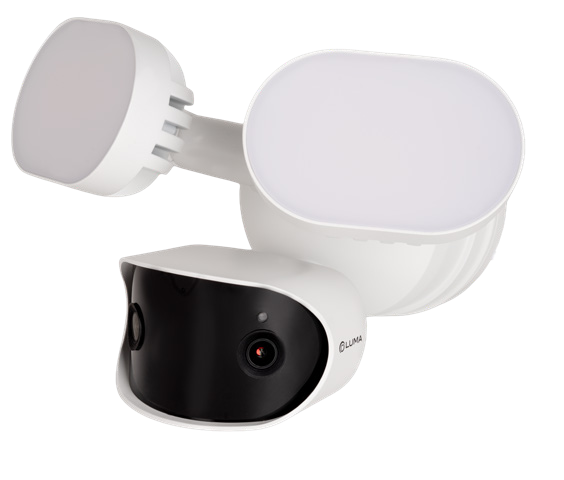
720 PoE floodlight
The LUM-720-IP-FLDW combines a dual-lens 7MP panoramic view with floodlights, a microphone and speaker. Its guide calls for a 60W PoE source; the data sheet specifies 802.3bt. An ordinary PoE or PoE+ camera port is not enough.
A broad driveway view is useful, but its pixels are spread across that wide scene. Add a closer identification view where needed.
420 Wi-Fi floodlight
The LUM-420-W-FLSW is a different, 4MP model. Wi-Fi is its network connection, not battery power. Confirm electrical supply and a reliable signal at the actual mounting location.
1220 fisheye
The 12MP LUM-1220-IP-FE-W gives a broad-area view with dewarping options. It is not a substitute for a close view of each target. The current Bridge catalog excludes it from Luma Insights support.
Core camera comparison: what changes at night?
- IR models: illuminate the scene with infrared; expect black-and-white night footage when operating in IR mode.
- 520 Color: uses available light or its white LED for color. Consider visible light near bedrooms or neighboring windows.
- 820 Hybrid: offers IR and Color at Night choices. Agree when any deterrent light or audio should activate; those responses require configuration.
Published illumination range is not a guaranteed identification distance. Test motion, glare, reflections and the final recording—not only the live preview. Analytics can miss an event or generate a false alert.
Choose the recorder with room to grow
An NVR stores local camera recordings. Size it for camera count, incoming bitrate, compatible drives, retention and shared PoE power. Recording capacity, simultaneous playback and multi-camera display limits are different specifications.
121 example: four channels
LUM-121-NVR-4CH-2TThe listing specifies four PoE ports, one drive bay and a 48W total PoE budget. Its 2TB supplied-drive variant is not the same thing as its maximum supported drive capacity.
221 example: eight channels
LUM-221-NVR-8CH-4TThe listing specifies eight PoE ports, two drive bays and a 120W total PoE budget. That total is shared—not 120W at each port.
Storage capacity and recording-history limits
The four-channel 121 listing supports one drive up to 18TB. The eight-channel 221 listing says up to 18TB per drive but a 32TB total maximum; do not promise 36TB by simply adding two drive ratings. Confirm the approved drive combination and current documentation before ordering.
No drive size guarantees a fixed number of days. Retention depends on bitrate, frame rate, compression, recording schedule and activity. Agree the planned settings and expected history, then verify actual retention after commissioning.
Luma Insights: smarter alerts inside Control4
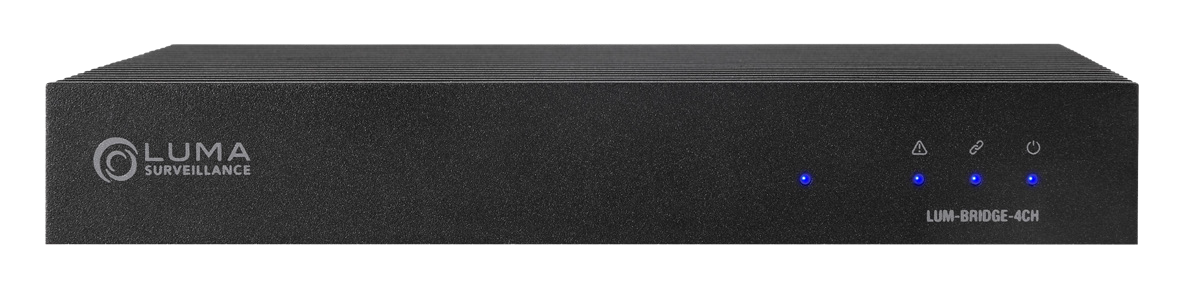
Insights is an optional Control4 feature using a Luma Bridge, supported cameras, drivers and an active cloud-services subscription. It can recognize people, vehicles, packages and animals in configured areas.
The Bridge supports up to four monitored IP cameras and four areas of interest per camera. Its seven rolling days of cloud clips are event history, not seven days of continuous video.
Before adding Insights, confirm the camera, Control4 version and active cloud service on your account. The applicable Connect or existing 4Sight eligibility needs checking for your system. Compare Control4 Connect and legacy service eligibility.
Supported X10/X20, Chime and DS2 integrations have model and version requirements. The 12MP fisheye exception still applies. Alerts are not a monitored security service, and recognition is not guaranteed.
The recorder, network and power matter too
Plan cabling, weather-sealed connections, PoE capacity and suitable backup power together. Battery backup only helps the equipment connected to it; a remote PoE switch can still lose power. Review support access without exposing recorder ports directly to the internet.
An existing X10 system needs camera, recorder, driver and firmware checks before mixing generations. Keep useful equipment where it fits the plan; a new camera does not automatically require replacing everything.
Six decisions before the cameras are mounted
- Target: agree what must be recognizable, and at what distance.
- Night view: choose acceptable lighting and test a moving subject.
- Mount: confirm aim, compatible accessories and service access.
- Recording: specify local history, backup power and export needs.
- Privacy: agree camera views and review applicable audio and recording requirements.
- Handoff: practice finding and exporting footage, and adjusting notifications.
Match the camera to the view you need
Tell us which entrances or areas matter most and what equipment you already have. Denali Tech can help plan the cameras, lighting, network and recording together.
Plan My Camera SystemOfficial references — reviewed October 19, 2026
Model-specific documents take precedence over a family name. Check availability, accessories, software and service eligibility for the actual system.
- 220 turret data sheet (PDF)
- 520 Color bullet specifications and PDF
- 820 Hybrid fixed turret specifications and PDF
- 420 25× PTZ specifications and PDF
- 720 PoE floodlight specifications
- 720 floodlight 60W PoE requirement
- 420 Wi-Fi floodlight specifications
- 121 four-channel NVR specifications
- 221 eight-channel NVR specifications
- Bridge specifications, PDF and fisheye exception
- Control4 surveillance and Insights overview
- Control4 services and subscription features