Lutron Smart Lighting: Complete Guide for Chicago Homes 2026
Looking for the right smart lighting system for your Chicago home? Lutron has made lighting controls since 1961 and offers residential systems for projects ranging from a few rooms to a fully designed home.
Whether you want app control, useful lighting scenes, automatic schedules, or integration with a Control4 or URC system, the right Lutron platform depends on the number of devices, control style, wiring, and integration requirements.
Denali Tech designs and programs lighting as part of professionally integrated homes in the Chicago area. This guide explains the practical differences without assuming one product line is right for every project.
Quick answer: Lutron's current residential comparison centers on three systems: Caséta, RadioRA 3, and HomeWorks QSX. Caséta is the smaller-system option, RadioRA 3 supports larger professionally programmed projects, and HomeWorks QSX is the most flexible platform for designed whole-home lighting. Exact integration, device compatibility, and installed cost must be confirmed for the selected hardware and project scope.
Why Choose Lutron Smart Lighting?
With so many smart lighting options available, why do professionals consistently recommend Lutron? Here's what sets Lutron apart:
1. A Long Lighting-Control Track Record
Lutron has been making lighting controls since 1961. That history gives designers a broad range of dimmers, switches, keypads, sensors, shades, and compatible load-control options.
- Broad product range: Different controls are available for different electrical loads and system sizes
- Local control: A correctly selected wall control continues to operate the connected lighting even when internet service is unavailable
- LED planning tools: Lutron publishes compatibility information, but the exact dimmer and LED fixture or lamp still need to be matched
- System choice matters: Device limits, keypad options, wiring requirements, and integrations differ by platform
2. Beautiful Design
Lutron switches and dimmers aren't just functional - they're beautiful. With clean lines, clean materials, and attention to detail, Lutron devices enhance your home's aesthetic rather than detracting from it.
- Elegant styling: Matches any decor from modern to traditional
- Higher-end materials: High-quality plastics and metals that feel substantial
- Variety of finishes: Choose from white, ivory, light almond, black, gray, and more
- Consistent look: All Lutron devices have matching design language throughout your home
3. Smart Home Integration
Lutron can be part of a Control4 or URC home when the selected system, bridge or processor, and integration driver support the functions you need. Depending on that combination, you can:
- Control supported lighting from your smart home app
- Create scenes that include lighting along with music, shades, and temperature
- Use voice control (Alexa, Google Assistant, Siri) to control Lutron lights
- Automate lighting based on time, motion, or other triggers
- Control lights remotely when you're away from home
4. Energy Management
Dimming, occupancy sensing, and schedules can reduce lighting energy use when they prevent lights from operating at full output or when rooms are empty. Savings vary with the fixtures, schedules, occupancy, utility rates, and how the home was used before automation.
- Dimming can save energy: Lower output generally reduces power use, but the exact relationship depends on the light source and driver
- Automated scheduling: Lights automatically turn off when not needed
- Occupancy and vacancy sensors: Turn lights off after a configured period without detected motion; automatic-on behavior depends on the model and settings
- Vacation mode: Automatic light scheduling when you're away
5. Professional-Grade Performance
Lutron serves both homeowner-installed and professionally designed projects. The useful distinction is whether the selected system has the capacity, controls, programming, and support model the project requires.
Lutron Product Lines: Which One is Right for You?
Lutron's current residential comparison lists Caséta, RadioRA 3, and HomeWorks QSX. Understanding their published device limits and design roles helps narrow the choice.
1. Lutron Caseta (Entry-Level Smart Lighting)
Best For:
Homeowners who want smart lighting without breaking the bank. DIY-friendly but works great with professional installation too.
Key Features:
- Wireless control via smartphone app
- Works with Alexa, Google Assistant, Apple HomeKit, and Siri
- Up to 75 devices per system
- Third-party control requires a compatible hub and driver; confirm whether the chosen integration requires the Smart Hub PRO
- Device and finish choices suited to smaller residential systems
Limitations:
- Requires a compatible Caséta Smart Hub for app access and connected features
- 75-device limit (may not be enough for very large homes)
- Fewer design options compared to higher-end systems
Planning note:
Count every dimmer, switch, Pico control, sensor, shade, and bridge-connected device before choosing the platform. Hardware, electrical work, programming, and integration are quoted after that count.
2. Lutron RadioRA 3 (Professional Wireless System)
Best For:
Homes that need more capacity, architectural controls, professional programming, and a larger lighting-and-shade plan than Caséta is intended to support.
Key Features:
- Up to 400 devices in Lutron's current residential comparison
- Professionally programmed system
- Supports both Clear Connect Type A and Type X device families
- Sunnata RF controls plus compatible keypads, sensors, shades, and legacy Type A devices
- Third-party integration depends on the current driver and selected devices
Why choose it over Caséta:
- Higher published device capacity
- More control and keypad choices
- Programming suited to coordinated scenes across many rooms
- A professional design and service workflow
Planning note:
RadioRA 3 pricing depends on load count, control style, finishes, shades, wiring corrections, programming, and integration. Square footage alone is not enough to produce a responsible quote.
3. Lutron HomeWorks QSX (Designed Whole-Home System)
Best For:
New construction, major renovation, and larger residences that need centralized or distributed load control, premium keypad choices, shades, and detailed room-by-room programming.
Key Features:
- Centralized, wireless, or hybrid system designs
- Architectural keypad and finish options
- Detailed lighting, shade, sensor, and scene programming
- Processor-based integration with compatible control platforms
- Designed and commissioned by a qualified HomeWorks provider
Why HomeWorks is different:
- Supports projects where lighting design and control design are coordinated
- Can reduce visible wall controls through planned keypad layouts
- Offers broader architectural and centralized-control options
- Requires more design work before electrical rough-in
Planning note:
HomeWorks is specified from plans and load schedules. A quote should identify panels, controls, processors, shades, integration, programming, commissioning, and service—not rely on a generic per-square-foot range.
Lutron Product Types: Dimmers, Switches, and Keypads
Understanding the different types of Lutron devices will help you plan your lighting system:
Smart Dimmers
A dimmer adjusts the output of compatible lights. The lowest stable brightness depends on the exact dimmer, lamp or LED driver, load, and setup—not every combination dims to 1%. Check the Lutron LED compatibility tool before choosing equipment.
- Standard dimmers: Control single lights or fixtures
- Multi-location dimmers: Control the same light from multiple locations (like a 3-way or 4-way circuit)
- Load compatibility: Match the dimmer to the lamp or driver type, dimming method, and permitted load range
- Fade time: Smooth, gradual light changes (not instant on/off)
Smart Switches
For lights that shouldn't be dimmed (like certain LED fixtures or fluorescent lights), Lutron offers smart switches that turn lights on/off.
- On/off switches: Control lights that don't dim well
- Fan controls: Use a dedicated fan-speed control or a switch specifically rated for the exact fan load; a lighting dimmer is not a substitute
- Multi-location switches: Control from multiple locations
Keypads
Compatible Lutron keypads can give a room clear scene control without placing a separate smart switch for every function at the doorway.
- Scene keypads: Control multiple lights with one button (e.g., "Entertain" dims living room, turns on accent lights)
- Engraved keypads: Button names can identify the scenes or functions programmed for that location
- Raise/lower buttons: Easy control of all lights in a room
Motion Sensors
Occupancy mode can turn lights on when motion is detected and off after a timeout. Vacancy mode keeps manual-on control and turns lights off after the timeout. Available modes, sensitivity, and coverage depend on the sensor; see Lutron's sensor-setting guide. Common locations include:
- Hallways and stairways
- Closets
- Bathrooms
- Garages and basements
- Any area where you want hands-free lighting
Lutron Integration with Control4 and URC
Lutron can integrate with professional smart home systems such as Control4 and URC when the exact Lutron platform, processor, driver, and desired functions are compatible.
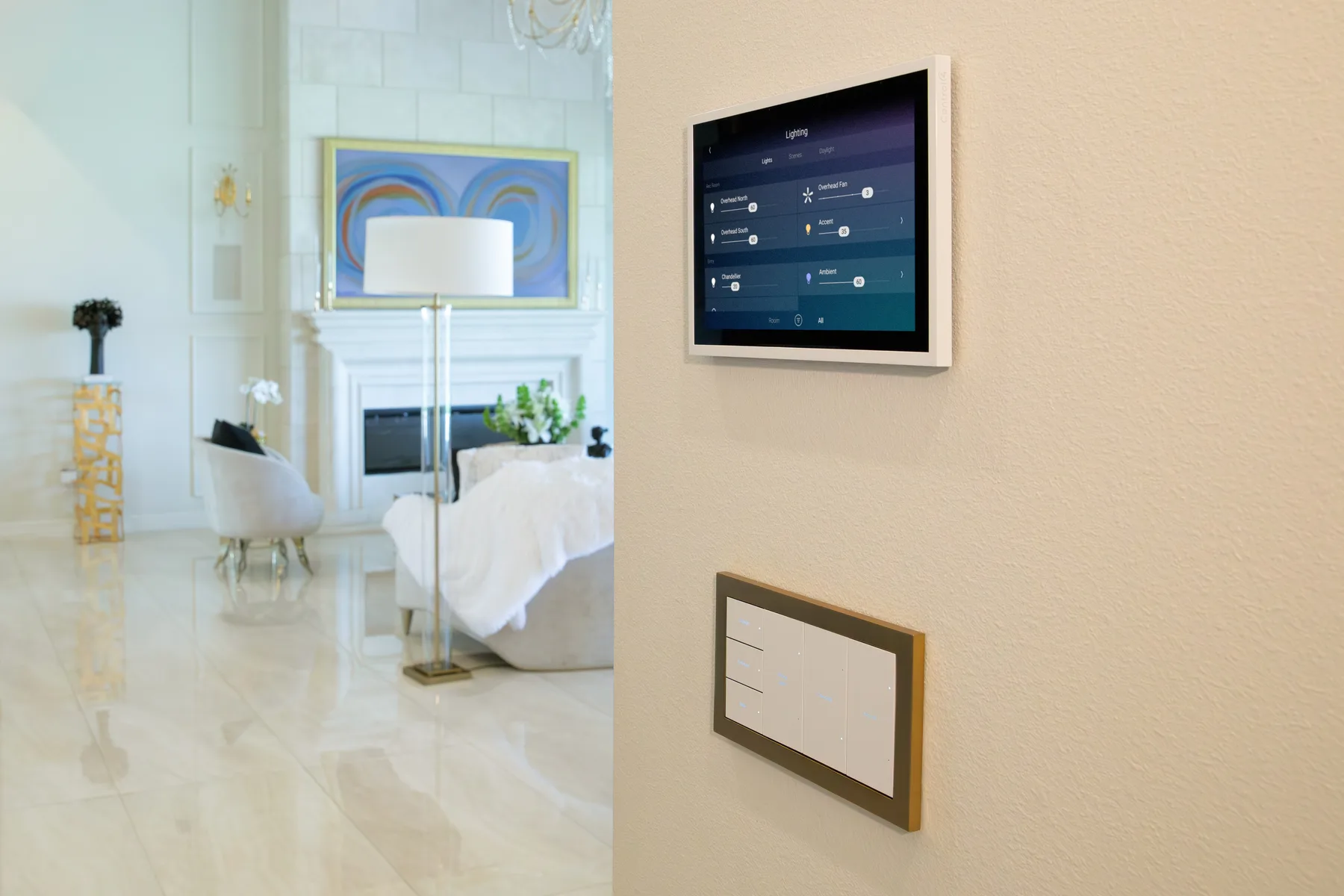
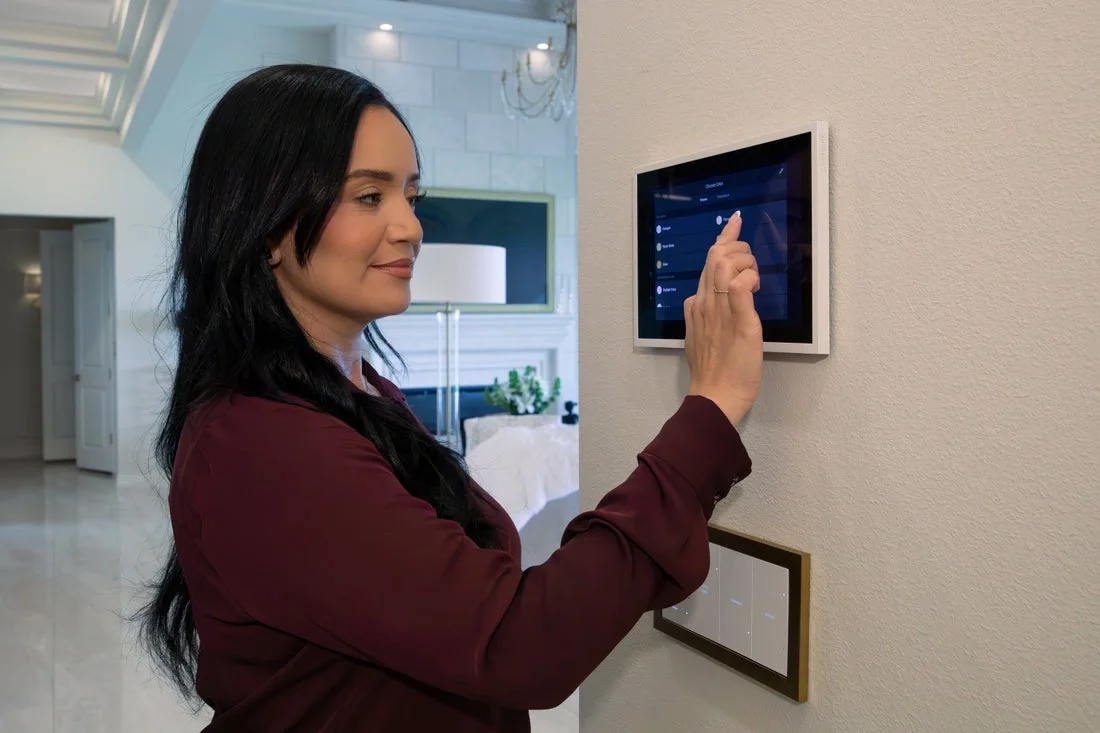
Lighting should not feel like a pile of switches. A professional system can put key scenes on a keypad and deeper room control on a touchscreen or app.
Why Integration Matters
When your Lutron lighting is integrated with Control4 or URC, your lights become part of a complete smart home ecosystem. This means:
- Unified control: Control lights, music, temperature, shades, and security from one app
- Advanced scenes: Create scenes like "Movie Night" that dim lights, close shades, turn on TV, and start surround sound all at once
- Automation: Lights automatically adjust based on time, occupancy, weather, or other triggers
- Voice control: Supported voice integrations can be added when the required accounts and services are configured
- Remote access: Use supported apps and services when the required accounts, network, and remote-access features are active
How Integration Works
A supported integration connects the Lutron hub or processor to the Control4 or URC system. The installer selects the supported lights, shades, or scenes to expose and tests their commands and status. Not every device or function is available through every driver.
- Caséta: Uses a Caséta Smart Hub; confirm the current third-party integration and supported feature set
- RadioRA 3: Uses RadioRA 3 processors and a professionally commissioned project
- HomeWorks QSX: Uses HomeWorks processors and a project designed and activated by a qualified provider
Professional Installation Required: While some Lutron systems can be DIY, integration with Control4 or URC requires professional programming. We handle this during installation.
How to Budget for Lutron Smart Lighting
Installed pricing changes with product line, device count, electrical conditions, finish choices, shades, programming, and integration. The responsible way to budget is to define those quantities first.
Items a Complete Quote Should Separate
- Controls: Dimmers, switches, keypads, sensors, and companion controls by model and finish
- System equipment: Hub or processors, enclosures, interfaces, and required power supplies
- Electrical work: Device installation, wiring corrections, load changes, and code-required work
- Shades: Window measurements, fabric, power, pockets, and installation if included
- Programming: Naming, scenes, schedules, integration, testing, and homeowner handoff
- Service: Warranty terms, remote support, and the rate for future changes should be stated in writing
Why We Do Not Publish a One-Size-Fits-All Price
Two homes of the same size can have very different load counts, keypad plans, fixture compatibility, shade requirements, and electrical conditions. A useful proposal therefore starts with a device schedule and scope, not a broad online price that may omit important work.
Factors That Affect Cost
- Number of switches/dimmers: More switches = higher cost
- System choice: Caseta is most affordable, HomeWorks is most expensive
- Keypads and advanced controls: Model, button layout, engraving, finish, and installation affect cost
- Installation complexity: Older homes may need more electrical work
- Integration: Control4/URC integration adds programming costs
Installation Process: What to Expect
As professional Lutron installers, here's what you can expect during installation:
1. Consultation and Planning
- We visit your home to assess your needs
- Count existing switches and identify what needs upgrading
- Discuss which Lutron system fits your home and budget
- Create a custom plan for your lighting system
- Document equipment, labor, assumptions, exclusions, and support terms
2. Electrical Assessment
- Check your home's electrical system
- Verify wiring compatibility with Lutron devices
- Identify any electrical upgrades needed
- Plan for any special requirements (3-way/4-way circuits, etc.)
3. Installation
- Replace existing switches with Lutron smart switches/dimmers
- Install Lutron bridge or processor
- Install any keypads or motion sensors
- Ensure all devices communicate properly
- Clean up and test everything
4. Programming and Integration
- Program Lutron system (create scenes, set schedules, etc.)
- Integrate with Control4 or URC (if applicable)
- Set up mobile app access
- Configure voice control (Alexa, Google Assistant, Siri)
- Create custom scenes based on your preferences
5. Training and Support
- Walk you through how to use your Lutron system
- Show you the mobile app
- Explain scenes and automation
- Provide ongoing support when needed
Lutron Smart Lighting for Chicago Homes: Special Considerations
Chicago homes have unique characteristics that affect smart lighting installation:
Older Home Wiring
Many Chicago homes are older (pre-1980s) and may have:
- No neutral wires: Some older homes don't have neutral wires, which limits switch options. However, many Lutron devices work without neutral wires.
- Knob and tube wiring: Very old homes may need electrical updates before installing smart switches
- 3-way/4-way circuits: Chicago homes often have lights controlled from multiple locations - Lutron handles these reliably
Good news: Lutron devices are designed to work with most wiring configurations. We assess your home during consultation and recommend the right products.
Chicago Weather Considerations
While indoor lighting isn't affected by weather, Chicago's seasons impact how you use lighting:
- Dark winters: Automated lighting is especially valuable during short winter days
- Vacation schedules: Timed lighting can create a lived-in pattern while you are away; it is not a substitute for security measures
- Energy use: Dimming, sensing, and schedules can reduce unnecessary lighting operation in any season
Lutron vs. Other Smart Lighting Brands
How does Lutron compare to other smart lighting options?
Lutron vs. Philips Hue
Lutron advantages:
- Wall controls continue to provide local operation without relying on each lamp staying powered
- Supported Control4/URC integration paths for selected systems and drivers
- Works even if WiFi goes down
- Professional-grade quality
- Better for whole-home installations
Philips Hue advantages:
- Color-changing lamps for individual rooms; Lutron also offers color-capable lighting through selected premium systems, so compare the actual products
- Easier DIY installation (just screw in bulbs)
- Lower upfront cost for small installations
Practical distinction: Lutron is commonly specified for wall-control and whole-home lighting projects; Philips Hue is often used where individual smart lamps and color effects are the priority.
Lutron vs. Consumer Smart Switches
Lutron advantages:
- Lutron has manufactured lighting controls since 1961
- Residential platforms with published capacities, compatibility, and warranty terms
- Documented integrations for supported professional and consumer platforms
- Published LED compatibility tools help match controls and light sources
- Model-specific support documents and written warranty coverage
Consumer switch advantages:
- Lower cost (though you often get what you pay for)
- More features packed in (like built-in night lights)
Practical distinction: Compare published load compatibility, local control, platform integration, warranty, and service options—not only the purchase price.
Common Questions About Lutron Smart Lighting
Do I need a hub or bridge for Lutron?
Connected features use system-specific equipment. Caséta uses a Smart Hub, while RadioRA 3 and HomeWorks QSX use their respective processors. These devices normally connect to the home's network by Ethernet; the lighting controls use Lutron's system radio or wired links rather than joining Wi-Fi individually.
Will Lutron work if my WiFi goes down?
Local wall control is designed to continue when internet service is unavailable. App access, cloud integrations, and some cross-system functions may be unavailable during a network, processor, account, or service outage.
Can I mix different Lutron product lines?
Do not assume devices can move between Caséta, RadioRA 3, and HomeWorks QSX. Compatibility is model-specific, and some RadioRA 3 projects can incorporate supported legacy Clear Connect Type A devices. Have the exact part numbers checked before reuse or migration.
Do Lutron dimmers work with LED bulbs?
Many models support compatible dimmable LEDs, but not every Lutron dimmer supports every LED lamp or driver. Check the exact part numbers, load rating, dimming method, and low-end performance in Lutron's compatibility information. A lamp marked “dimmable” is not enough by itself.
How long do Lutron switches last?
There is no responsible universal lifespan promise for every control in every installation. Load compatibility, heat, wiring, environment, surge events, usage, and the specific product all affect service life. Review the written warranty for the exact model.
Can I install Lutron myself?
Some Caséta products are marketed for homeowner installation, but line-voltage work must still follow local code and the product instructions. RadioRA 3 and HomeWorks QSX are professionally designed and programmed systems. Use a qualified electrician where electrical work is required.
Does Lutron work with Alexa and Google Assistant?
Voice-platform support differs by Lutron system, region, account, and current software. Confirm the exact combination in Lutron's current compatibility documentation before promising a voice feature.
How much money will I save with Lutron smart lighting?
There is no single savings percentage or payback period that applies to every home. Savings depend on fixture wattage, previous habits, dimming levels, occupancy sensing, schedules, and local utility rates. We treat energy reduction as a possible benefit, not a guaranteed return on investment.
Why Choose Denali Tech for Lutron Installation in Chicago
Denali Tech installs and integrates lighting systems throughout the Chicago area. Here is what we include in our planning approach:
- System-specific planning: We identify the exact Lutron platform, controls, loads, processors, and integration requirements
- Control4/URC Integration: We verify the selected Lutron platform and required functions before specifying the integration
- Trade coordination: Line-voltage electrical work must be performed by an appropriately licensed electrician where required
- Custom Programming: We create scenes and automations tailored to your lifestyle
- Ongoing Support: We're here when you need us, long-term
- Transparent Pricing: No hidden fees, honest quotes upfront
- Project Documentation: We define the selected devices, programming scope, exclusions, and support terms in the proposal
Ready to Upgrade Your Chicago Home with Lutron Smart Lighting?
Send the rooms, load types, photos of the existing controls, and any finish preferences. We will identify the next step for a project-specific lighting plan.
What's Included in Your Project Review:
- Assessment of your current lighting
- Recommendation for the right Lutron system
- Custom plan for your home
- Written equipment, labor, assumptions, exclusions, and support terms
- Answers to all your questions
Or message us on WhatsApp
Serving Chicago and surrounding suburbs
Official references
Lutron controls and keypads · Lutron Sunnata family · Lutron HomeWorks support. Reviewed August 15, 2026. System choice, device count, load compatibility, neutral requirements, derating, RF design, shade integration, finishes, and engraving depend on the exact Lutron platform, model, and electrical design.
Final Thoughts: When Lutron Is a Good Fit
Smart lighting can add convenient scenes, schedules, local controls, and shade coordination. It may reduce unnecessary lighting use, but energy, comfort, and security outcomes depend on the equipment, design, programming, household behavior, and broader building or security systems.
Lutron is often a strong fit when the project needs coordinated wall controls, scenes, shades, and professional integration. It is still important to compare the actual system capacity, device choices, integration requirements, and service plan against the project.
Caséta can suit a smaller connected-lighting plan, RadioRA 3 can serve larger professionally programmed systems, and HomeWorks QSX can support a deeply designed whole-home approach. The correct choice comes from the drawings, device schedule, and your priorities.
Our role is to explain those tradeoffs, verify compatibility, and produce a lighting plan that an electrician, programmer, and homeowner can all understand.
Get Started with Lutron Smart Lighting Today
Ready to transform your home's lighting? Let's talk about how Lutron can make your life easier and your home easier to use. Straight answers - just honest advice and transparent pricing.
Send Project Details