What is Control4?
A professionally configured way to bring supported lighting, entertainment, comfort and other home systems together—without asking everyone to learn a different app for each everyday task.
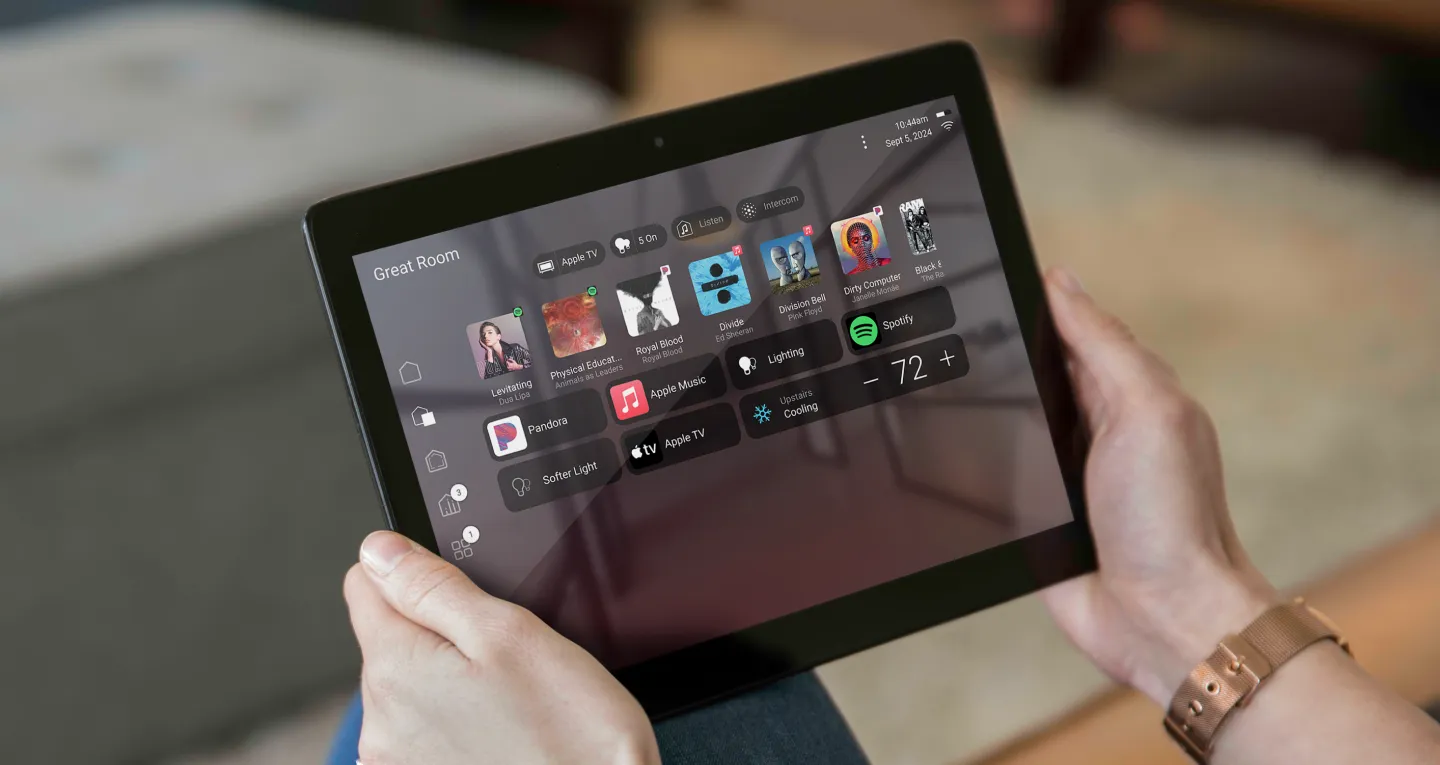
Find the part you need
What is Control4 in simple terms?
Think of it as a shared control layer. The television still displays the picture, the amplifier still drives the speakers and the heating system still manages its equipment. Control4 connects supported functions so using them together can feel more consistent.
For example, a programmed “Watch TV” activity might select the right television input, start the audio system and give you volume control on one handheld. The benefit is fewer steps—not a promise that every feature of every product moves into one screen.
How does Control4 work?
- A controller runs the project. Software on the primary controller, called Director, stores the system configuration and coordinates connected devices. The controller is part of the home’s installed equipment, not simply the phone in your hand.
- Connections make devices usable. A driver is the software connection for a particular product. Depending on the equipment, communication may use the home network, Zigbee, infrared, serial or another supported interface. Controller ports and expansion options vary.
- Programming turns equipment into activities. Your integrator connects room controls and defines what each activity or scene should do. You then use the configured app, remote, keypad or touchscreen for everyday operation.
The network is part of the system, not an afterthought. Good Wi-Fi does not fix an incompatible driver, and a new controller does not fix poor cabling. Each connection needs to be checked on its own merits.
What can Control4 control?
The platform covers many categories. These are possibilities to discuss, not a checklist of features included in every installation.
- Lighting and shadesSupported lighting circuits, scene buttons and motorized treatments. Dimming behavior, loads and shade systems need their own checks.
- TV, theater and musicSupported source selection, room volume and listening zones. Streaming accounts and content subscriptions remain separate.
- ComfortSupported thermostat, fan or pool-controller functions. The equipment’s own operating protections still apply.
- Cameras, entry and securitySupported views, intercom or status/control functions. Available feedback and permissions depend on the exact integration.
A brand name is not a compatibility guarantee. Confirm the exact model, software, driver, account requirements and functions before purchasing. A device that responds to an on/off command may not report its actual state or expose every setting.
Control4 does not replace a monitored alarm service, life-safety equipment, or a door/gate operator’s required protective devices. Those remain independent responsibilities.
The features you notice every day
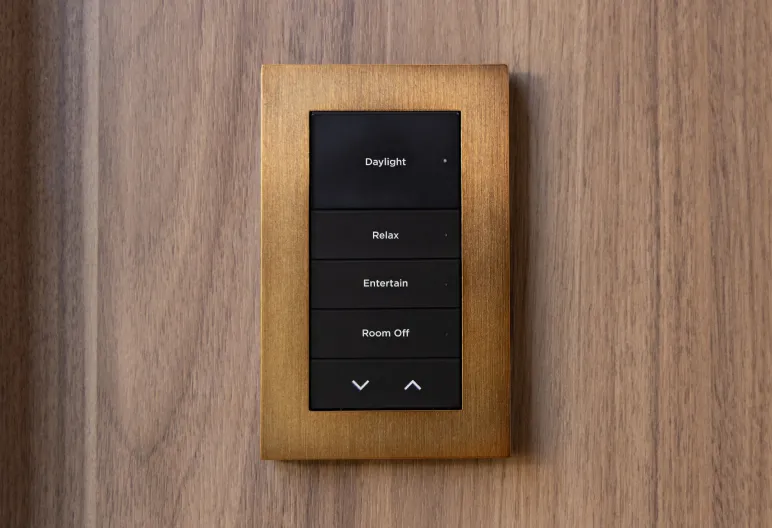
Familiar controls
A keypad can give guests an obvious “Relax” button. A remote can handle the TV room. A touchscreen can show more choices when you need them; a phone does not have to be the only way to use the home.
Scenes and routines
A scene groups selected actions, such as softer lights and a music choice. X4 also offers a Routine Gallery for supported automations, with available options based on devices in the project. Service eligibility still matters.
Keep scene names short and actions predictable. Start with the few combinations your household actually uses, rather than filling a screen with elaborate automations.
Is Control4 right for your home?
It is worth considering when the problem is coordination: several rooms, repeated remote juggling, lighting scenes or a household that wants one professional to organize the selected systems. Home size alone does not decide whether it is useful.
A good first conversation is about the friction you want removed. “We want anyone to watch TV without instructions” is more useful than “we want everything smart.” Decide what success looks like before selecting equipment.
Control4 vs DIY smart-home solutions
A simpler setup may be enough
If one thermostat or a few lights already work well, a separate app or simpler platform may meet your needs. Do not replace working products just to collect more features.
Professional coordination may help
Control4 adds design, integration and programming work, with ongoing service to consider. Its value should be demonstrated in the activities you use—not assumed from the brand or a large equipment list.
Neither approach is automatically trouble-free. Compare usable functions, compatibility, who maintains them and the full ownership cost.
Subscriptions and internet: two separate questions
On X4, Connect is optional for local app use under Control4’s current policy. Premium features such as away-from-home access, curated Routines and HomeKit integration require the applicable service and supported configuration. Internet-dependent music or third-party services have their own requirements.
Do not apply that rule blindly to an older OS 3 account. Check the system’s software and whether it uses Connect or legacy 4Sight before changing a subscription. The Control4 Connect guide explains those differences.
Local control and an internet outage are also different from a network or power failure. Some programmed local functions can continue without internet, but cloud services and remote access cannot. If the controller, network or connected equipment loses power, affected functions can stop. Ask for your actual outage behavior to be demonstrated.
How much does Control4 cost?
There is no useful single price for every home. A proposal should separate the controller and interfaces, connected equipment, wiring and network work, programming, testing and handover.
Ask which ongoing services you are choosing, whether third-party driver licenses or subscriptions apply, what warranty covers each item, and how later changes or visits are billed. A manufacturer subscription is not automatically a local labor or unlimited-support agreement.
You should be able to point to each requested activity and see where it is included in the written scope. If the proposal assumes other trades or equipment supplied by someone else, those responsibilities should be clear too.
Do you need a dealer?
Initial setup and Composer Pro programming are handled through Control4’s professional dealer channel. That does not mean calling a dealer every time you change the room volume or use a scene. Day-to-day operation and supported personalization are different from changing the system’s underlying configuration.
Before handover, know the account email, how to reach support and which changes you can make yourself. Ask for clear room and button names, a demonstration of the agreed functions, and documentation of the installed equipment.
A few practical ownership questions
Can I keep a system already installed in the house?
Often, the sensible first step is an inventory and service review—not replacement. Check controller models, software, account ownership and which functions still work. Do not factory-reset inherited equipment just to find out what it does.
Can I add more rooms later?
Possibly. Expansion depends on controller capacity, wiring, network design, supported drivers and the equipment already installed. Ask what growth space is actually included in the initial plan.
What happens if I sell or move?
Agree which equipment stays with the property. Account transfer, access permissions, programming and service arrangements need their own handover; moving a controller alone does not recreate the old home’s system.
What if something stops working?
Record the affected room, what you tried and any recent changes. The cause may be power, network, a connected product or programming. Your service agreement should explain how diagnosis, warranty work and on-site visits are handled.
Start with what you want your home to do.
Tell Denali Tech which rooms or everyday tasks need attention. If you already have Control4, include a controller photo and what is working. We’ll start with the system you have and the result you want.
Discuss my home technologyOfficial references and image sources
Checked October 19, 2026. Features depend on installed equipment, software, drivers, accounts and services. Manufacturer photographs illustrate possibilities, not a guaranteed configuration.
- Control4 Smart Home Experience + touchscreen photograph
- Control4 controller overview
- Control4 system setup: controller and Director concepts
- Control4 X4 Routines documentation
- Optional Connect policy for X4 (November 12, 2025)
- Current Control4 services and support
- Control4 owner resources
- Control4 smart lighting + keypad photograph