App control away from home
Use supported home controls when your phone is no longer on the home network.
Connect adds features such as away-from-home app access and notifications. On X4, it is an optional subscription—not a fee just to use your system locally. Older OS 3 accounts need a different check.
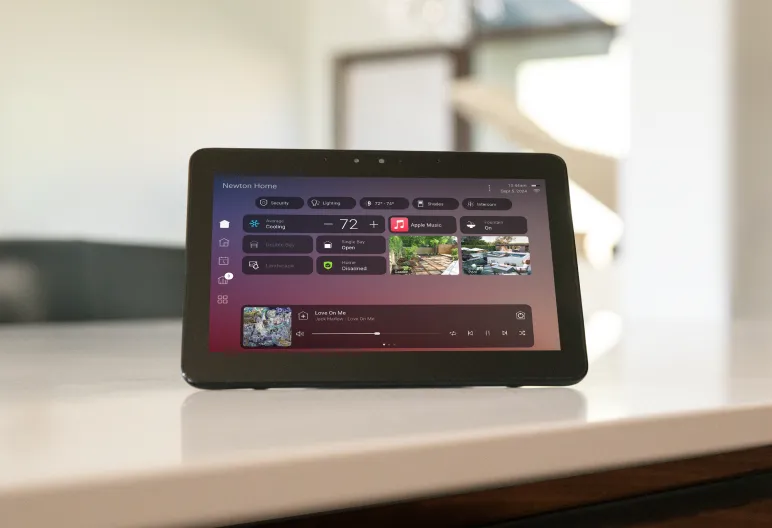
The useful question is which features you actually use. Control4 lists the following benefits; compatible devices, software, account setup and internet service are still needed. Manufacturer feature list.
Use supported home controls when your phone is no longer on the home network.
Receive configured alerts. A leak or door alert also needs the appropriate sensor and programming; the subscription alone cannot detect it.
Use Intercom Anywhere with supported door stations, doorbells and touchscreens. It does not make every camera an intercom.
Access supported Apple HomeKit and voice integrations. Device compatibility and setup determine which controls are available.
Use supported Routines and When >> Then tools to adjust selected automations. These do not replace professional system programming.
Connect includes system-backup and insight features, plus access to new premium functionality. A backup is not a promise of free repair or replacement.
The original April 23, 2024 cutoff explained which accounts used 4Sight or Connect. It does not tell the whole story today: the later X4 policy made Connect optional. Your software version and existing subscription now matter too.
Control4's optional-Connect policy keeps local app access on X4. It also lists local Apple Watch use, Apple Music integration and AirPlay 2 among retained features, subject to compatible hardware. Apple Music itself may require a separate music subscription.
Remote app access and Connect's premium features are separate. Check your renewal screen before changing the subscription. Read the X4 policy source.
The U.S. FAQ warns that OS 3 Connect accounts can lose local app access when Connect expires. That is different from the X4 policy.
Eligible existing 4Sight customers who stay on OS 3 can continue renewing 4Sight. Confirm your actual account before cancelling, changing plans or scheduling an upgrade. Read the U.S. FAQ.
Local does not mean everything works without internet. A working controller, home network and connected devices are still needed. Streaming services and other cloud-connected products can have their own internet or subscription requirements.
Control4's published U.S. policy lists $249 per year, including projects with multiple controllers. That is a published reference price, not a quote for your account; confirm the current charge, tax, term and renewal settings in the Control4 app.
The transition policy says existing $249 X4 plans become optional at renewal. It also extends specified $0/$99 CA-1 or CORE Lite X4 plans at $0 through the end of 2026—not indefinitely. Official November 12, 2025 announcement.
Do not cancel a plan or update the system just to follow a general price guide. First check the account-specific offer and the features you want to keep.
A familiar screen can be used at home or away, but the included features differ. X4 retains local Watch use without Connect; remote Watch use is a Connect feature. U.S. feature comparison.
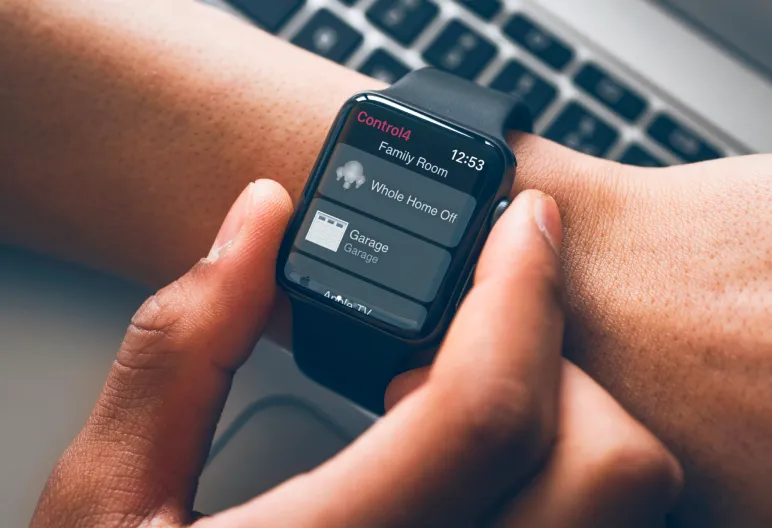
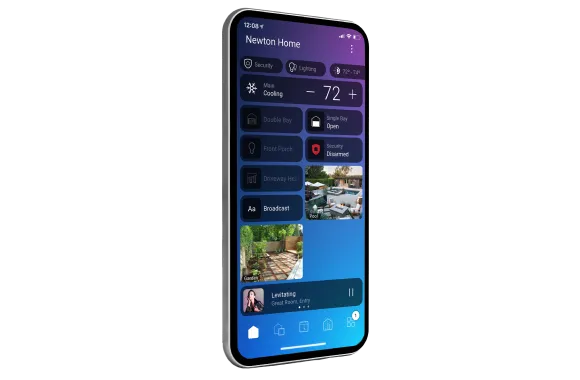
Images: Control4 manufacturer examples, not Denali Tech installation photos. Screens illustrate controls, not a guarantee that every shown feature is included in your plan.
If a physical remote, light or room stops responding, check the scope of the fault before buying a plan. Connect cannot repair failed hardware, weak Wi-Fi, incorrect wiring or programming. Conversely, if local control works but away-from-home access does not, subscription status is one of the things to check—not the only possible cause.
There is no need to replace working equipment merely because the service name changed. An upgrade should follow a compatibility review and a clear reason for the change.
Confirm the homeowner email, registered system, plan name and renewal date. Do not send your password with a service request.
Record the controller model and whether the system runs OS 3 or X4. Do not assume an old system supports every new feature.
List app access at home and away, alerts, intercom and voice. Ask what would change on your specific account.
Separate the manufacturer subscription from any music service, upgrade work or integrator support agreement.
Control4 Assist is a separate manufacturer-backed remote-support offering. Denali Tech or another integrator may also provide separately scoped service. Do not assume Connect includes visits, replacement hardware, cabling repairs or all programming work. Ask for the included work and any additional charges in writing. Control4 service and support descriptions.
Reviewed October 19, 2026. This guide covers U.S. ownership questions. Prices, regional terms and feature eligibility can change; the current account offer and manufacturer terms govern your subscription.
If you are in the Chicago area, send the controller model, software version and the feature you need. We can help separate a subscription question from a system fault and keep equipment that still works.