A smart home should feel calm every day.
A few well-chosen scenes can simplify dinner, a movie or bedtime. The aim is fewer repeated steps, with clear controls when you want to do something differently.
Find the part you need
Scene and routine are related—not identical
A scene: a reusable result
A lighting scene recalls selected light levels. “Dinner” might soften decorative lights while keeping the table bright. A broader whole-home scene can use additional programming to coordinate supported shades, music or entertainment.
An X4 Routine: a configurable automation
X4 Routines use available templates that you can add or adjust in the Control4 app. The Routine Gallery offers choices based on the devices in your project; it is not a list of everything every home can do.
A scene is not necessarily manual-only. Programmed schedules and events can also activate scenes. X4 Routines are a particular personalization feature, not a new name for every existing Control4 automation. A useful scene does not automatically require an X4 upgrade.
Four moments worth simplifying
These are starting ideas, not preloaded packages. Choose the rooms, devices and exceptions that fit your household.
Good morning
Bring on selected lights and open the shades you want opened. Decide how weekends, sleeping guests and manual changes should affect the schedule.
Dinner
Set useful table and kitchen lighting, then add music at an agreed volume if you want it. Leave private rooms out of the scene.
Movie
Select the supported source and room audio, with chosen light and shade settings. Decide what happens if someone presses the button again or changes the volume.
Goodnight
Turn off selected entertainment and nonessential lights. Keep needed path lighting and avoid cutting power to the controller, network or other equipment that must stay on.
Add locks, alarm arming or moving doors only after a separate equipment-specific review. A scene name such as “Away” is not proof that every door closed or the alarm armed successfully.
One experience across the wall and the app
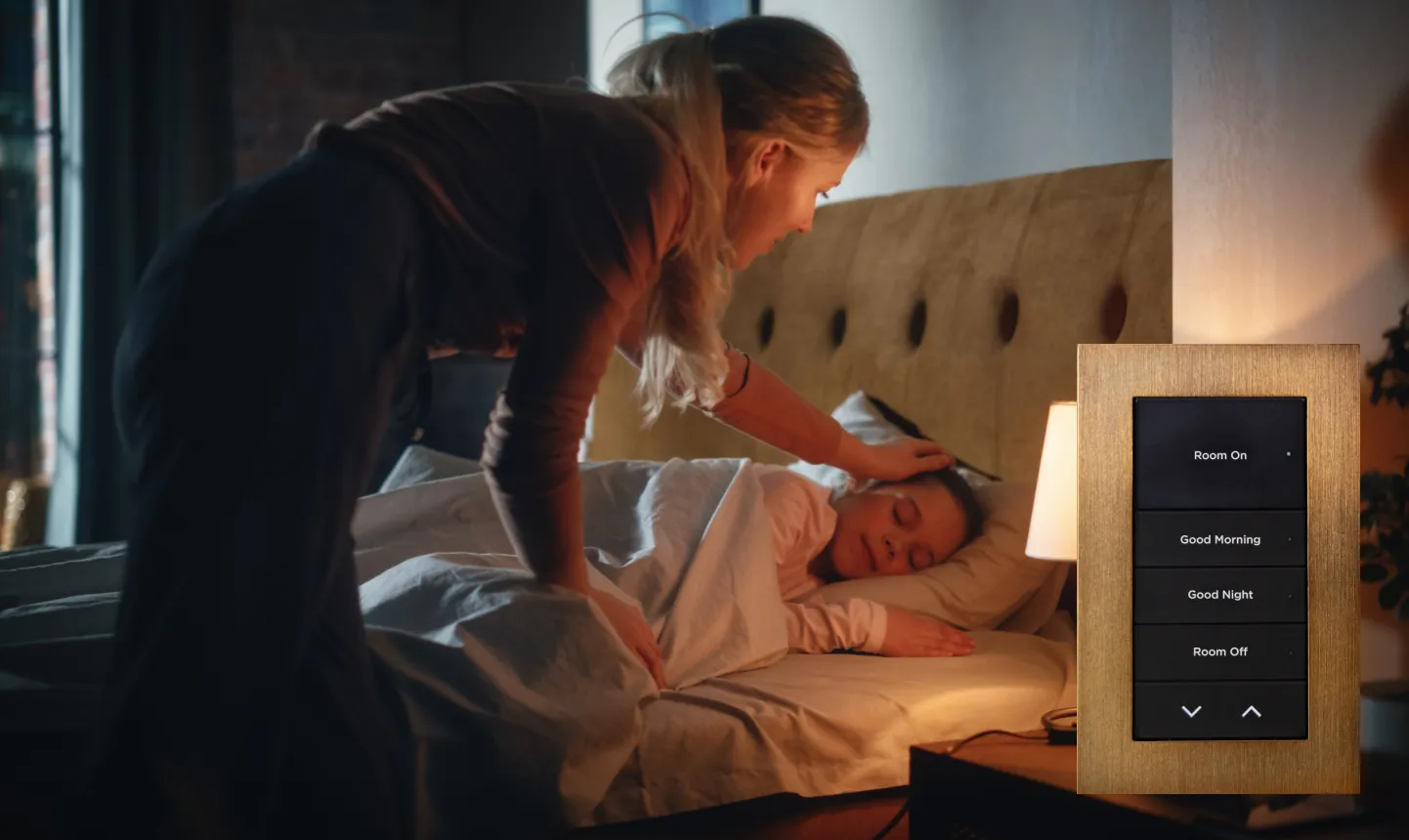
Use the same name for the same intended action wherever it appears. A keypad may offer one obvious scene button while the app shows additional controls. Available actions and feedback can differ between interfaces.
The Routine Gallery
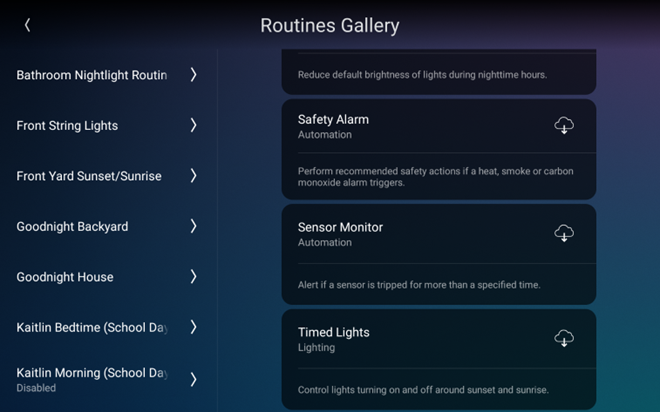
The Gallery helps you choose an available template. A visible example in this screenshot does not establish that the same device or function exists in your home.
The Routine Timeline
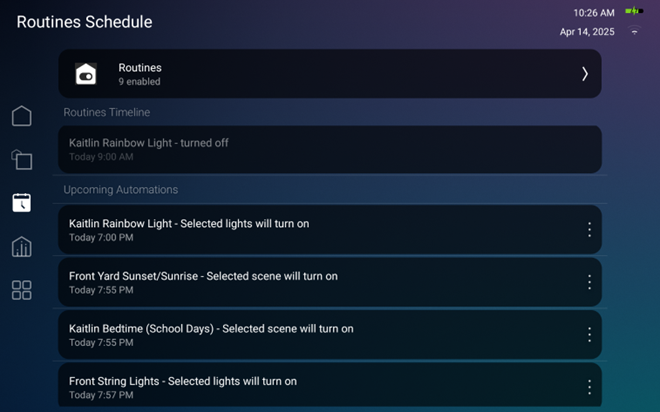
Control4 documents options to run an upcoming Routine once or skip one occurrence. Skipping once is different from disabling a recurring schedule; check which change you are making.
How one useful automation gets designed
Describe the result in ordinary language before changing the system. For example: “At bedtime, I want to turn off the family-room TV and main lights, but leave the hallway night lights on.” Then agree on five things:
- What starts it? A deliberate press, a time or a supported event should have a clear purpose.
- When should it stay quiet? Consider guests, weekends, someone still watching television or a room that is already in use.
- What changes? Name the exact rooms and devices. “Everything off” is too vague.
- What should you see? Decide which actual states can be confirmed and what an unavailable device should look like.
- How do you change your mind? Define a manual adjustment, cancellation and the next scheduled action.
Not every template supports every condition. Your integrator may need to adapt the design or use custom programming. Adding more commands is not a substitute for checking a device connection that does not work.
Small guardrails make automation feel trustworthy
A manual adjustment may not cancel the next automation. Turning a light up now does not necessarily stop a later scheduled command from dimming it. Agree how long an override lasts and whether the next event resumes the normal behavior.
Likewise, do not assume a second scene press restores the previous settings. Ask what “off,” “stop” or “cancel” actually does in your system. A keypad used to send a command is not automatically a standalone fallback during controller or network failure.
Keep security and safety decisions separate from entertainment convenience. Automation does not replace smoke/CO alarms, monitored security, equipment protections or the required safeguards for moving doors and gates. The safety-related template visible in the Gallery screenshot is not a replacement for those systems.
For important actions, distinguish a command sent from a confirmed result. If status is missing or delayed, check the device or its native controls rather than treating an icon as proof.
The simple experience depends on a solid foundation
Check the controller, software, drivers and accounts before promising new behavior. Control4’s current policy makes Connect optional for local X4 app use, but lists curated Routines among Connect’s premium features. Local operation does not mean every personalization feature is included without a subscription.
Older OS 3 accounts and their available personalization tools need a separate check. See the Connect and legacy-service guide before changing a plan. A manufacturer service subscription is also separate from the scope and cost of an integrator’s programming work.
Power, network connections and cloud-dependent devices still matter. A local scene may continue during an internet outage, but that does not guarantee operation after a controller, network or power failure. Ask which functions remain available in your particular home.
Try the agreed scenes before handover
A short walkthrough should make the behavior obvious. Keep the final scene names, included devices and important exceptions with the home’s documentation.
What should we check together?
Try each intended interface, repeated presses, a manual change and a conflicting scheduled action. Confirm what happens with an unavailable device and how normal behavior resumes. Leave disruptive outage tests to your integrator; do not unplug critical equipment to experiment.
Can I make changes myself?
Supported lighting-scene editing and X4 Routine personalization can be available to homeowners. The options depend on software, installed devices, permissions and services. Underlying driver, connection or advanced programming changes still need the appropriate professional access.
How many scenes should I start with?
A few that solve real repeated tasks are enough. Use them for a week, keep what feels natural and adjust confusing names or timing. There is no required scene count, and more automation is not automatically a better result.
Want fewer steps, not more buttons?
Tell Denali Tech which everyday actions feel awkward and what you would like one button to do. If you already have Control4, we can start with the scenes and equipment you use today.
Review my everyday controlsOfficial references and image sources
Checked October 19, 2026. Manufacturer examples do not guarantee a feature in every installation. Screenshots preserve the original documentation images; your software may look different.