A wall touchscreen gives the household a shared place to control the room.
Both families need a configured Control4 system; neither is a standalone smart-home hub. The controls available on screen depend on your connected equipment and programming.
Jump to a section
T5 and T4: the differences that matter
A screen near the kitchen entrance serves a different purpose from one beside the bed. Start with where and how you want to use it.
Newer in-wall family
Control4 T5
A wall-mounted interface with magnetic trim and a proximity sensor.
8-inch or 11-inch; in-wall only.
Coordinated Lux trim options, including a paintable Primer finish.
Built-in Power over Ethernet (PoE) brings power and a wired network connection over one cable.
Requires Control4 X4.2 / OS 4.2.0 or later. Check your controller and upgrade path before ordering.
Wall or tabletop
Control4 T4
An established family with wall-mounted and portable tabletop versions.
8-inch or 10-inch in each mounting style.
Tabletop models use Wi-Fi and include a powered charging base with magnetic docking.
In-wall models support Ethernet or Wi-Fi with the appropriate PoE or AC power hardware.
A working T4 may still meet your needs. Review compatibility and the reason for upgrading before replacing it.
Replacing a 7-inch screen? It belongs to an earlier Control4 generation, not T4 or T5. Identify the existing model, wall box and wiring before choosing a replacement.
Four screen choices, side by side
Room suggestions are starting points, not installation requirements.
Screen
Mount
Where it may fit
T5 8-inch
In-wall
Kitchen, office, bedroom or a smaller shared control point.
T5 11-inch
In-wall
Main living area or a shared screen for media and supported camera views.
T4 8-inch
In-wall or tabletop
Bedside, desk or a smaller wall location.
T4 10-inch
In-wall or tabletop
Family room, primary suite or a larger tabletop control point.
All four sizes have a 1920 × 1200 display. A larger diagonal gives you more physical screen area, not a higher pixel count. Compare them from the distance where you will actually stand or sit.
Want a screen beside the bed or on a desk?
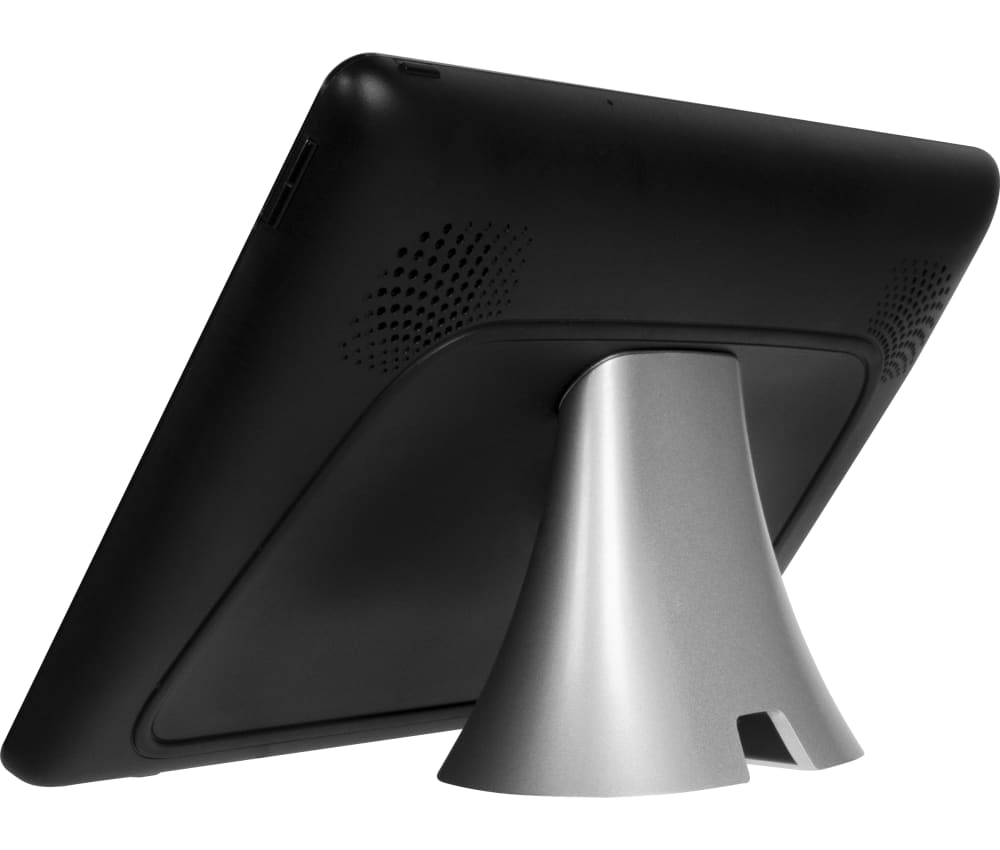
A tabletop T4 is a separate model—not an in-wall screen placed on a stand. Plan a convenient power outlet for its charging base and reliable Wi-Fi where you will use it.
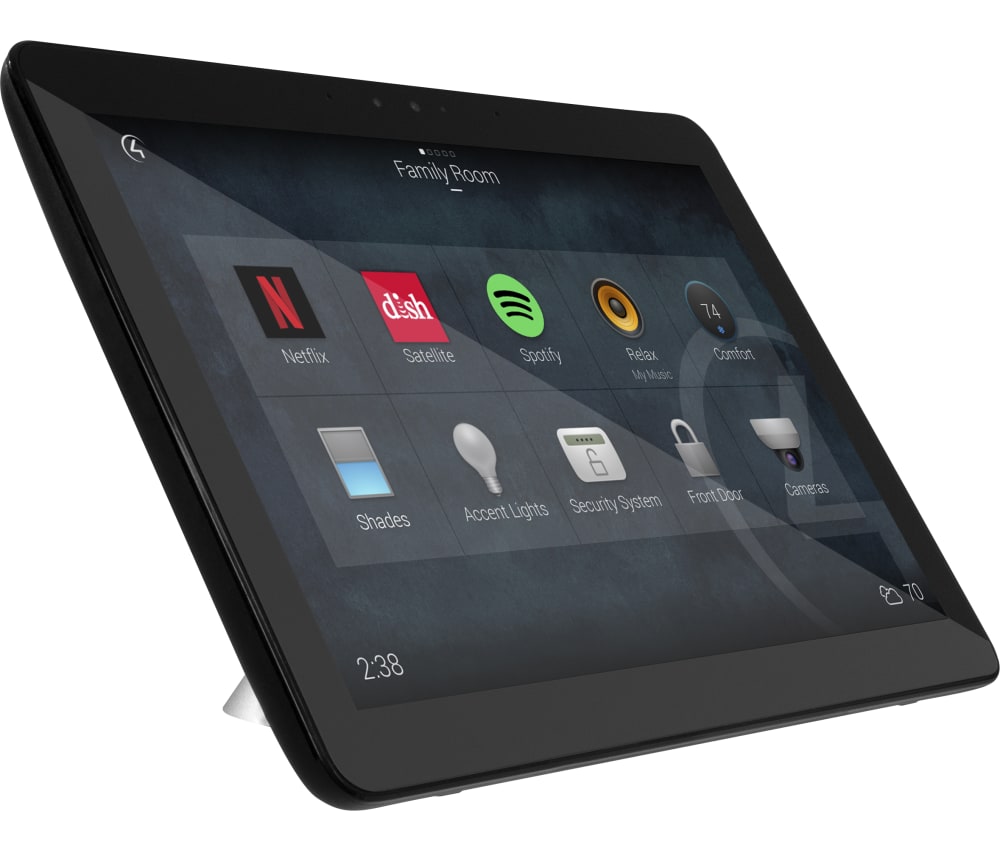
Black 10-inch T4 shown. The rear view shows the base; on-screen menus vary with software and programming.
T4 tabletop · frontT4 tabletop · base
How touchscreens look in real rooms
Think about what you reach for most often: lighting by an entrance, music in a living area, or a camera view near the kitchen.
Kitchen · T5 in-wall
A shared control point
Keep the lighting, shades and music you use most within reach, rather than relying on one person's phone.
Music · wall-mounted control
Music without using the TV
Select a supported music source or adjust the room volume from a dedicated screen.
Lighting · wall-mounted control
Scenes near the entrance
Place everyday lighting scenes where they are convenient when entering or leaving the room.
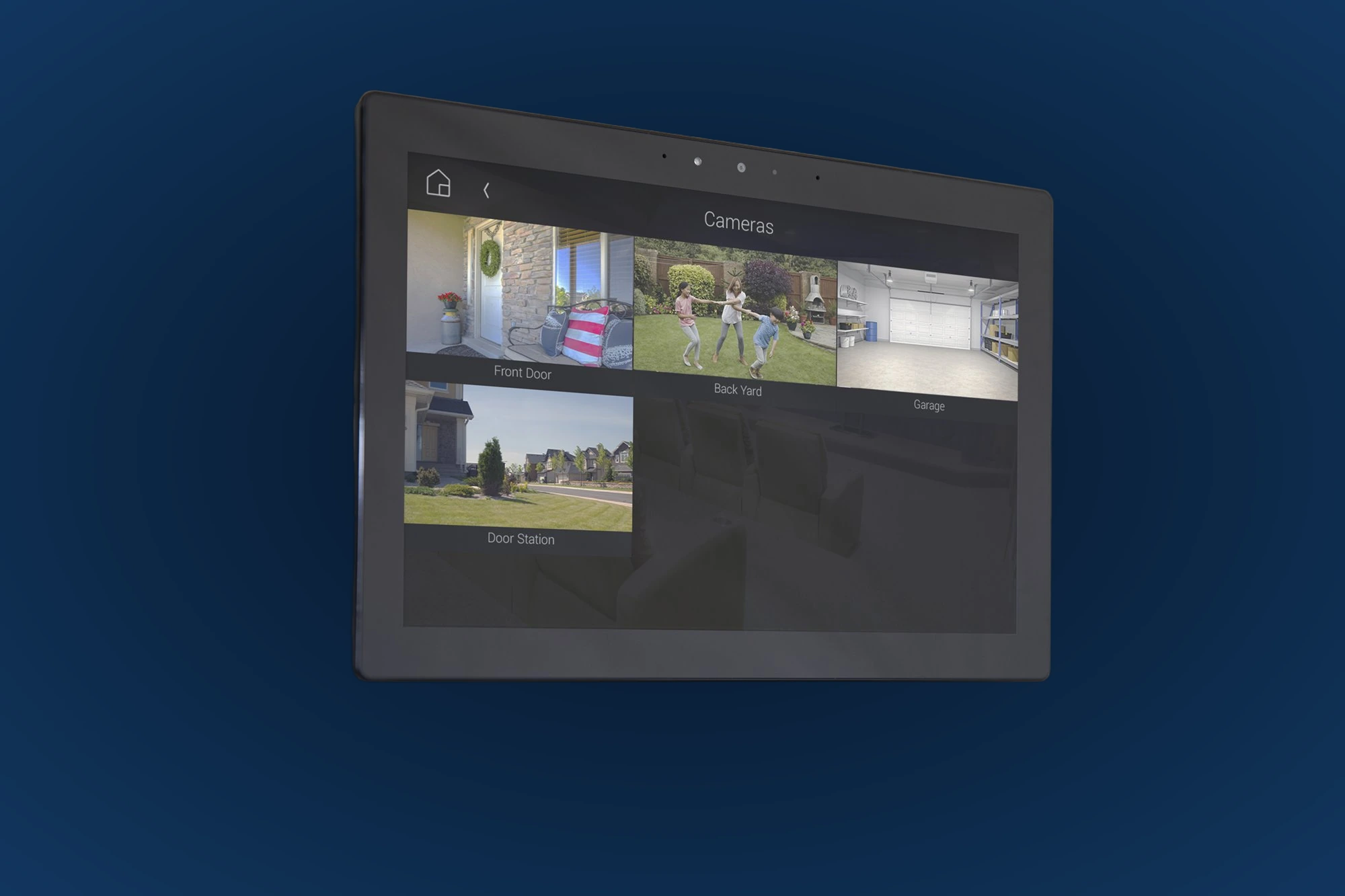
Cameras · T4 in-wall
Check a supported camera view
See who is outside from a familiar location. Confirm camera, doorbell and intercom compatibility with your particular system.
Control4 product and lifestyle images illustrate the options; they are not Denali Tech project photographs. Exact screen size cannot be determined from a room photo alone.
What needs to work behind the screen?
The display, wall box, power, network and software must work together. For an upgrade, inspect what is already there before opening the wall or ordering parts.
See the trim, wall-box and power details
T5 trim
A trim is pre-installed. Optional Lux-coordinated finishes and a paintable Primer trim let you match nearby controls or the wall.
T5 mounting and power
The wall bracket and screw kit are included. T5 has built-in PoE; the optional C4-T5IW-AC accessory is for supported AC-powered installations.
T5 wall box
Use a standard US two-gang box or a listed Control4 box as specified in the guide. Control4-branded plastic wall boxes are not compatible with the optional AC adapter. Have an electrician handle mains-power work.
T4 in-wall hardware
The matching power/mid box and approved wall box matter. T4 power and mounting parts are not interchangeable with T5 parts; identify the existing hardware first.
T4 tabletop base
A charging base is included. Replacement bases are size-specific; use the documented permanent-mount kit if the screen needs to stay in place.
Network and handover
Use a wired connection for an in-wall screen where practical. Test Wi-Fi at the intended tabletop location and check everyday controls and any intercom functions before handover.
Prewire checklist before drywall closes
Confirm the exact screen model and mounting style.
Choose a height and location the household can comfortably reach.
Plan Ethernet and compatible PoE for an in-wall screen.
Match the wall box, power hardware and bracket to the model.
Coordinate trim with nearby controls and finishes.
Keep the location clear of heat, moisture and extended direct sunlight.
Leave a convenient outlet for a tabletop charging base.
Confirm controller, software and required integrations before ordering.
A simple room-by-room recommendation
For a new wall location, start by comparing the T5 8-inch and 11-inch at your normal viewing distance. For a bedside table or desk, consider the T4 tabletop instead.
If your T4 already works well, keep it unless there is a clear reason to change—such as mounting style, readability or a feature you need. Check the controller and wiring before deciding on an upgrade.
Want help choosing the right screen?
Send a room photo and the model of any existing touchscreen. We can review the size, location and upgrade requirements before you buy equipment.
Specifications checked October 19, 2026. Room-fit suggestions are Denali Tech's planning advice, not manufacturer installation requirements. Confirm the exact model, finish, availability and system compatibility before ordering.