The keypad becomes part of the room
Choose a finish that belongs in your room and buttons that make everyday life simpler. The right Lux device also needs to suit the wiring and the Control4 system behind it.
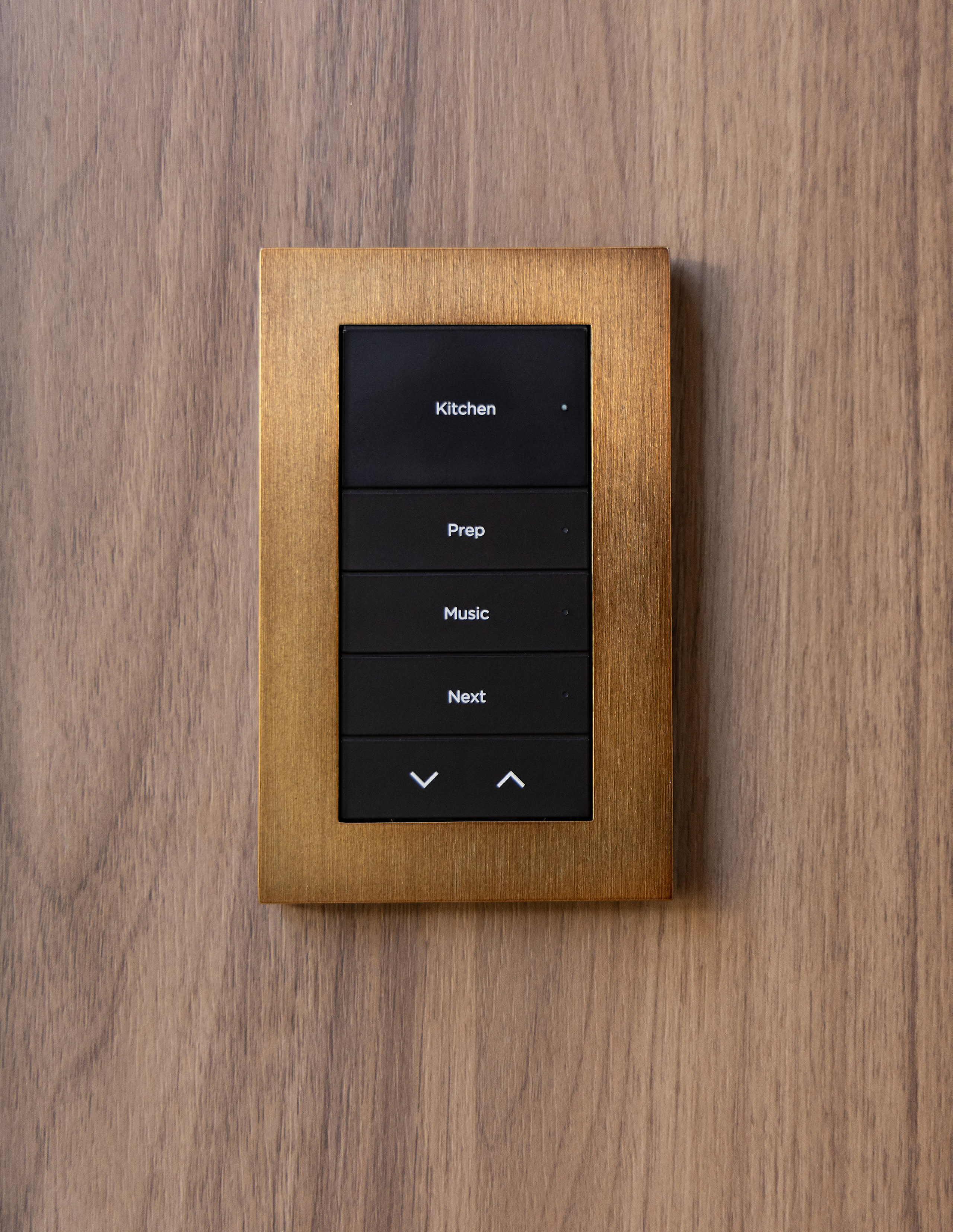
What is Lux by Control4? A coordinated family of lighting controls, keypads and faceplates. A scene keypad and a device that directly dims a light can look similar. Choose the appearance, button functions and electrical design together—not by the front photo alone.
In this guide
See Lux at the wall
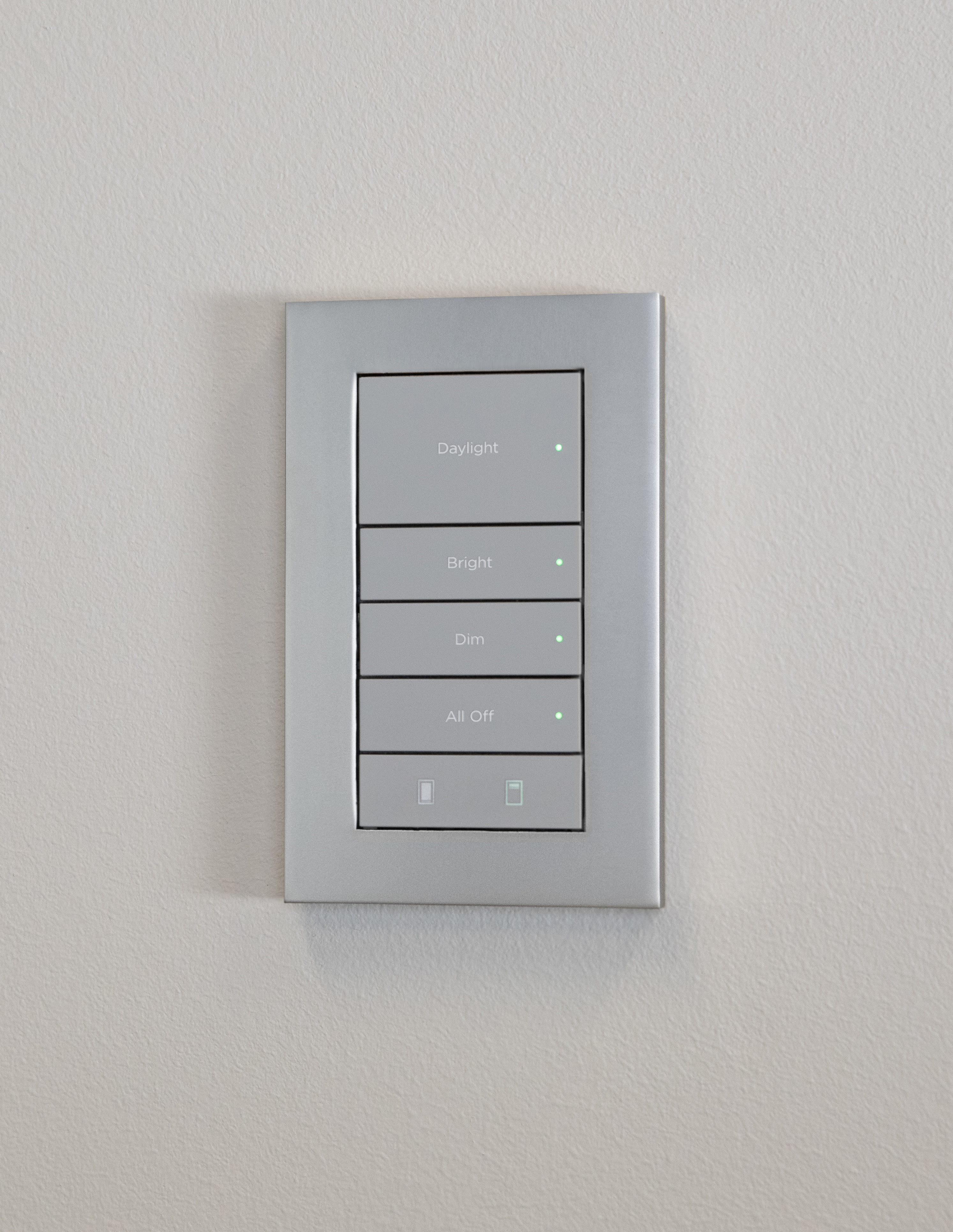
Look at the whole control, not just the color swatch. The button sizes, engraving and faceplate edge all affect how it feels in the room.
- Readability: check the labels from where you will actually stand or sit, including in evening light.
- Proportion: consider nearby trim, outlets and any multi-gang controls before choosing the plate.
- Familiar actions: the button you use most should be easy to find without studying a wall of options.
These photos show appearance, not which electronics are installed behind the faceplate. The model number still matters.
Understand the Lux family
Start with these three common choices. They are not interchangeable just because the buttons coordinate.
Configurable keypad
C4-L-KCA dedicated scene and system-control interface using Zigbee 3.0. It does not directly dim a connected lighting load. Its power wiring must still be planned.
Keypad Dimmer Switch
C4-L-KDSCombines local load control with configurable keypad buttons. Dimming or switching depends on the configured mode and supported load—not simply the label on a button.
Wired keypad
C4-L-KCBA 48V DC control point communicating over RS-485 wiring. It suits a planned keypad-bus system; it is not a line-voltage dimmer.
The Lux Auxiliary Keypad (C4-L-KA) is different again: a directly wired companion for a compatible load-control device, not another fully configurable scene keypad. Other Lux devices exist; the final model list should follow your room and lighting plan.
What to confirm for an existing home
Your installer should check the wall box, available wiring, load type and rating, Control4 controller, software, drivers and communication network before specifying a replacement. Do not assume Lux buttons or faceplates fit older Control4 controls.
The C4-L-KC supports specified AC or DC power arrangements; its AC installation requires a neutral. The C4-L-KDS data sheet lists narrow incandescent-only limits for its no-neutral configuration. That is not a general promise of no-neutral LED compatibility. Have the exact installation checked rather than applying a family-wide wattage claim.
Wired or wireless?
Wireless communication still needs power
The C4-L-KC and C4-L-KDS use Zigbee, not your home's WiFi, for their control link. “Wireless” does not mean battery-powered or no electrical work. A suitable existing location may support an upgrade, but not every switch can be exchanged directly.
A wired bus is a different design
The C4-L-KCB carries control communication over RS-485. The bus supply, gateway and cable layout are part of the design. A keypad receiving low-voltage power is not automatically this wired-communication model.
Keep the electrical work with a qualified professional. This guide helps you choose the experience and ask useful questions; it is not a wiring or installation procedure.
Choose a button layout that stays simple
Control4 documents 34 variations for the Lux Wired Keypad. More choices do not mean you need more buttons. For the configurable Lux models discussed here, button heights fit within six positions.
Mixed heights are possible too. Ask for a layout preview with the actual labels before engraving. The physical layout and Control4 programming must match; changing caps alone does not update the actions or status lights. Up/down behavior depends on what it is programmed to adjust.
See the finish before you choose
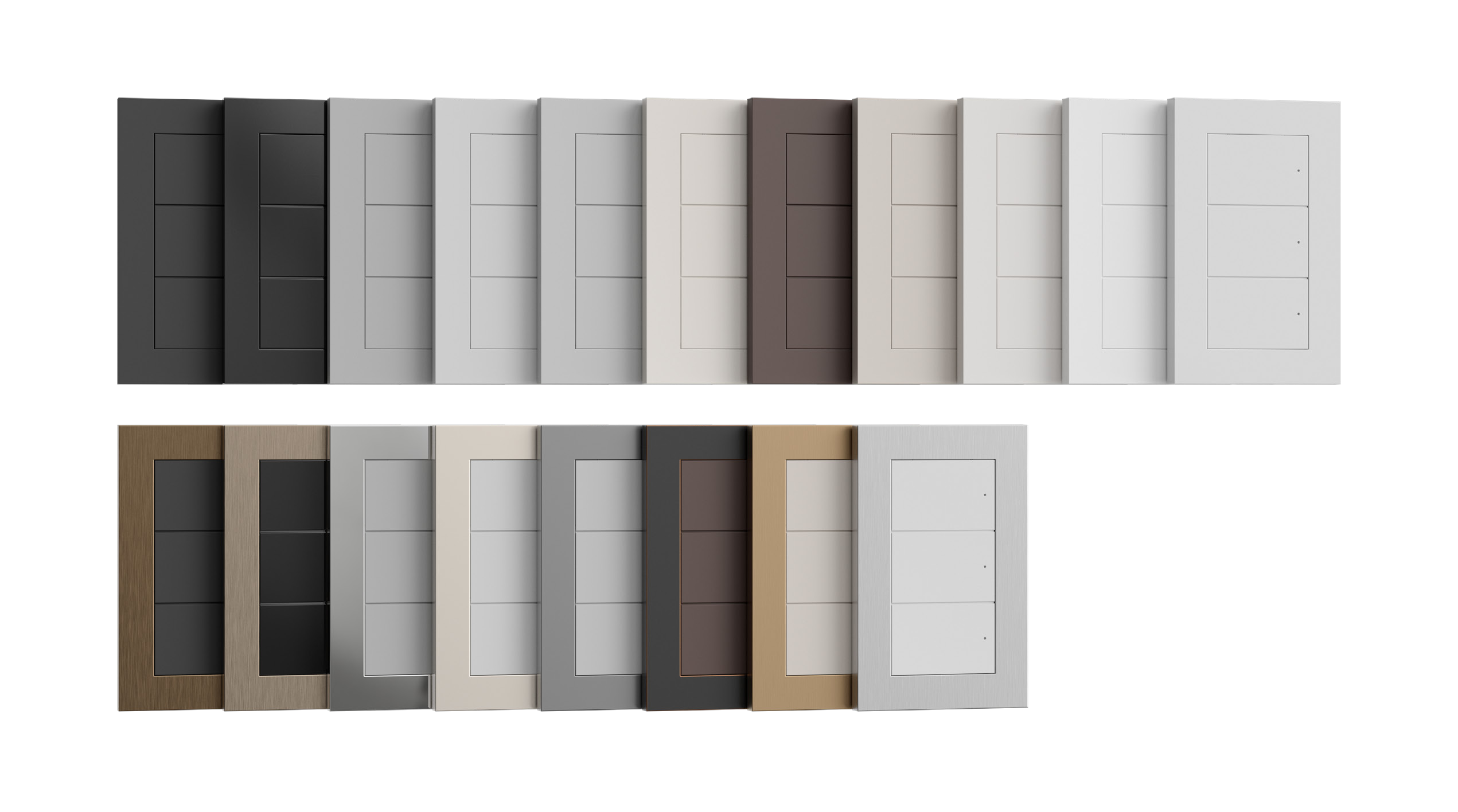
The faceplate finish and button color are separate choices. A metallic faceplate does not mean every button is metal. Check the exact faceplate, color kit, gang count and engraving options in the proposal.
Compare physical samples with the room's paint, stone, cabinetry and nearby hardware. Screen brightness, photography and room lighting change how a finish looks. A photo is useful for narrowing the direction, not approving an exact color match.
Plan the labels around real routines
Choose words your household and visitors understand. These are planning examples, not built-in scenes that every keypad includes:
- Kitchen — Bright, Cook, Dinner, Off. Separate working light from a quieter evening scene.
- Family room — Bright, Relax, Movie, Off. Agree whether Movie changes only lighting or also supported entertainment equipment.
- Bedside — Reading, Shades, Goodnight. Confirm exactly which lights and supported shades respond.
Try the everyday functions before finalizing the engraving. A useful label describes what the button actually does. Backlit text and status LEDs should also be checked in your room; a lit indicator is not proof that every connected device completed an action.
Four decisions before ordering
- Appearance: agree on the button color, faceplate finish and gang arrangement using samples.
- Purpose: distinguish a scene keypad from a device that directly controls a load.
- Daily use: approve a short, readable button layout and the action behind each label.
- System fit: confirm wiring, load compatibility, programming, accessories and current availability.
Plan lighting controls that belong in your rooms
Tell us which rooms you want to simplify and whether this is a finished home, remodel or new build. Denali Tech can help match the look and everyday controls to a practical system plan.
Plan My Lighting ControlsOfficial Control4 references
Reviewed October 19, 2026 against the documents below. Model-specific instructions and current compatibility take precedence over a general design guide.