Plex that feels fast starts before the server turns on.
The right Plex build is not simply the most powerful computer. It is a balanced plan for the files you watch, the screens you use, the number of simultaneous viewers, storage growth, backup, networking, noise, and service access.
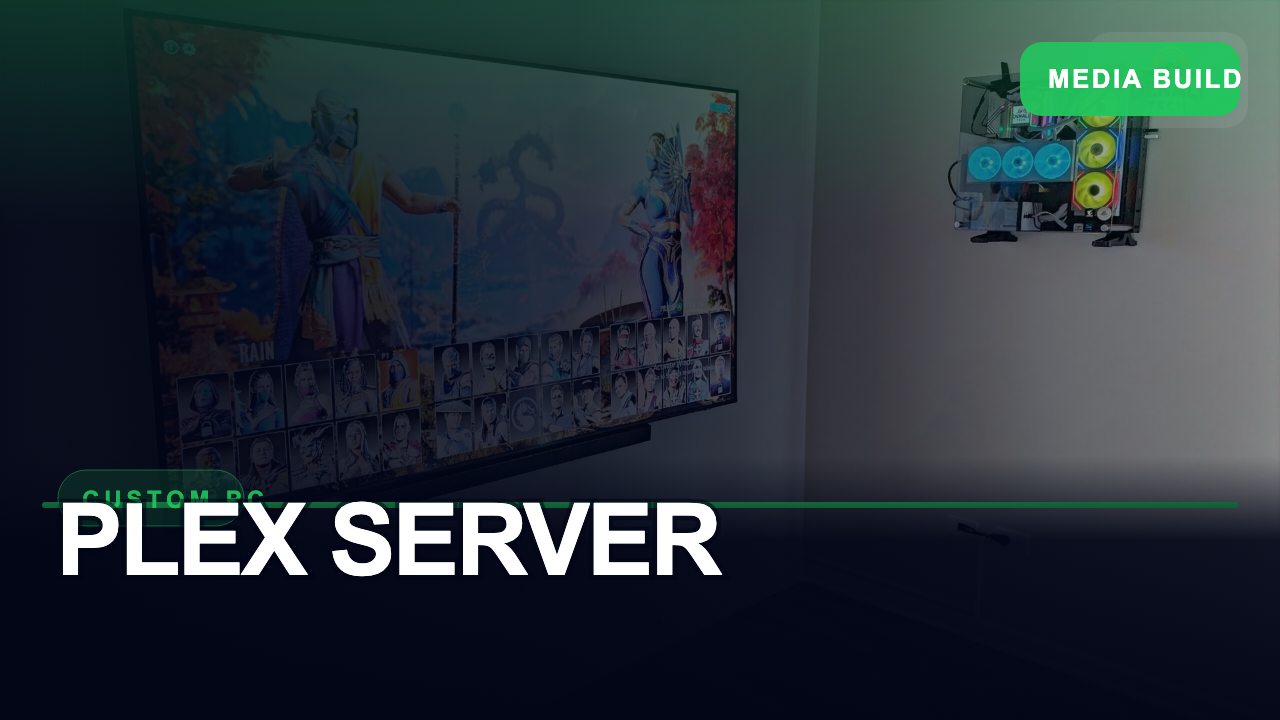
See what goes into the server.
This project video shows the physical build. The better question is not “Which part is fastest?” It is “Will the complete system handle this home’s normal playback without becoming noisy, fragile, or difficult to maintain?”
Project footage from Denali Tech. Your hardware should be selected for your media, clients, simultaneous streams, and expansion plan.
What happens when you press play.
Plex checks the file, the player’s capabilities, and the available connection. A compatible file can travel almost untouched. An incompatible file may need to be repackaged or converted in real time.
1. The server reads the file
The video, audio, subtitles, container, bitrate, and resolution all affect the next step.
2. Plex chooses a path
Direct Play is lightest. Direct Stream repackages the file. Transcoding converts incompatible video or audio.
3. The network delivers it
A wired server, reliable switching, and good WiFi help the player receive the stream without avoidable interruptions.
Four decisions shape the whole build.
There is no universal “best Plex server.” A system for one local TV is a different project from a server feeding several rooms, 4K files, mobile devices, and remote viewers.
Playback and conversion
PerformanceStart with the devices and files, then estimate how often Plex will need to transcode.
- Number of simultaneous viewers
- 4K, HDR, audio, and subtitle formats
- Local viewing versus remote viewing
Storage and recovery
ProtectionPlan usable capacity, expected growth, drive replacement, and an independent backup.
- Media library capacity
- Plex database and metadata backup
- A recovery plan that has been tested
Network and remote access
DeliveryThe server should normally be wired. Remote quality also depends on home upload speed and the connection at the viewer.
- Wired connection for the server
- Healthy switching and WiFi
- For remote personal-video playback, the server owner or viewer needs an eligible Plex subscription
Noise, heat, and power
LongevityA server that lives near a theater or bedroom needs more care than a server in a ventilated equipment room.
- Airflow around drives and processor
- Fan and drive noise at the chosen location
- Protected power and safe shutdown planning
Direct Play is easy. Transcoding is the heavy work.
The same movie may place very different demands on the server depending on the player, audio system, subtitles, and available bandwidth.
Direct Play
The file is already compatible with the player and is delivered without changing it.
Direct Stream
Plex repackages compatible video and audio into a container the player accepts, typically without changing image quality.
Transcoding
Plex converts incompatible video, audio, bitrate, or subtitles during playback. This is where processor or supported hardware acceleration matters most.
Important: Plex states that hardware-accelerated streaming is a Plex Pass feature on most supported servers. For affected apps, remote personal-video playback requires the server owner to have Plex Pass, or the viewer to have Plex Pass or Remote Watch Pass. Client capability and subtitle selection can also change whether a file Direct Plays or transcodes.
A large library still needs a backup plan.
Drive redundancy may help a system remain available after a drive failure, but it does not protect against deletion, corruption, theft, fire, or every hardware failure. Recovery needs its own plan.
Media, Plex data, and backup are three separate decisions.
Plex’s own backup guidance covers the server data directory, which contains items such as view states, metadata, and settings. Your actual media library needs its own protection strategy.
When a dedicated server earns its place.
A dedicated build makes sense when the library and viewing habits justify it. A smaller computer or compatible NAS may be enough when playback is simple and mostly local.
A dedicated build may fit when…
- Several rooms may play at once
- Some clients regularly require transcoding
- The library is large and still growing
- You want organized rack placement and service access
A simpler server may fit when…
- One or two local players handle the files directly
- The server workload is light and predictable
- A compatible NAS already meets the need
- You do not need a large expansion path
Answer these before choosing parts.
A good design starts with use—not a shopping list. These answers determine whether a compact server, NAS, or more capable dedicated build makes sense.
- Which TVs, streaming boxes, phones, and tablets will use Plex?
- How many people may watch at the same time?
- Which files are 4K, HDR, high bitrate, or use advanced audio?
- Will subtitles be used often on devices with limited support?
- How much usable capacity is needed now and in three years?
- Where will the media and Plex database backups live?
- Will anyone stream video away from home?
- Where can the server stay wired, cool, quiet, and serviceable?
Facts checked against Plex support
Reviewed August 18, 2026: server requirements, Direct Play and Direct Stream, hardware-accelerated streaming, network requirements, remote playback requirements, and server data backup. Product features, subscriptions, and compatibility can change. Final performance depends on the server, files, players, network, settings, and software version. Plex is a trademark of Plex, Inc. Media should be obtained and used in accordance with applicable rights and service terms.
Build the system around the server.
Planning a media server as part of a theater or whole-home system?
We can help you size the server, network, storage, rack space, cooling, and protected power as one serviceable system.