URC MX-990 review: is it still the right remote?
A physical remote can make a television room easier to use. The MX-990 combines familiar keys with a programmed color display—but its fit depends on your equipment and how the system is set up.
Is it worth keeping or choosing? Yes, when you want button-first A/V control and your equipment has a supported control path. Keep a working system if it meets the need. Look at a different platform if you want touch, voice or live two-way device feedback.
In this guide
What the URC MX-990 is designed to do
The MX-990 belongs to URC's Complete Control family, primarily for one-room A/V. Its 2.4-inch color LCD is not a touchscreen. You press the physical keys beside the display to choose the labels or icons shown there.
A programmed activity such as Watch TV can send a sequence of commands. Which devices start, which inputs change and where the volume keys go depend on that room's programming—not on the remote alone.
- Display and keys
- 2.4-inch color LCD, up to eight adjacent selection keys, plus backlit hard buttons.
- Control method
- Direct infrared (IR), or RF with compatible Complete Control hardware. One-way control.
- Power
- Rechargeable battery and charging cradle; no disposable AA or AAA batteries for normal use.
- Programming
- URC Complete Control software (CCP), handled by an authorized professional.
One-way means commands, not confirmation. The handset does not receive live equipment status. If a command is missed or another remote changes the system, the activity page may no longer match what is happening. Test a recovery routine for the actual equipment.
How the MX-990 works in a finished room
For visible equipment, the handset can send IR directly. For a closed cabinet, an optional compatible RF base-station setup carries commands to the equipment without aiming at it.
- RFX-250: receives the radio signal
- The separate RF sensor connects to the MRF-350 and can be positioned away from interference.
- MRF-350: sends the IR commands
- Its six adjustable IR outputs and front blaster deliver commands to supported A/V equipment. Output routing and emitter placement need configuration.
The U.S. MX-990 and MRF-350 use 418 MHz; the “i” versions use 433 MHz. Match the hardware versions. This RF link is not your home's WiFi.
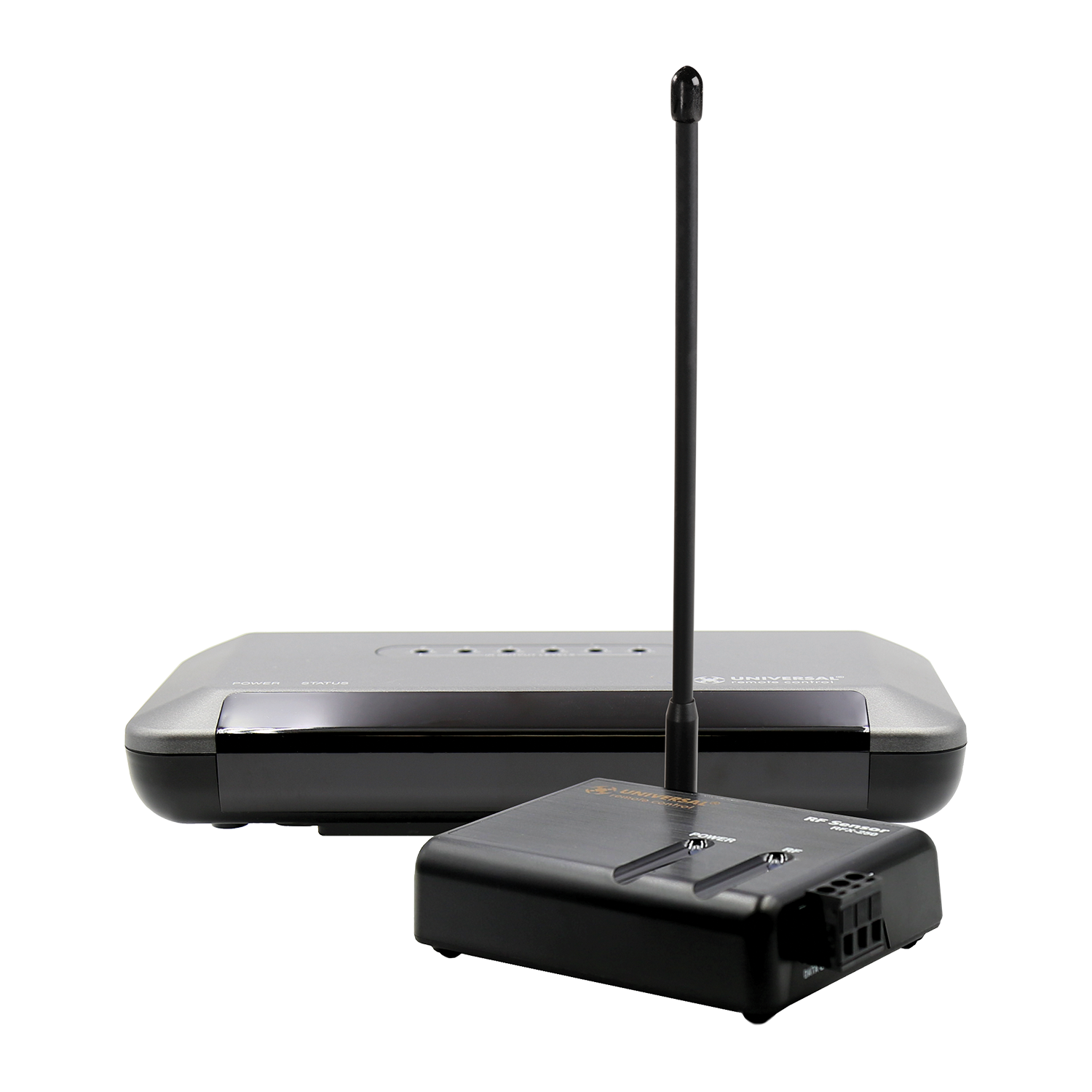
RF range is installation-dependent. A compatible base station does not guarantee coverage through every wall or control of every streaming box.
Battery life: what to expect
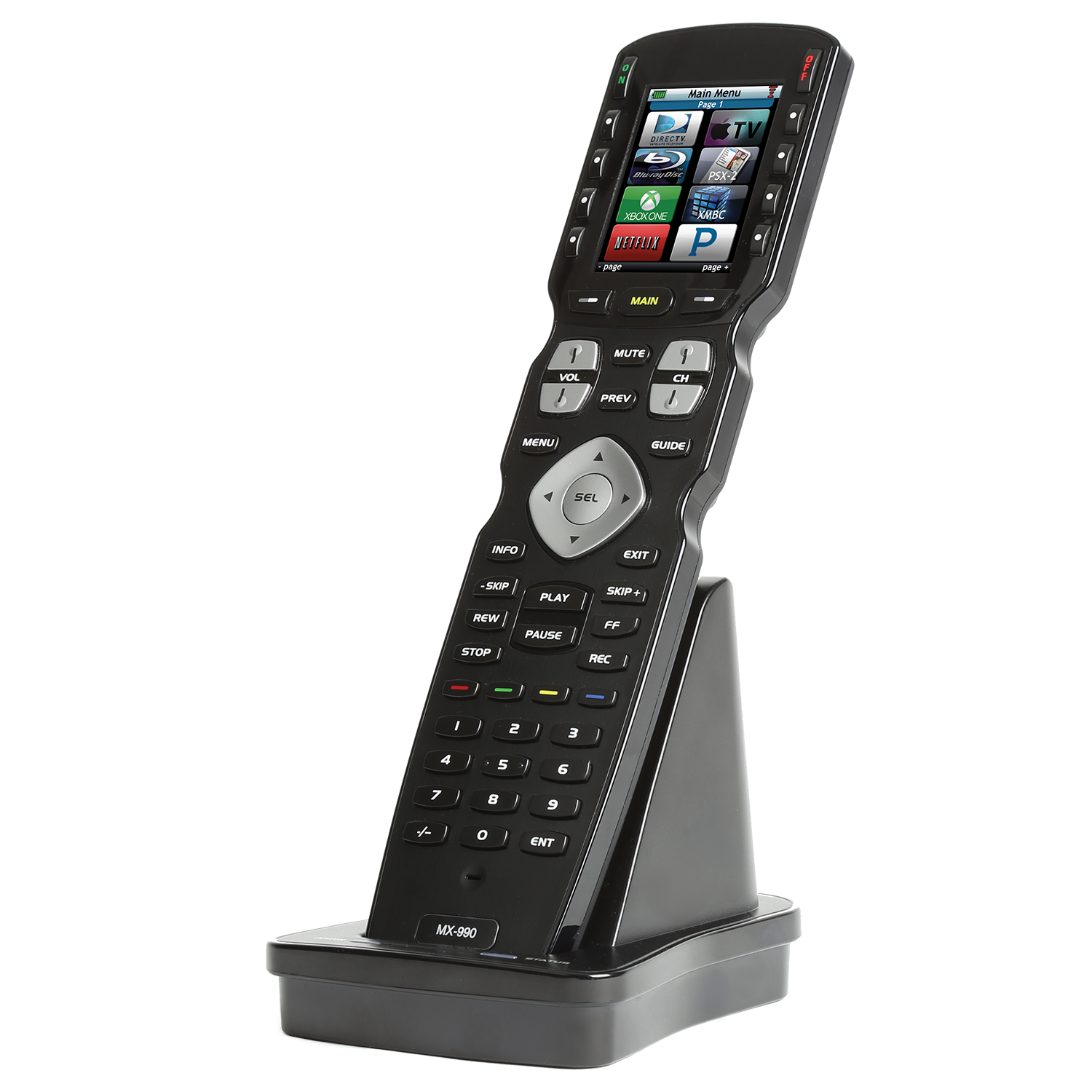
There is no useful blanket promise of “days per charge.” Screen brightness, backlight duration, use and battery age affect runtime.
- Keep the cradle on a stable, reachable surface near power.
- Check that the remote seats properly and shows charging.
- Review brightness and sleep settings if runtime is short.
- Have persistent charging or battery faults assessed before replacing the whole system.
Use the specified battery and charging equipment. A new handset, a new battery and an older used remote should not be expected to have identical runtime.
Where the MX-990 works well—and where it does not
A good fit when
- You prefer physical volume, channel and playback keys.
- Several supported A/V components need one clear activity menu.
- Hidden equipment can use a properly installed RF-to-IR path.
Consider another approach when
- You need live status or a whole-home interface for several systems.
- Your must-have controls require touch or built-in voice.
- You want to change device programming yourself without a dealer.
Artwork on the remote's sample screens is illustrative. A logo does not establish compatibility with your current device, service or app.
Keep it, update it or replace it?
Start with what already works. If the remote is comfortable and the room behaves reliably, there is no reason to replace it just for a newer model name. A changed TV, receiver or source may call for programming changes instead.
Before a service visit, gather the equipment model numbers, a photo of the base station, the steps that fail and any existing project file. Ask what can be reused, what needs replacement and whether new programming is required. Do not assume every installer has the original file or can recover it from the handset.
For new equipment, the proposal should separate the handset, any RF hardware, programming and testing. Current availability, parts and software access need confirmation before purchase.
Common questions about the MX-990
Can I program it myself?
URC lists professional programming for this model. Its support guidance says most remotes are not end-user programmable and distributes software through authorized dealers. Confirm current software access and the existing project before planning an update.
Will it control a new streaming device?
Check the exact model and the commands it accepts. Do not assume that every device with a remote accepts IR, or that adding an MRF-350 creates Bluetooth or app control. Confirm a supported path before buying or swapping equipment.
Should I factory-reset it if an activity stops working?
No—not as a routine troubleshooting step. URC warns that Factory Default erases the programming. Record what fails, check charging and seek service guidance before changing system settings.
Is a phone app included as a backup?
Do not assume so. A spare or replacement handset and any alternative controls must be planned for the installed system. Ask which everyday functions remain available if the MX-990 is lost or needs service.
Need your MX-990 working with the room again?
We support URC programming in Chicago and nearby suburbs. Tell us what equipment you have and what is not working; we will help define a practical service scope.
Get URC programming helpOfficial references
Reviewed October 19, 2026. Hardware facts and operating cautions are checked against URC's documentation. Product availability, replacement parts and the control path for your exact equipment need confirmation.