Control4 vs URC: which platform fits the project?
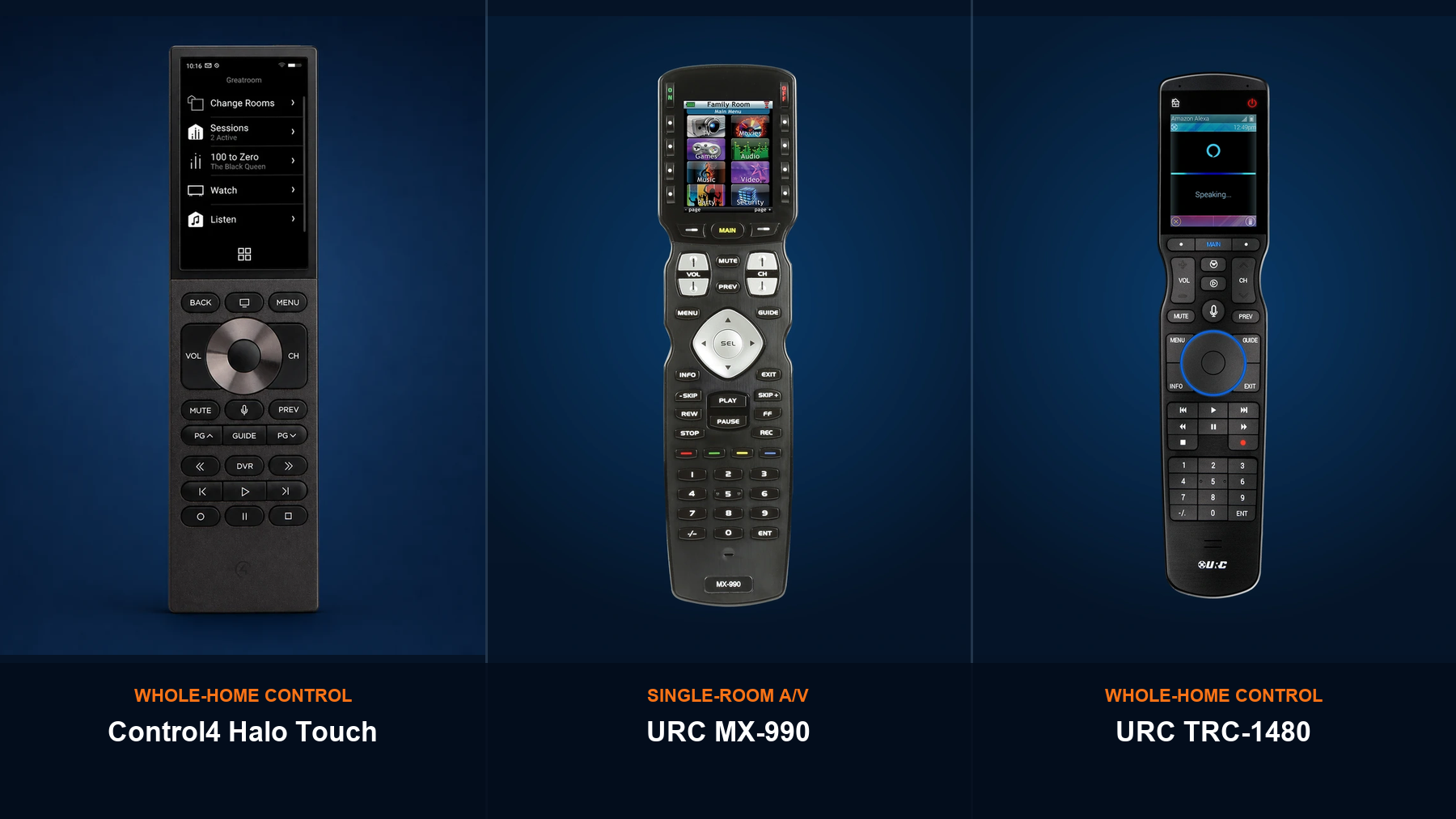
“Control4 vs URC” is not a complete comparison until the URC platform is identified. URC Complete Control is mainly a single-room A/V control system. URC Total Control is a two-way whole-home automation platform. Control4 is also a whole-home automation platform.
The correct decision starts with room count, interfaces, subsystems, device compatibility, service expectations, and the condition of any system already in the home.
Quick answer: compare Control4 with URC Total Control for a new whole-home system. Compare Control4 with URC Complete Control only when the main requirement is focused A/V control in one room.
Start with the three actual choices
Control4
A controller-based automation system for connected A/V, lighting, climate, shades, security, access, and scenes. Interfaces can include Halo remotes, T5 touchscreens, keypads, voice, and the Control4 app.
URC Complete Control
MX-series handheld remotes provide one-way control of room equipment. A compatible MRF base station can relay commands to hidden components in a cabinet or rack.
URC Total Control
An MRX-controller platform with two-way interfaces such as TRC remotes and TKP or TDC touchscreens. Compatible integrations can include A/V, lighting, shades, climate, cameras, locks, and more.
Compare the daily experience
Product labels matter, but the homeowner will judge the system by the controls used every day and by what happens when service is needed.
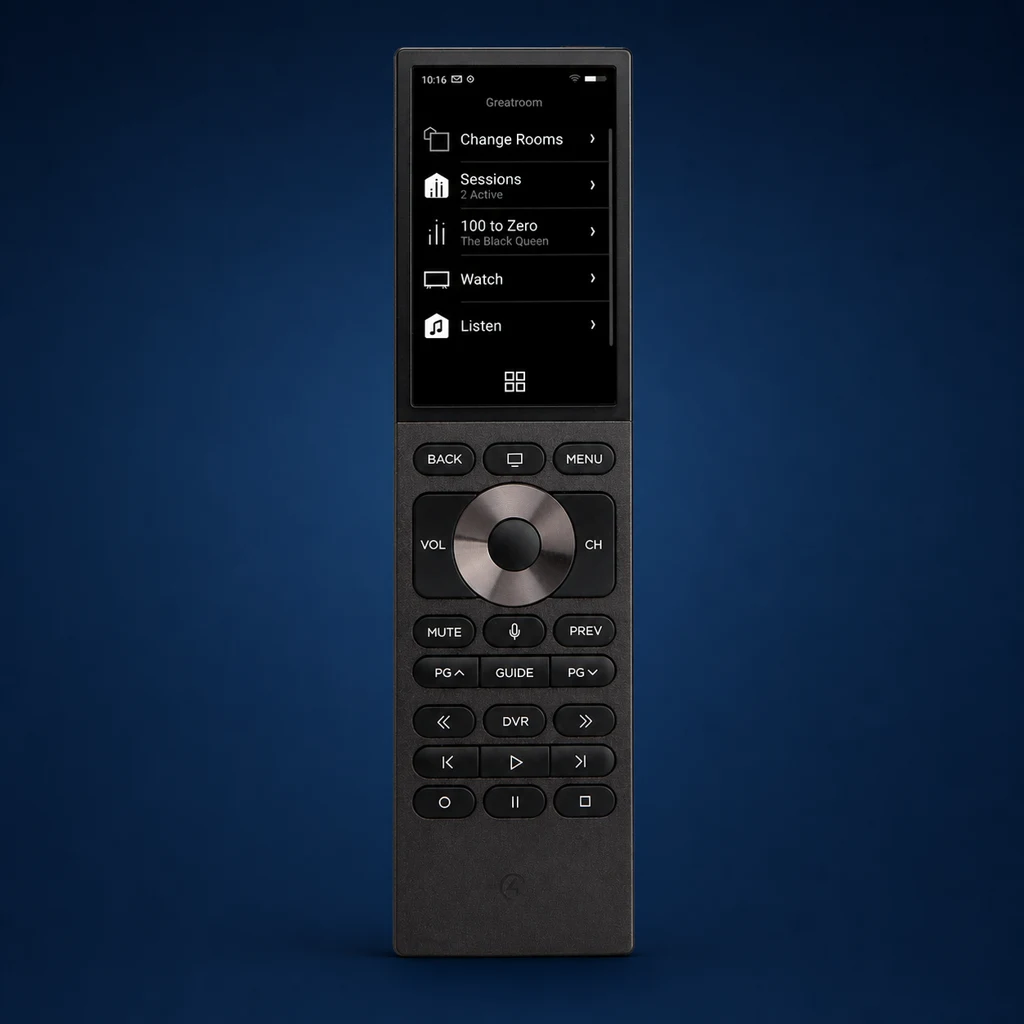
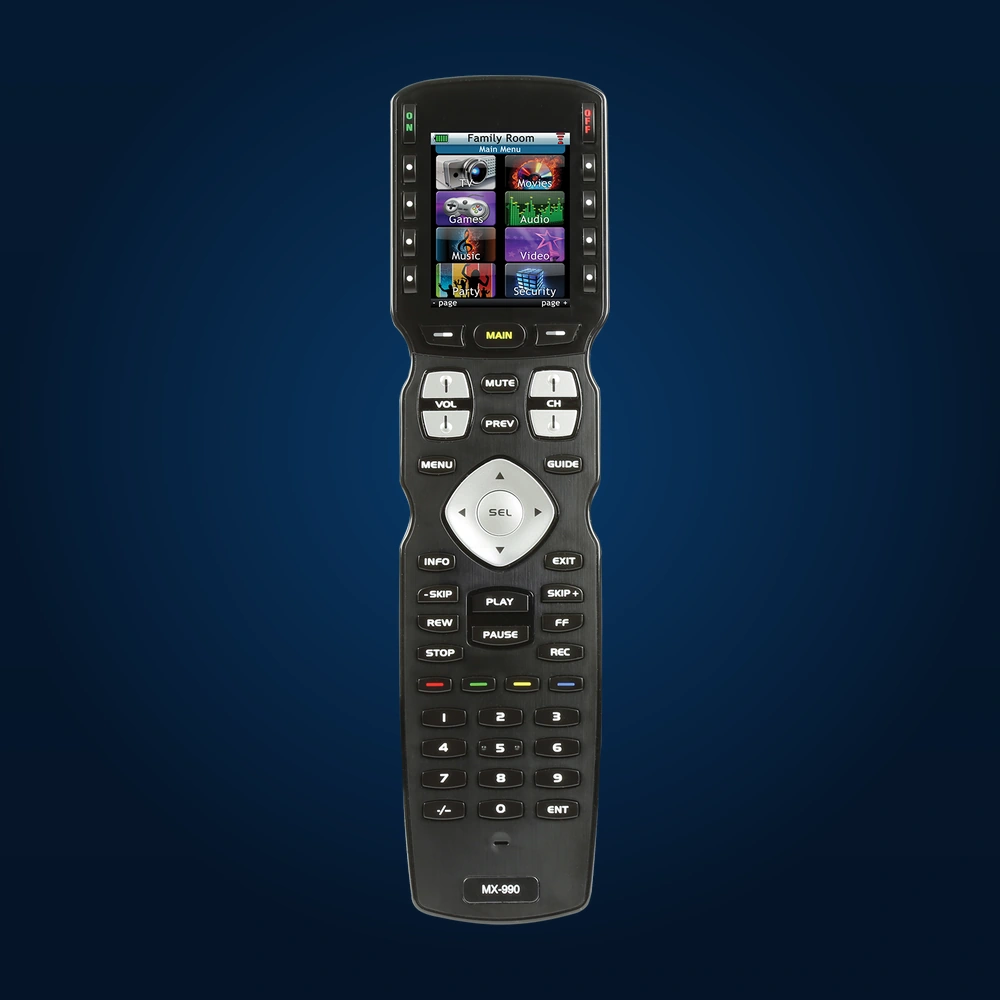
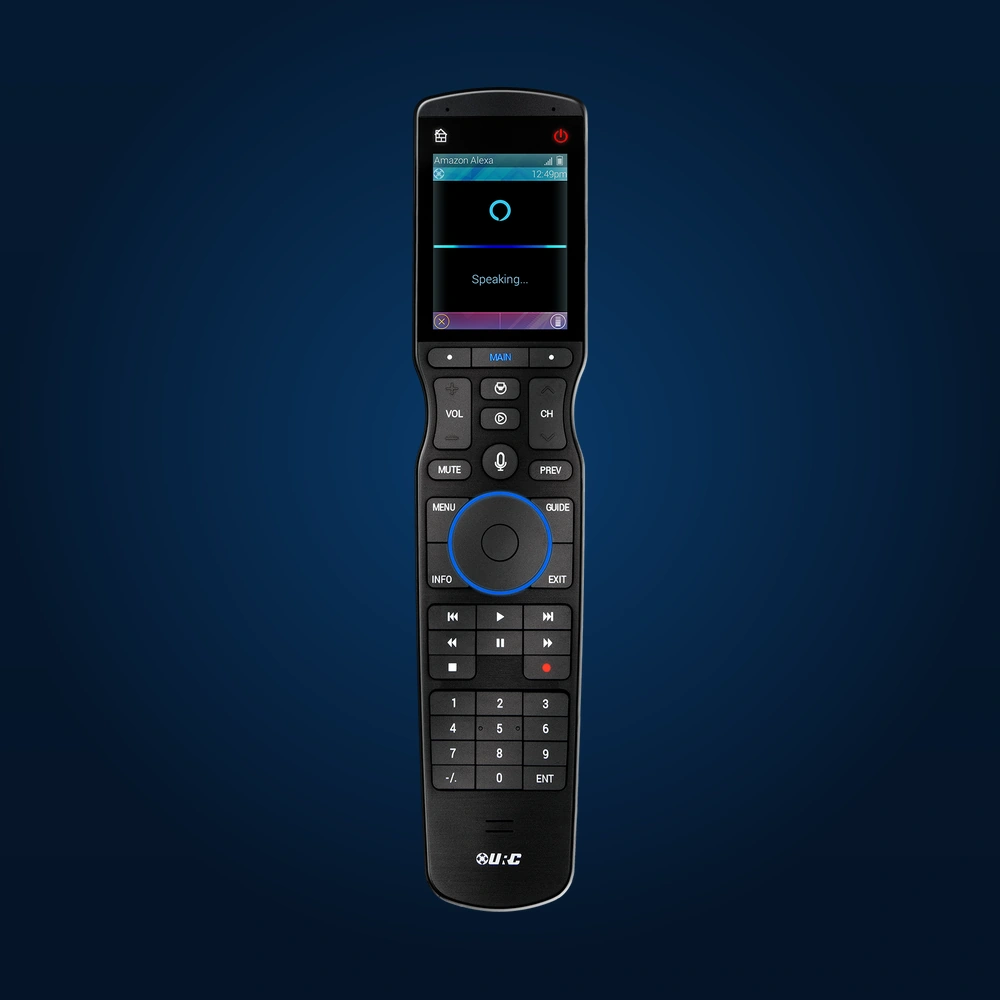
Control4, Complete Control, and Total Control compared
| Decision point | Control4 | URC Complete Control | URC Total Control |
|---|---|---|---|
| Primary scope | Whole-home automation | Single-room A/V control | Whole-home automation |
| Core hardware | CORE or CA controller | MX remote; optional compatible MRF base station | MRX controller |
| Common interfaces | Halo remotes, T5 touchscreens, keypads, app, voice | MX-series handheld remotes | TRC remotes, TKP/TDC touchscreens, keypads, app |
| Feedback | Two-way feedback where supported | Primarily one-way commands | Two-way feedback where supported |
| Lighting, climate, shades, security | Available through compatible products and drivers | Not the platform's primary role | Available through compatible integrations |
| Programming model | Professionally installed and configured | Professional programming | Professionally installed and configured |
| Best first question | Which whole-home subsystems and interfaces must work together? | Which A/V devices and activities must one remote operate? | Which whole-home integrations and interfaces are supported? |
Do not choose by house size alone. A large home may need only one well-programmed media-room remote. A smaller home can still need a full automation platform if lighting, climate, shades, audio, security, and access must work together.
Where Control4 is usually the stronger fit
- One experience across many subsystems: the project needs A/V, lighting, climate, shades, security, access, and scenes presented through consistent interfaces.
- Several interface types: the family wants handheld remotes, permanent touchscreens, keypads, voice, and mobile control.
- Multi-room media: rooms need coordinated audio or video sources with a clear navigation model.
- Homeowner personalization: supported favorites, room organization, and routines should be adjustable without rebuilding the full dealer program.
- Broad driver planning: a qualified integrator has confirmed that every required third-party model and feature is supported.
Control4 still requires careful design. A logo does not guarantee that an exact camera, alarm panel, shade motor, thermostat, or streaming service will expose every desired feature. Compatibility must be checked at the model and driver level.
Where URC Complete Control is usually the stronger fit
- A focused media room: the goal is one physical remote for the TV, receiver or soundbar, cable or satellite box, streamer, and player.
- Hidden equipment: a compatible RF base station can send IR commands to components in a cabinet or rack.
- Button-first operation: the homeowner prefers tactile transport, guide, number, volume, and channel keys.
- An existing MX system: the current remote and base station may be serviceable if the correct project file, compatible software, and replacement device codes are available.
Complete Control should not be presented as a direct substitute for a whole-home automation platform. Its job is narrower, which can be exactly right for a television or theater room.
Where URC Total Control belongs in the comparison
- Whole-home two-way control: the project needs feedback and navigation across rooms and compatible subsystems.
- URC interface preference: the homeowner prefers TRC handheld remotes, TKP or TDC touchscreens, or an existing Total Control workflow.
- Existing URC infrastructure: an MRX-based system may be expanded or modernized after its controller, software generation, network, drivers, and project file are audited.
- Confirmed integrations: the required lighting, shade, climate, security, and A/V products have been checked against the current Total Control environment.
URC Total Control is not “basic URC.” It is a different controller, software, interface, and integration ecosystem from Complete Control.
Six questions that decide the platform
1. One room or many?
A focused TV room can favor Complete Control. Coordinated rooms and subsystems point toward Control4 or Total Control.
2. Which interfaces?
List the exact remotes, touchscreens, keypads, phones, and voice controls each family member will use.
3. Which integrations?
Confirm every required brand, model, driver, and function—not just a manufacturer logo on a compatibility list.
4. What already exists?
Existing wiring, lighting, speakers, racks, networks, controllers, and project files can change the sensible path.
5. Who will support it?
Ask who holds the project file, how remote support works, and what happens when an ISP or A/V device changes.
6. What must expand?
Document likely future rooms and subsystems now so controller capacity, networking, rack space, and wiring are planned correctly.
Pricing cannot be compared by brand percentage
A credible proposal prices a defined scope. It is not accurate to say one platform is always a fixed percentage cheaper than another because the hardware and labor depend on the system being designed.
For a useful comparison, both proposals should include the same:
- Rooms, displays, sources, audio zones, and user interfaces.
- Lighting loads, shades, thermostats, cameras, locks, and security integrations.
- Controller capacity, networking, rack equipment, power management, and wiring.
- Programming, testing, homeowner training, documentation, and service expectations.
- Required subscriptions or cloud services, stated by current product and feature.
Fair comparison: compare two written scopes line by line. A one-room Complete Control proposal and a whole-home Control4 or Total Control proposal are not equivalent systems, even if both include a handheld remote.
Can an existing system be switched?
Sometimes, but the reusable pieces must be identified before the cost is estimated. Displays, speakers, amplifiers, some network equipment, structured wiring, and certain third-party subsystems may remain. Controllers, remotes, touchscreens, drivers, programming, and some proprietary devices may need to change.
A takeover review should document:
- The current controller, remotes, touchscreens, keypads, and software generation.
- Every controlled device and the communication method: IP, serial, IR, relay, contact, Zigbee, Z-Wave, or another protocol.
- Access to the current project file, credentials, licenses, and remote-management account.
- Network health, rack condition, power management, labeling, and available wiring.
- Which existing features the homeowner considers essential.
A practical recommendation
Choose Complete Control when the defined job is a focused A/V room and a tactile MX remote is the preferred interface.
Compare Control4 with Total Control when the job is truly whole-home. Then decide using confirmed integrations, interface preference, existing infrastructure, programming approach, and the long-term service relationship.
Keep an existing platform when it can still meet the requirements and a documented repair or modernization is more sensible than replacement.
Official product references
- Control4 controllers and current platform services
- Control4 whole-home capabilities
- URC MX-990 Complete Control product page
- URC MRX-15 Total Control system controller
- URC TRC-1480 Total Control remote
Compare the exact project, not the logos
Send the room list, required subsystems, preferred interfaces, and photos of any existing equipment. Denali Tech can help define a comparable scope before equipment is selected.
Send Project Details