One clean keypad. The actions you use every day.
A clear button layout can make a room easier to use. Choose the actions, engraving and finish together, then match the device to the wiring and Control4 system.
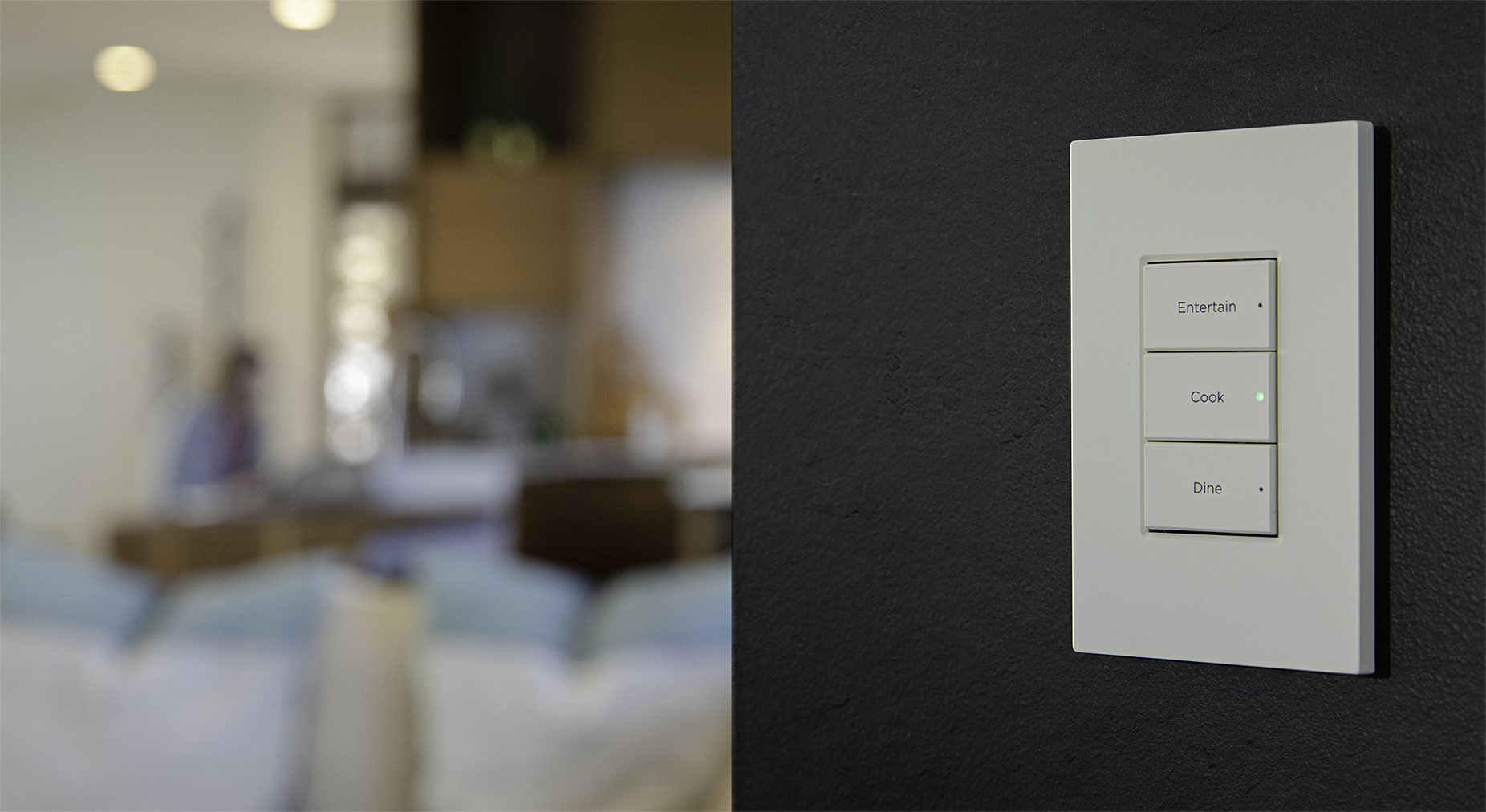
What is a Contemporary keypad? A configurable Control4 wall interface with physical buttons, engraving and programmable indicators. Similar fronts can hide different devices: a scene keypad, a keypad dimmer or a wired-bus keypad. Check the model before ordering a replacement.
In this guide
See engraved Control4 keypads in finished rooms
In the photo above, three large buttons make the choices clear. Other rooms may need a different arrangement. Judge the label size from the doorway, bedside or seating position where you will use it—not only from a close-up.
Notice the whole faceplate beside the trim and wall finish. A light control can blend into a pale wall or contrast with a dark one. The right choice is the one that looks intentional and remains easy for your household and visitors to recognize.
First, choose what the device needs to do
These examples separate control of an actual lighting circuit from buttons that request programmed actions elsewhere.
Wireless configurable keypad
C4-KC120277-CA scene and system-control point using Zigbee. It does not directly dim a connected light. Wireless describes the control link, not a battery-powered device or a promise of no electrical work.
Wireless keypad dimmer
C4-KD120-CCombines direct control of a compatible local lighting load with configurable buttons. The 120V model is not interchangeable with the 240V or 277V variants.
Decora wired keypad
C4-KCB-CA 48V DC keypad communicating over RS-485 wiring. It needs the appropriate bus design and system configuration; it is not a line-voltage dimmer.
Model and electrical checks for an existing home
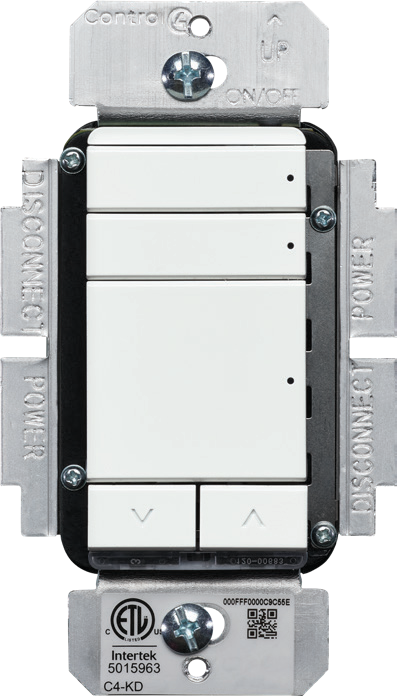
Have a qualified professional check the wall box, supply voltage, neutral, load type, load rating and multi-gang arrangement. This guide is not an installation or wiring procedure.
The configurable keypad's AC installation requires a neutral. The keypad-dimmer data sheet lists LED loads as not applicable without neutral; do not treat its “with or without neutral” description as blanket no-neutral LED support.
A 600W incandescent rating is not a 600W LED rating. Confirm the exact model's published limits and the actual lamp or driver. Controller, software, drivers and network compatibility also need checking before changing an existing system.
Button layouts, side by side
Control4 documents 37 configurations, using four button sizes, for the configurable keypad, keypad dimmer and wired keypad covered here. Depending on the arrangement, there are two to seven buttons. That count is not a specification for every Control4 lighting product.
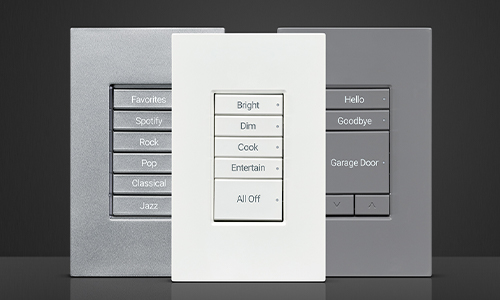
- A few large buttons: easy-to-find choices for a small number of frequent actions.
- Mixed button heights: give the main action more prominence without making every choice equally large.
- Scenes and adjustment: include paired arrows only when their purpose will be clear.
Ask for a preview with your actual labels. More configurations give flexibility; they are not a reason to fill every room with the maximum number of buttons.
What makes Contemporary flexible?
For these configurable models, Control4 documents backlit engraving, programmable RGB status LEDs and an ambient-light sensor that adjusts illumination. Check the result in the room, particularly by a bed or in a dark theater.
A label should match the programmed action, and the installed button arrangement should match its configuration. Replacing button caps alone does not define a new scene. Ask what a press, hold or second press will do where those behaviors are used.
An indicator's meaning depends on programming and available feedback. A remembered command or colored LED is not independent proof that a lock is secure, a door is closed or every device completed a scene.
See the color direction
The C4-KC120277-C data sheet lists ten button colors: Aluminum, Biscuit, Black, Brown, Gray, Ivory, Light Almond, Midnight Black, Snow White and White. Other models can differ; its C4-KC240-C counterpart lists six.
- Choose the buttons and faceplate separately. A metal-finish faceplate is not the same thing as a metallic button color. Faceplates are sold separately for the models discussed here.
- Use physical samples. A photograph or a screen swatch cannot approve an exact paint or hardware match.
- Confirm the order. Check the exact device, color kit, engraving, faceplate and gang count, plus current availability.
The linked specification sheets are dated 2021. They document the hardware; they are not a live stock list. Do not assume Contemporary and Lux buttons or faceplates are interchangeable.
A keypad can control more than lighting
With compatible equipment, drivers and programming, a button can combine lighting with supported shades, music or entertainment. The scene name is your plan—not a built-in function every keypad includes.
- Cook: bring up the task lighting you actually need.
- Movie: agree whether it adjusts only the lights or also starts supported entertainment equipment.
- Goodnight: define the rooms and supported shades involved, including anything that should stay on.
Keep occasional adjustments in the app or touchscreen if they do not need a dedicated wall button. Start with the few routines you use every day.
Use labels everyone understands
Bright, Relax and Off usually communicate a result more clearly than a circuit name. Keep wording short, consistent and readable. Test the actions with your household before approving final engraving, and ask which text or icon choices fit the selected buttons.
Four decisions before ordering
- Device: agree whether the location needs a scene keypad, load control or a wired-bus control point.
- Layout: approve the simplest useful arrangement and its everyday actions.
- Appearance: compare button color, engraving and faceplate samples in the room.
- Handoff: test the labels, indicator meanings and supported functions, and know how to request adjustments.
Plan controls that feel simple from the first day
Tell us which rooms you want to improve and what Control4 equipment you already have. Denali Tech can help match the wall controls to the way you use your home.
Plan My Lighting ControlsOfficial Control4 references
Reviewed October 19, 2026. Model-specific documentation and current compatibility checks take precedence over a general planning guide.