Check the door’s status, not just the command.
Control4 can bring garage-door and gate control into your home system. Start with a compatible operator, dependable position feedback and the safeguards that moving barriers require.
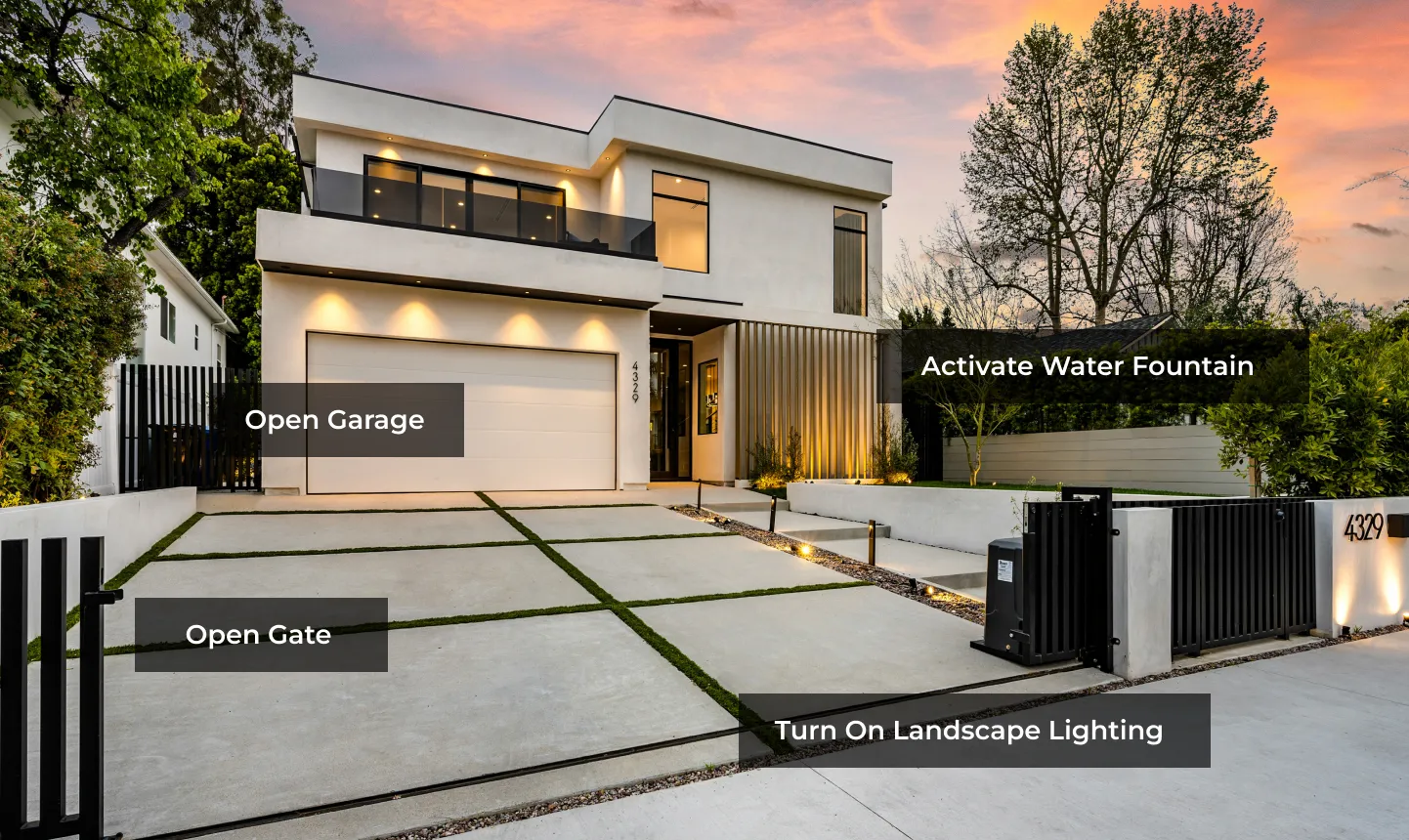
The short answer: Control4 requests movement through a compatible interface and can show supported sensor feedback. It does not replace the operator’s safety controls. A button press, camera picture or “command sent” message is not proof that a door closed or that its path is safe.
In this guide
The six layers of a complete system
A clear plan gives each part a job. It also makes it easier to keep useful existing equipment instead of replacing everything.
- Door or gate and operator: the mechanical system and motor controller, suitable for the opening and its use.
- Approved control interface: a supported way to request movement without bypassing the operator.
- Position feedback: a properly installed contact or supported native state that reports the position it can actually detect.
- Entrapment protection: the required operator-compatible protection devices, independent of Control4 programming.
- Visitor access and video: an intercom, camera or credential appropriate to the entrance.
- Power and fallback: documented local operation, backup-power limits and emergency access.
Garage doors and driveway gates are not the same project
Garage door
Check the opener model, door type, wall control and supported accessories. Some wall controls use proprietary signaling, so a simple relay cannot be assumed to work. Keep the opener’s photo eyes, reversal protection, warnings and local controls intact.
Driveway gate
The gate professional must assess its travel area, entrapment zones, safety devices and access requirements. A vehicular gate needs a separate pedestrian route. Plan outdoor power, communications and service access as well as the app.
Denali Tech can coordinate the Control4 integration with the responsible door, gate, electrical and access-control professionals. This guide is not a wiring plan, site safety assessment or compliance certification.
Status needs more than two words
Ask what each label means in your actual installation. Not every driver or interface provides all the states below.
Closed reported
The configured closed-position sensor or native feedback reports closed. That does not separately prove the door is locked or its safety devices are healthy.
Open reported
A supported open-position input reports open. A single closed contact going inactive proves only “not confirmed closed,” not “fully open.”
Moving or estimated
Actual movement requires suitable feedback. Elapsed time after a command is only an estimate, not confirmation of movement or direction.
Unknown or unavailable
Missing, stale or contradictory feedback needs attention. Ask how the interface identifies it rather than treating the last displayed state as current.
Do not keep resending commands when the result is unclear. A toggle input may open, stop or close the barrier depending on its current state. Check the situation safely and use the documented local procedure or contact your installer.
Compare the control and feedback paths
- Supported local interface: can request movement through the operator’s approved input or accessory. Confirm whether it offers separate open/close commands or a toggle.
- Manufacturer or third-party driver: may provide commands and status, but model, firmware, account, cloud and service requirements need checking. A working opener app does not prove Control4 compatibility.
- Independent position contact: can report a particular limit position. Alignment, wiring, wireless coverage and failure reporting still matter.
What the older Control4 garage bundle does—and does not—establish
The public C4-SGB10A-2D-ZP data sheet is dated January 2018. It describes two ZigBee-to-IO modules and two rail-mounted contacts, illustrating separate command and feedback paths.
It is not proof that every current opener accepts the interface, that unattended closing is permitted, or that the package is currently available. Confirm the exact operator, approved accessories and current driver before quoting equipment. Read the dated manufacturer data sheet (PDF).
Put the useful information in one place
Use names that match the property: “Left garage bay” or “Driveway gate” is more useful than “Relay 1.” Agree which status is measured, which actions are available and what happens if a command is not acknowledged.
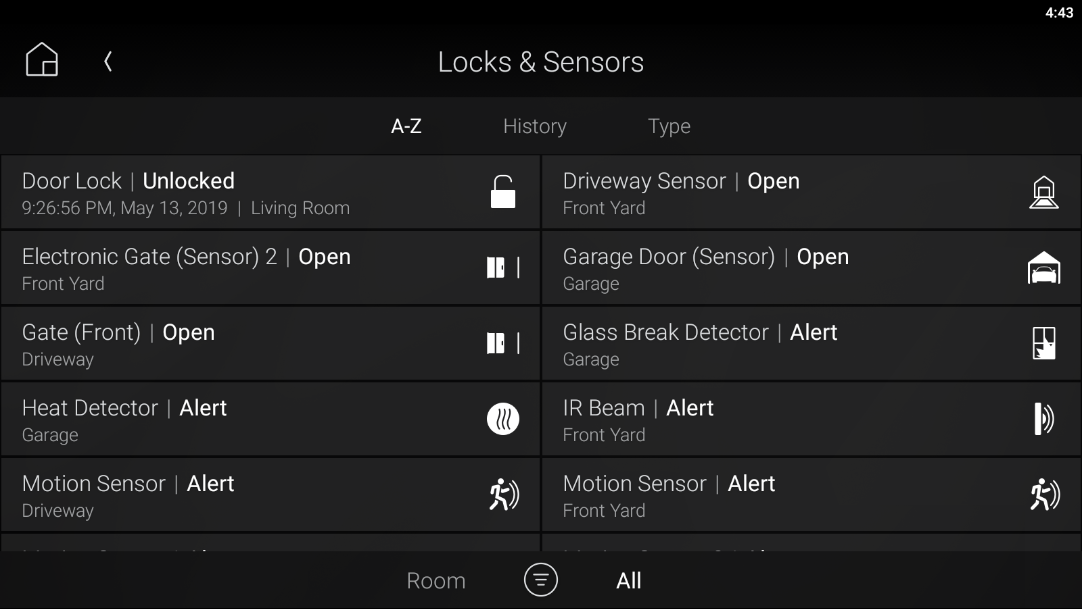
Control4’s guide describes an icon pulsing until a state change is acknowledged. The meaning and reliability of that acknowledgment still depend on the connected device and feedback. Do not treat an animated icon as physical proof of closure. Keep a convenient local way to operate the opening.
Automation must never bypass entrapment protection
Moving barriers can cause serious injury or death
Have the appropriate qualified door or gate professional assess the installation before adding automated movement. Never bypass a protection device or use a person, pet or vehicle as an obstruction test.
- Keep protection at the operator. Required photo eyes, monitored edges and other approved devices must work with the specific operator. Control4 logic and a camera are not substitutes.
- Separate vehicle detection from person protection. Vehicle loops and camera analytics can serve access or vehicle-protection functions; they are not replacements for required pedestrian entrapment protection.
- Preserve the approved warning method. Remote or unattended closing has additional operator, door-type and warning requirements. A software delay or spoken smart-home announcement does not by itself satisfy them.
- Keep people clear. Do not reach through a moving gate or let children play near it. Place controls and pedestrian access according to the gate professional’s plan.
- Maintain the system. Follow the manufacturer’s inspection and test schedule. Have the professional demonstrate safe owner checks and the correct emergency procedure.
CPSC identifies 16 CFR Part 1211 as the mandatory U.S. standard for automatic residential garage-door operators. For automated vehicular gates, DASMA explains operator listing to ANSI/CAN/UL 325 and gate construction under ASTM F2200. Your responsible contractor must also check applicable local requirements; adding Control4 is not a safety certification.
See and speak before granting access
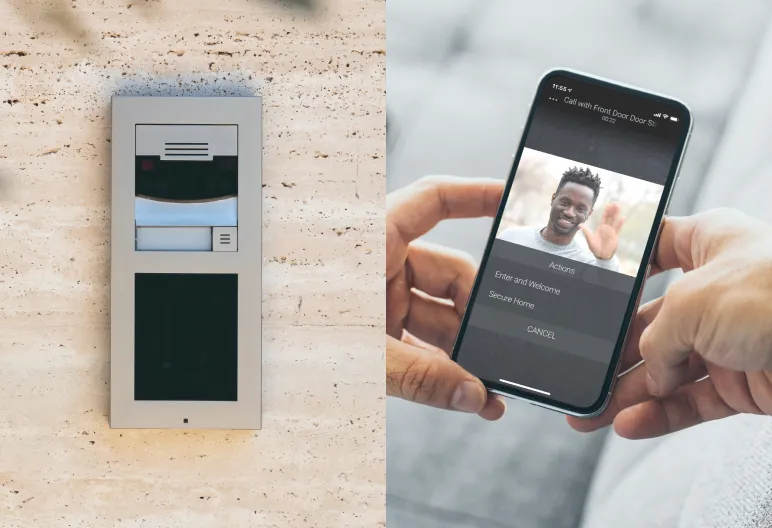
An intercom and a useful camera view can help you decide who should enter. Neither proves the gate’s path is clear. Deliberately grant access after identifying the visitor, while keeping all operator protections active.
Agree how residents, guests and deliveries enter. Individual or temporary credentials, schedules and access history are available only where the chosen access system supports them. Do not assume every feature documented for a smart lock also exists on a garage door or gate.
Remote control needs more than a working home app
Local operation and access while away are different services. Current Control4 services list Connect for remote app access and notifications; an older system’s eligible legacy service needs its own check. Review the Connect and legacy-service guide before promising remote operation.
Check the operator, Control4 controller, network and any cloud-dependent driver separately. Backup power protects only the equipment it actually supplies. A battery in the opener does not keep the home router, intercom or Control4 controller running.
Keep documented local access and emergency arrangements. Ask the door or gate professional to demonstrate manual operation; do not improvise a release, especially on a damaged or unbalanced door.
Start with useful alerts and lighting
Arrival lights, a visitor call and a “not confirmed closed” notification can remove uncertainty without making the barrier move automatically. Name the opening and explain whether an alert reports a measured state or missing feedback.
Automatic closing should be considered only when the exact door, operator, accessories, protections and warning method permit that use. Do not treat a bedtime timer, geofence, recognized vehicle or AI alert as permission to move a barrier. Do not program repeated close attempts around an operator’s safety shutdown.
Five things to confirm before handoff
- Compatibility: record operator models, door types, approved interfaces, drivers and any account or service requirements.
- Feedback: demonstrate reported positions and how delayed, lost or contradictory information appears.
- Normal use: practice local control, the app, visitor calls and the household’s intended access rules.
- Failures: have the responsible professionals verify protection devices, warnings, power/network recovery and exception alerts. Do not perform hazardous outage or obstruction tests yourself.
- Fallback and maintenance: document emergency access, safe manual operation, service contacts and the manufacturer’s inspection schedule.
Common questions
Must I replace my existing opener?
Not automatically. Keep it if its condition, safety features and approved integration suit the plan. Share the model label and door type first; a relay module is not a universal compatibility solution.
Does “not closed” mean the door is fully open?
No. A single closed-position sensor may also be inactive while the door is partly open or stopped. Ask which positions are measured and what happens if the sensor is unavailable.
Can a camera replace the position or safety sensors?
No. Video can add context, but it is not the configured position input or the operator’s required entrapment protection. A camera view can also be delayed, obstructed or offline.
Plan a clearer arrival experience
Send a photo of the opening and its operator model label, and tell us how your household and visitors should enter. We can review the Control4 side and coordinate with the responsible door or gate professional.
Plan My Access SystemOfficial references and image sources
Reviewed October 19, 2026. This is homeowner planning guidance, not an approval of a particular installation. The 2018 bundle sheet is historical context; current operator instructions and model-specific requirements take precedence.
- Control4 user guide: supported controls and acknowledgment
- Dated Control4 garage-bundle data sheet (PDF)
- Control4 outdoor arrival and entrance illustrations
- Control4 remote access and notifications
- CPSC: residential garage-door operator requirements
- DASMA: gate safety, listing and construction guidance
- LiftMaster: entrapment protection versus vehicle accessories
- CPSC: why gate entrapment protection matters (archived release)