Lock state
Reports the supported lock's mechanism state. It does not, by itself, prove the door is seated in the frame.
Choose hardware that suits your door and your home. Then check compatibility, everyday access and what the system can actually report.
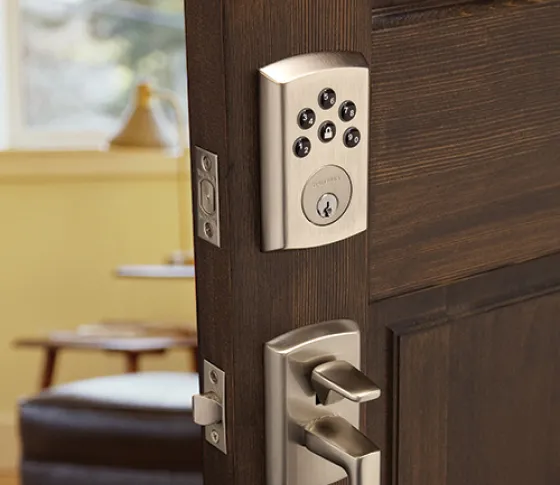
Use these examples to compare appearance and door-hardware styles. They are not a current stock list or a promise that every lock from each brand works with Control4.
Start with the handleset, finish and door design when the front entry's appearance is a priority.
Before buying: verify the connected lock version, available finish and supported integration—not just the Baldwin name.
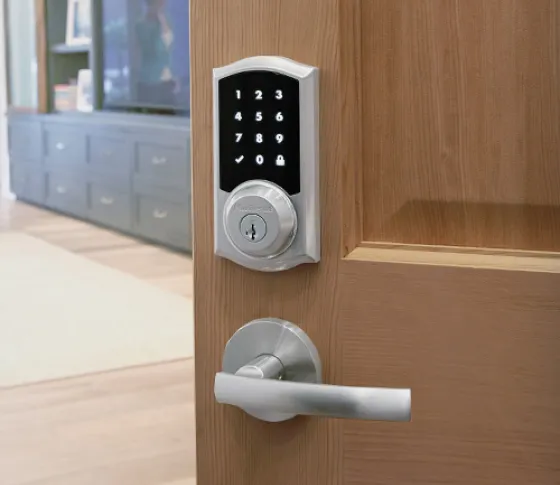
Compare keypad or touchscreen operation and how the deadbolt fits the existing door.
Before buying: check the exact Home Connect model and wireless version. A similar-looking Wi-Fi, Zigbee or Z-Wave product is not proof of the same Control4 support.
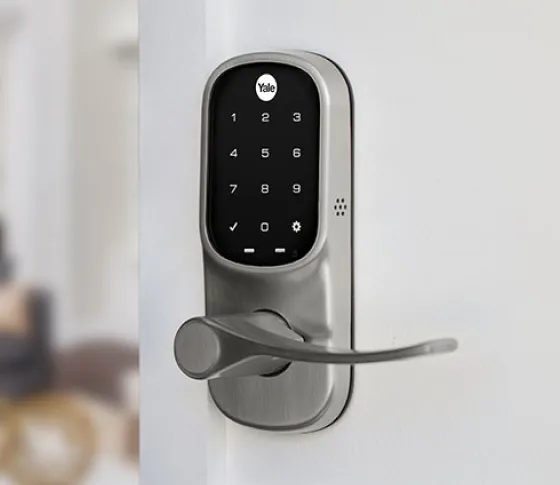
Choose the form that suits the door, then match its lock generation and supported smart module.
Before buying: have the dealer confirm the Control4-specific integration. Do not assume a standard retail Zigbee module is interchangeable.
Manufacturer photographs illustrate hardware styles; they are not Denali Tech installations or model-by-model compatibility approvals.
| Function | Why it matters | What to confirm |
|---|---|---|
| Lock and unlock | Control an entry from a supported interface. | Which commands work and how the lock reports their result. |
| Personal codes | Give people separate access credentials. | User limits, scheduling and whether codes can be managed in Control4. |
| Event history | Review supported access events. | Whether history identifies a person, an action or only a device event. |
| Door position | Know whether an opening reports open or closed. | A compatible door-position sensor and how its state appears alongside the lock. |
Away-from-home control and mobile alerts also depend on connectivity, configuration and the applicable service subscription. Ask what works locally, what works remotely and what has a recurring charge. Read the Control4 Connect guide.
A deadbolt can extend while the door is open. Sending a lock command is not the same as confirming its result.
Reports the supported lock's mechanism state. It does not, by itself, prove the door is seated in the frame.
Reports open or closed from a position sensor. It does not prove that the deadbolt is engaged.
Use both when both matter. Ask how a jam, missing update or communication fault is shown. A displayed status is not a guarantee against forced entry, and an old reading should not be treated as fresh confirmation.
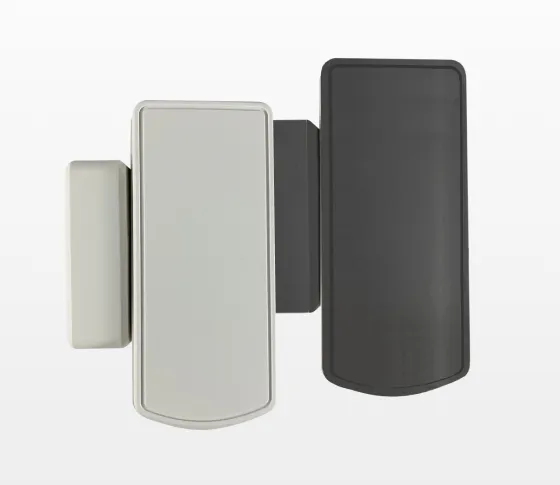
A compatible contact can provide open/closed feedback separately from the lock. Existing alarm-system contacts may also be usable if the alarm integration exposes those zones; a second sensor is not automatically necessary.
Choose the correct sensor for the location and test its alignment and reporting on the actual door.
A residential smart deadbolt, a hardwired electric strike and a gate operator solve different problems. More automation does not make the wrong hardware suitable for a door.
Have the project team coordinate the door, frame, power supply, wiring, emergency exit and power-failure behavior. Do not select hardware only because a relay can operate it.
Use the operator's approved integration, position feedback and independent safety protection. Remote or automatic movement must be suitable for that exact operator and installation.
For a moving entry, start with our garage-door and gate planning guide.
Keep the safety functions independent. Control4 must not bypass emergency exit behavior or operator entrapment protection. Door-position contacts are not substitutes for garage safety sensors or gate-protection devices.
Request locking for selected doors and highlight exceptions. Do not silently treat an unconfirmed command as success.
A supported personal-code event can bring on entry lights. Decide separately whether any alarm action should be included.
Agree on the door, delay and notification recipients so a useful reminder does not become a stream of unwanted alerts.
These are planning examples, not default behavior or features available on every lock. Your installer must configure and test the supported actions you choose.
Test the door mechanically first: it should close and latch smoothly without forcing the deadbolt. Then test the controls, personal codes, notifications and any position feedback from the interfaces you will use.
Ask for a demonstration of low-battery, internet-loss and power-failure behavior. Keep the model's documented backup-entry method available; not every lock has a mechanical key. Know who handles batteries, removed users and future service.
Already have a working lock? Identify it before replacing it. A door-alignment repair, supported integration or better feedback may be the more useful change.
Send photos of the inside and outside hardware, any model numbers, and how you want to use the entry. Do not send door codes or passwords. We can review the fit, supported integration and installation needs before you order.
Sources checked October 19, 2026. Product availability, modules and supported functions can change. The room and routine suggestions are Denali Tech planning advice, not manufacturer compatibility approvals or a substitute for the exact installation instructions.