Volume, channel, navigation, playback and number keys make frequent actions quick without repeatedly looking at the remote.
See the remote clearly
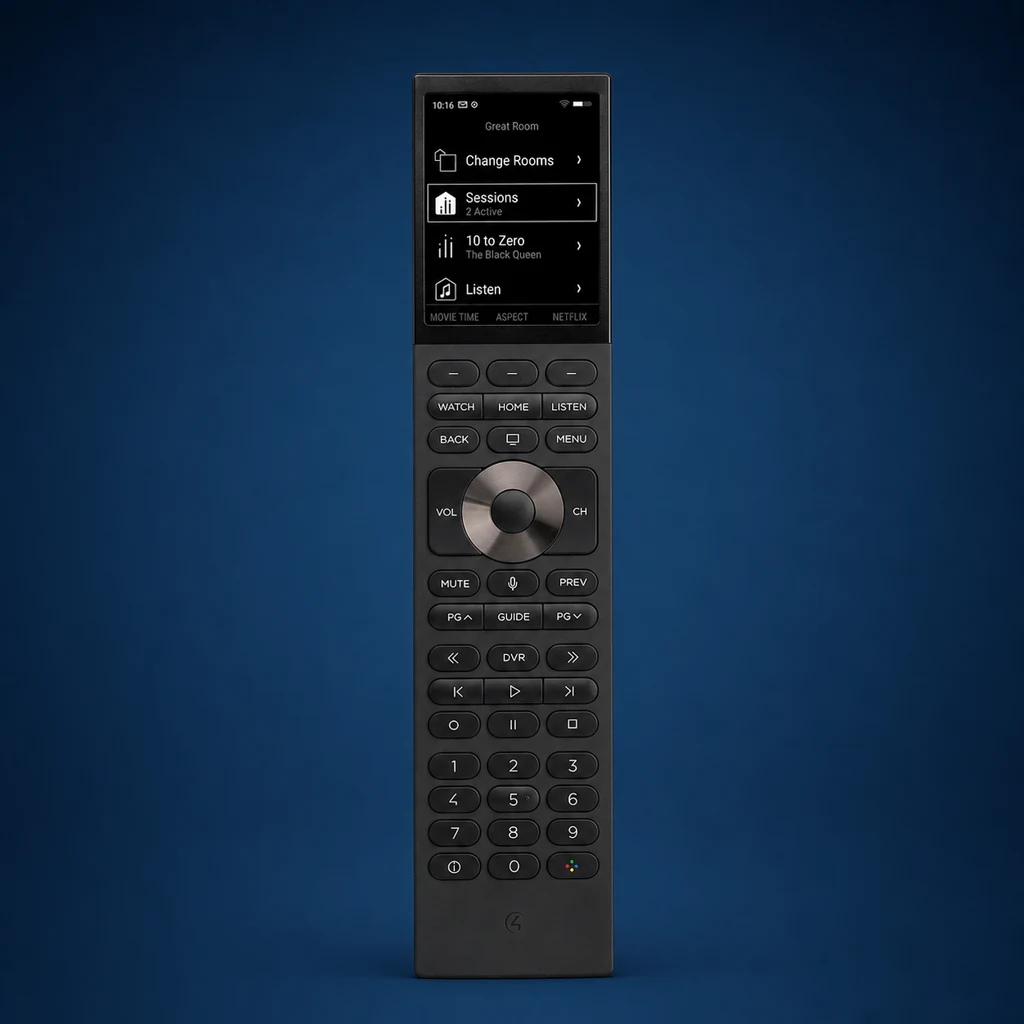
The long body leaves room for a 2.8-inch display, complete backlit key set and number pad. The screen supplies context; the buttons handle the actions used repeatedly while watching.
What Halo gives you
The 2.8-inch color screen can show context, favorites and digitally labeled custom buttons while leaving navigation tactile.
Push-to-talk can support compatible Siri and Apple TV or Xfinity experiences. Voice availability depends on the connected equipment and programming.
Illuminated controls make Halo comfortable in a dark family room, bedroom or theater.
Halo supports 2.4 and 5 GHz Wi-Fi. Good coverage at the sofa and charging location remains essential.
The dock gives the remote a predictable place to live and keeps the rechargeable battery ready for everyday use.
Control4 Halo specifications
| Display | 2.8-inch, 480 × 640 color non-touch LCD; 285 ppi; anti-glare |
|---|---|
| Controls | Full backlit button set, number pad, near-field microphone, speaker and ambient-light sensor |
| Wireless | 2.4 GHz and 5 GHz Wi-Fi |
| Battery | 2000 mAh rechargeable lithium-ion |
| Included power | Charging dock and USB-C power supply |
| Size | 9.09 × 2.03 × 0.75 inches |
| Finish | Black molded plastic |
| System requirement | Compatible Control4 system running OS 3.3.2 or later |
Where Halo fits best
A natural fit when different family members share cable, DVR and streaming sources and want familiar controls.
Backlit transport and navigation buttons are easy to use with the lights down.
Physical buttons help with simple, low-light operation without opening a touchscreen page.
The number pad is the clearest advantage over Halo Touch for direct channel entry.
Careful source naming and a familiar layout can make a complex system easier for visitors.
Halo must be added to a compatible, professionally configured Control4 system.
Halo or Halo Touch?
Choose Halo when
- You prefer tactile, eyes-free control
- You use channel numbers or DVR controls often
- A full button layout feels more natural
- Black molded construction suits the room
Choose Halo Touch when
- Favorites and scenes benefit from touch
- A smaller aluminum remote is preferred
- Black or silver finish matters to the design
- Graphical navigation is part of the experience
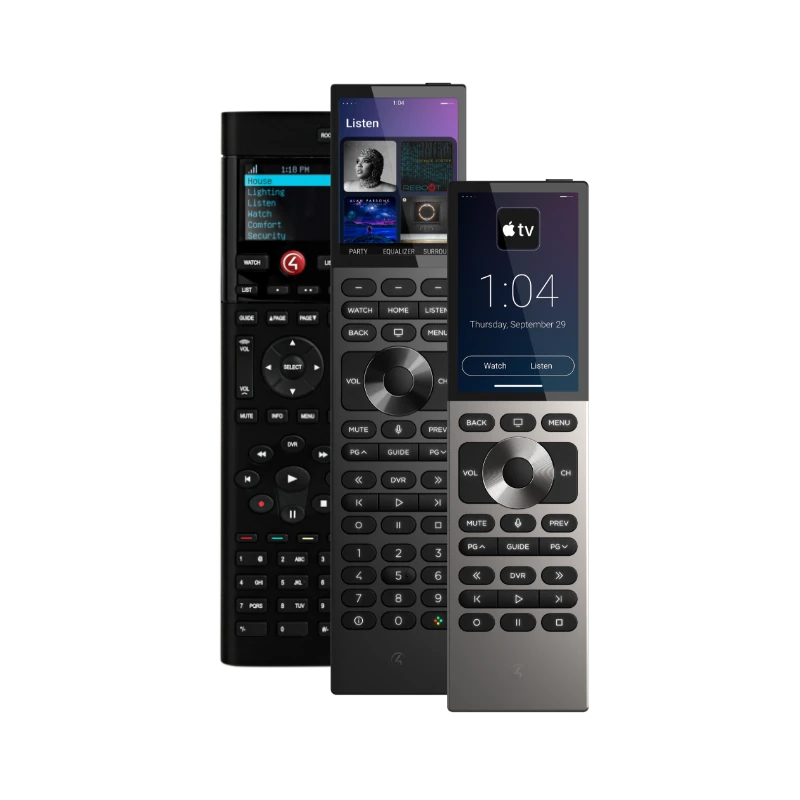
See all four generations together in our Control4 remote comparison, or read the dedicated Halo Touch review.
What to check before adding one
The system must meet the OS requirement and be healthy before the remote is added.
Coverage should be tested at the sofa, bed and dock—not only near the access point.
Voice, media browsing and special commands vary by source device and driver.
Plan a reachable surface and concealed power so returning the remote feels effortless.
Short source lists, useful favorites and predictable Room Off behavior matter more than adding every possible command.
The best remote is the one everyone can use comfortably, not simply the newest or most expensive model.
Common questions
Does Halo have a touchscreen?
No. Its 2.8-inch color display is not touch-enabled. Navigation is handled with the physical buttons.
Can Halo work without Control4?
No. It is a Control4 system remote and requires compatible Control4 controllers, software, equipment and programming.
Does the dock come with it?
Yes. Control4 lists the charging dock and USB-C power supply as included.
Our verdict
Halo is the easiest current Control4 remote to recommend to someone who values familiar buttons and direct control. Its screen and voice functions modernize the experience without making touch the center of every action. The result still depends on reliable Wi-Fi, compatible sources and thoughtful programming.
Want to compare the remotes in your own Control4 system?
Denali Tech can review the room, controller, software, network and everyday viewing habits before recommending Halo, Halo Touch or an upgrade for an older remote.
Request a Control4 ReviewControl4 Service in ChicagoOfficial Control4 sources
Continue comparing
Halo Touch review · NEEO review · SR-260 review · All four remotes side by side