CURRENT HALO FAMILY
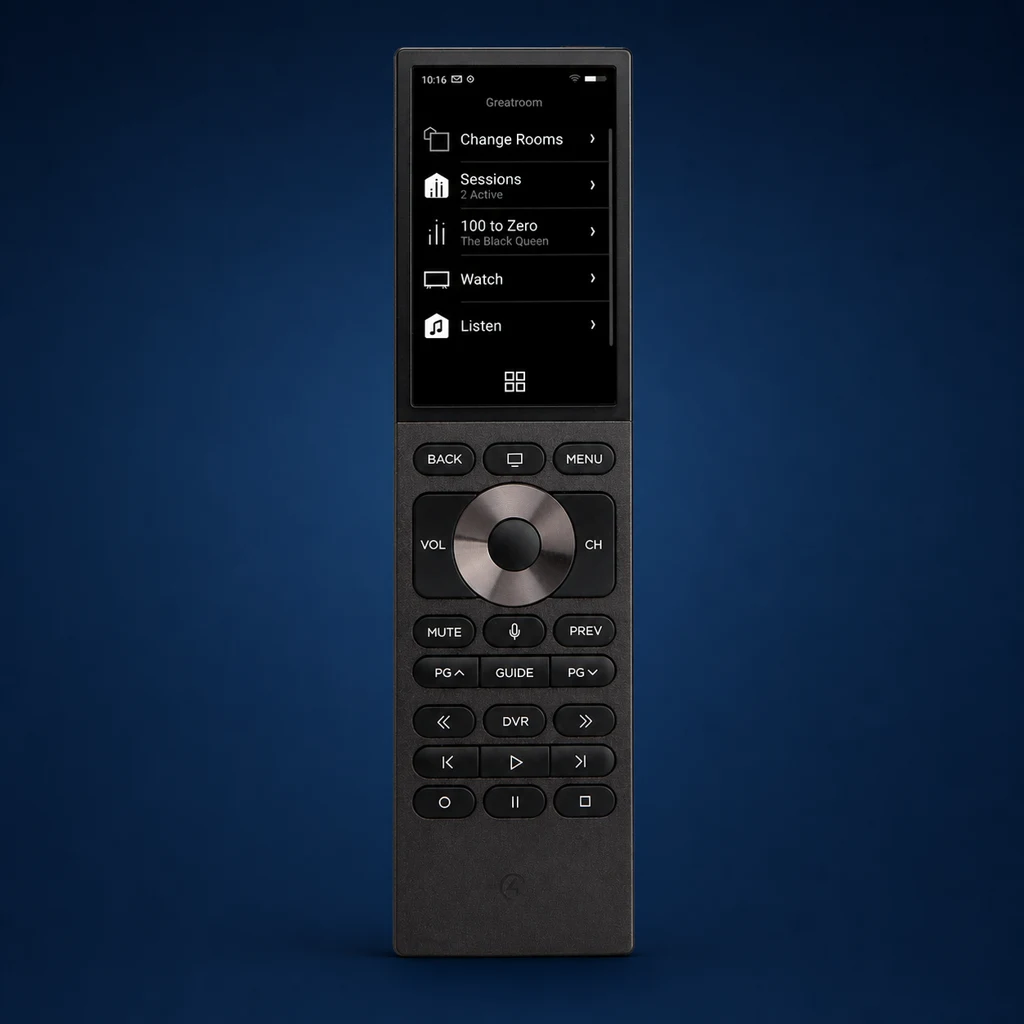
Halo Touch
3.2-inch capacitive touchscreen, backlit hard buttons, voice, dual-band Wi-Fi and included charging dock.
Best fit Premium family room, media room or design-forward primary TV.
Read the Halo Touch review →Compare Halo Touch, Halo, Neeo and SR-260 by the way people actually use them: touch versus buttons, voice, charging, network needs and the room where each design makes sense.
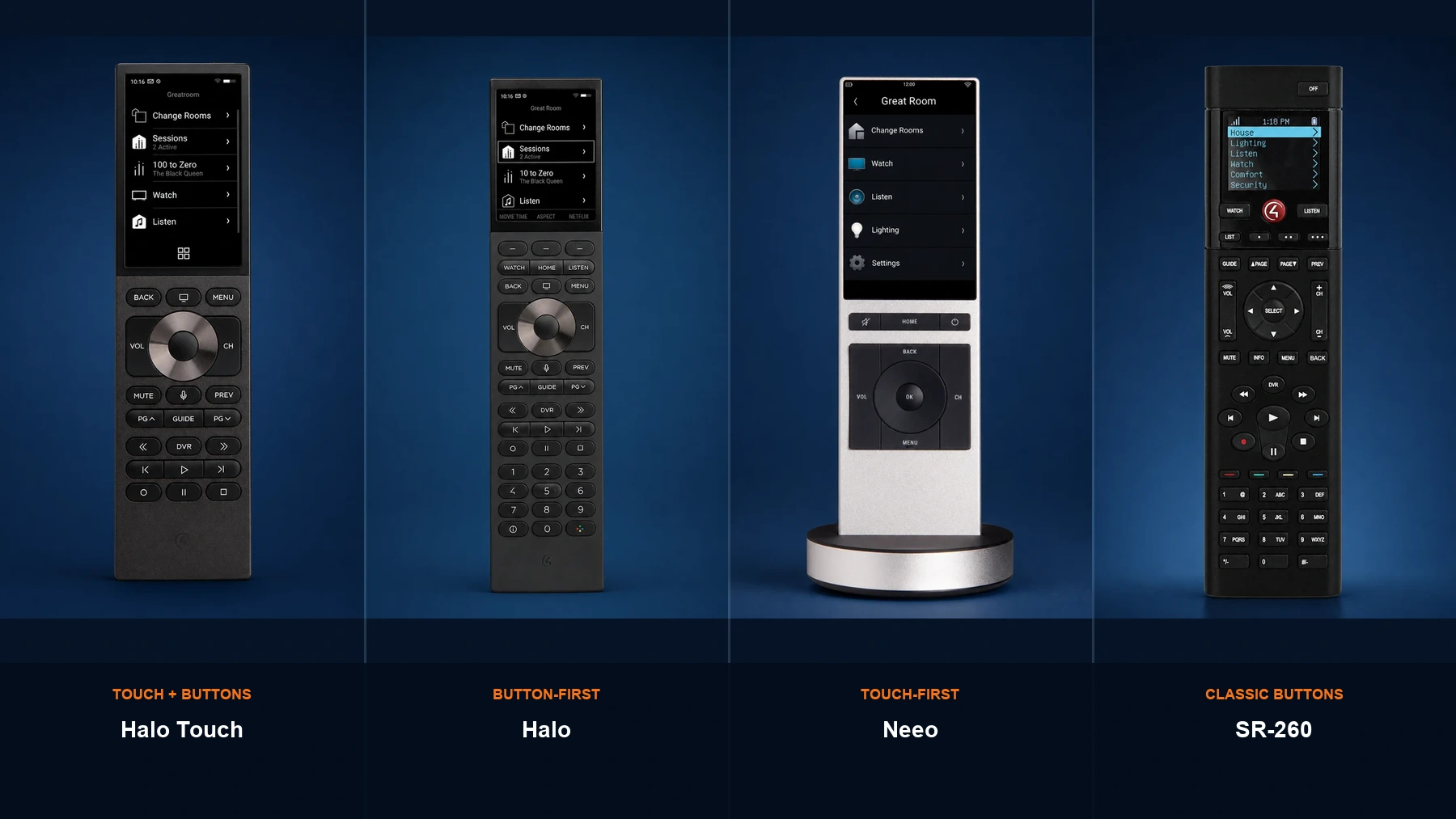
The names are easy to confuse when the remotes are shown without labels. These are the four devices discussed throughout this guide.
3.2-inch capacitive touchscreen, backlit hard buttons, voice, dual-band Wi-Fi and included charging dock.
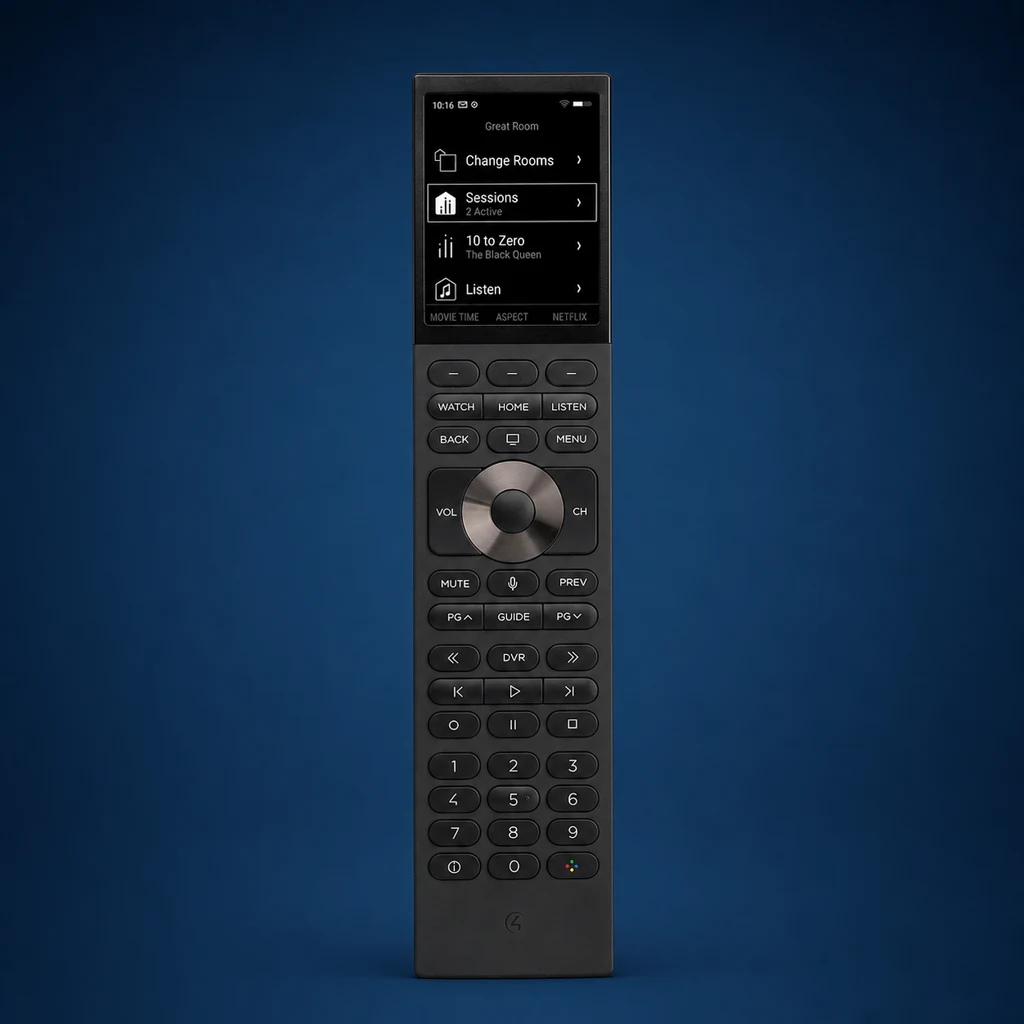
2.8-inch non-touch color display, complete backlit button set, voice, dual-band Wi-Fi and charging dock.
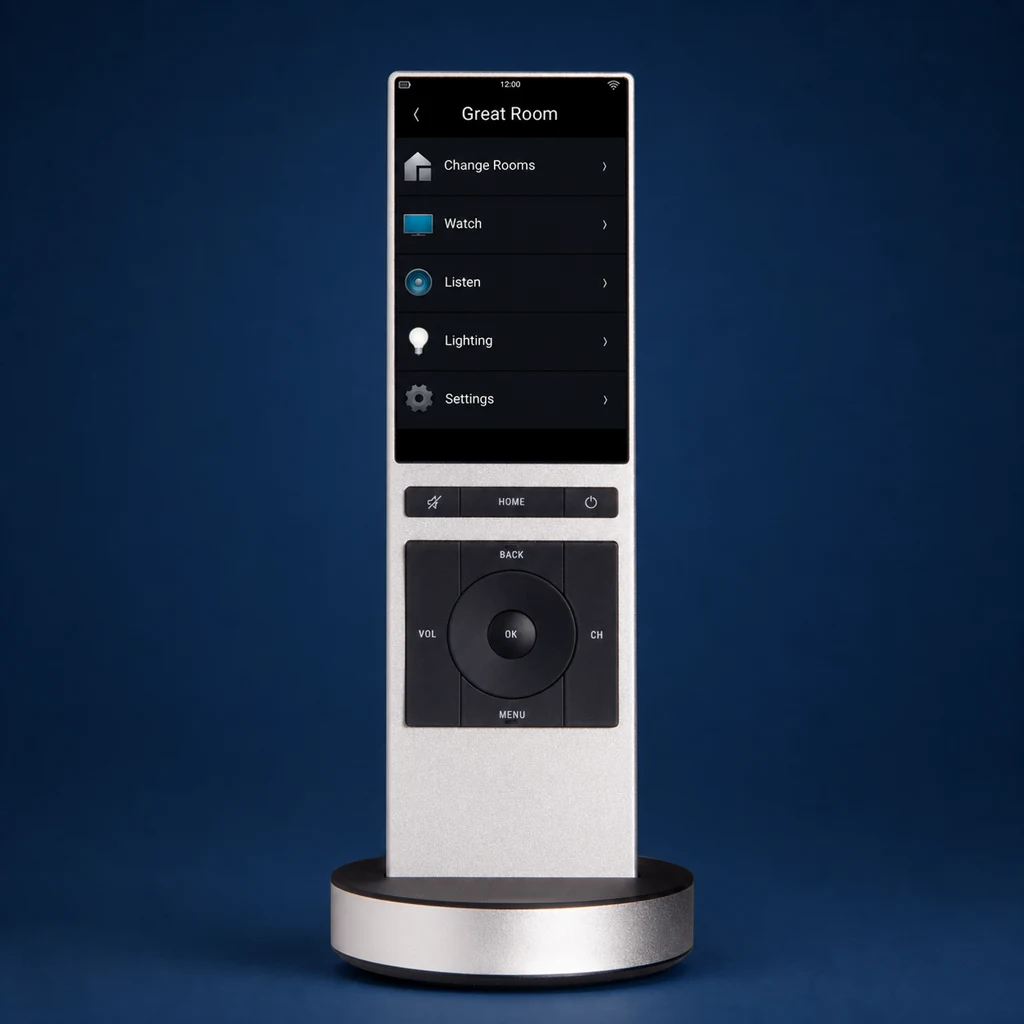
3.2-inch multi-touch display, essential hard controls, 2.4 GHz Wi-Fi and included charging dock.
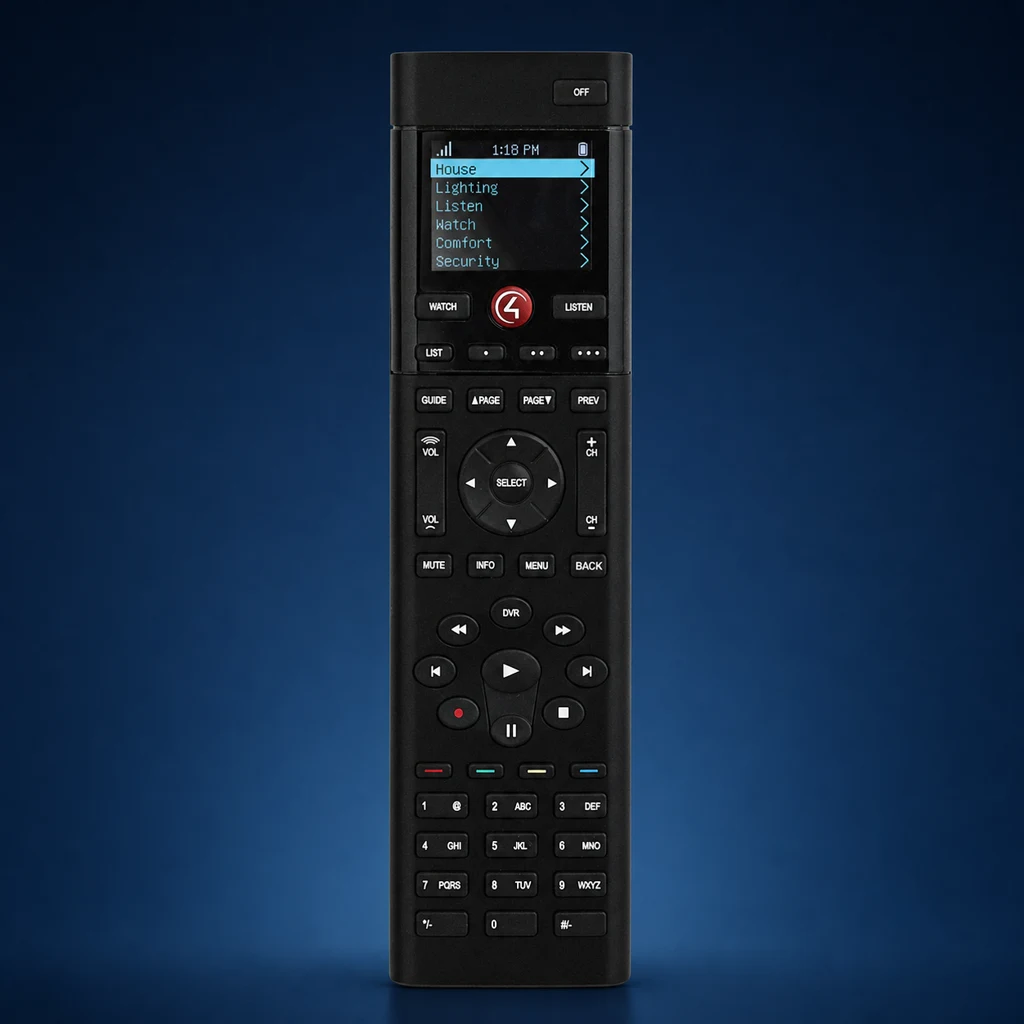
50 physical buttons, 160 × 128 color OLED, Zigbee, four AA batteries or an optional rechargeable battery and station.
| Model | Display | Input style | Wireless | Power | System requirement | Why choose it |
|---|---|---|---|---|---|---|
| Halo Touch | 3.2-inch, 480 × 800 touch LCD | Touch + backlit hard buttons + voice | 2.4 / 5 GHz Wi-Fi | 1900 mAh Li-ion; dock included | Control4 OS 3.3.2+ | Premium hybrid interface and compact body |
| Halo | 2.8-inch, 480 × 640 non-touch LCD | Full backlit buttons + number pad + voice | 2.4 / 5 GHz Wi-Fi | 2000 mAh Li-ion; dock included | Control4 OS 3.3.2+ | Fast tactile control with modern graphics |
| Neeo | 3.2-inch, 480 × 800 multi-touch IPS | Touch + essential physical buttons | 2.4 GHz Wi-Fi | 1270 mAh Li-ion; dock included | Control4 OS 3.1+ | Minimal design and touch-first navigation |
| SR-260 | 160 × 128 color OLED | 50 hard buttons; programmable shortcuts | Zigbee 802.15.4 | Four AA batteries; optional rechargeable kit | Control4 OS 2.7+ | Familiar layout and button-first operation |
Specifications are from official Control4 data sheets. Software compatibility, available features, programming and product availability should be confirmed for the exact project before ordering.
Halo Touch is the strongest choice when you want graphical favorites, scenes and media browsing without giving up physical volume, channel, transport and navigation controls.
Halo uses the same modern Control4 generation but keeps the interface button-led. The 2.8-inch screen supplies context while the number pad and complete hard-button layout preserve familiar TV habits.
An older remote does not need to be replaced only because a newer one exists. The better question is whether the current remote still makes the room simple for the people using it.
The screen remains responsive, the charging dock is reliable, the room favorites are organized and the household prefers its compact minimal form.
More tactile controls, current Halo voice functions, dual-band Wi-Fi or easier everyday navigation would solve a real complaint.
It is fast, the Zigbee connection is reliable, the programming is familiar and the user values direct buttons more than modern graphics.
The household wants richer favorites, voice support, a charging dock included with the remote or a more current interface.
The controller, Control4 OS version, Wi-Fi, programming and room behavior all need to be checked before changing hardware.
When practical, program and test the new remote before retiring the familiar one. That makes the upgrade easier for every user.
Halo Touch if favorites, scenes and design matter. Halo if cable, DVR and number entry dominate.
Halo usually wins for eyes-free transport and channel control; Halo Touch works well when lighting and scene selection belong on the screen.
Choose the interface the homeowner can operate in the dark with minimal thought. That often favors Halo or a familiar SR-260.
Simple source names, a short list of favorites and clear button programming matter more than the most expensive remote.
Halo Touch or an existing Neeo keeps the visual language cleaner while still controlling entertainment and smart-home scenes.
Do not overspecify the interface. Use the remote that makes Watch, volume, favorite channels and Room Off obvious.
Both Halo models support 2.4 and 5 GHz Wi-Fi. Confirm strong coverage where the remote is actually used—not only at the access point.
Neeo uses 2.4 GHz Wi-Fi. A stable network and clean favorite structure are essential to the experience.
SR-260 communicates over the Control4 Zigbee mesh, so its reliability depends on the mesh design rather than home Wi-Fi coverage.
Put the charging base where the remote naturally lands, with concealed power and enough space to dock it one-handed.
A dock on a side table is useful only when the user can reach it and the cable does not become clutter.
Rechargeable remotes feel most dependable when returning them to the dock becomes a natural habit.
A clean remote experience is designed in Composer Pro and validated in the room. The same hardware can feel excellent or frustrating depending on naming, source order, favorites and custom actions.
Keep source lists short, use everyday language and hide devices the room does not need.
Put the household’s actual channels, stations, playlists and scenes near the first screen.
Use labels and actions that solve recurring tasks instead of creating clever functions no one remembers.
Make the shutdown behavior predictable for television, audio, lighting and shared sources.
Demonstrate only the supported integration in that room and explain when push-to-talk is available.
Teach the three daily actions first: start watching, control the source and turn the room off.
Halo and Halo Touch require Control4 OS 3.3.2 or newer; Neeo requires OS 3.1 or newer.
Review controller capacity, software path and current project health before promising a remote change.
Test the primary chair, sofa edges, bed and charging location on the bands the remote will use.
Consider whether you use cable numbers, streaming favorites, DVR controls, scenes or voice most often.
Reserve power and a stable surface before the remote arrives.
Update, identify, name, program and test the remote with every real source in the room.
Halo Touch is the most visual and design-forward option. Halo keeps the newer platform features while putting more control under your fingers. NEEO is the earlier minimal touchscreen design, and SR-260 is the classic button remote. The right choice depends on how the room is used—not only on which model is newest.
Tell us which sources you watch, whether you prefer touch or buttons, where the remote will charge and which rooms need an upgrade. Denali Tech can review the Control4 project, network and programming before recommending hardware.