Control4 Halo Touch: what it is like to use every day
Model: Control4 Halo Touch
See the Control4 remotes side by side
Each remote has a different balance of touchscreen control and physical buttons. Start with how you use the room, then choose the design that feels most natural.
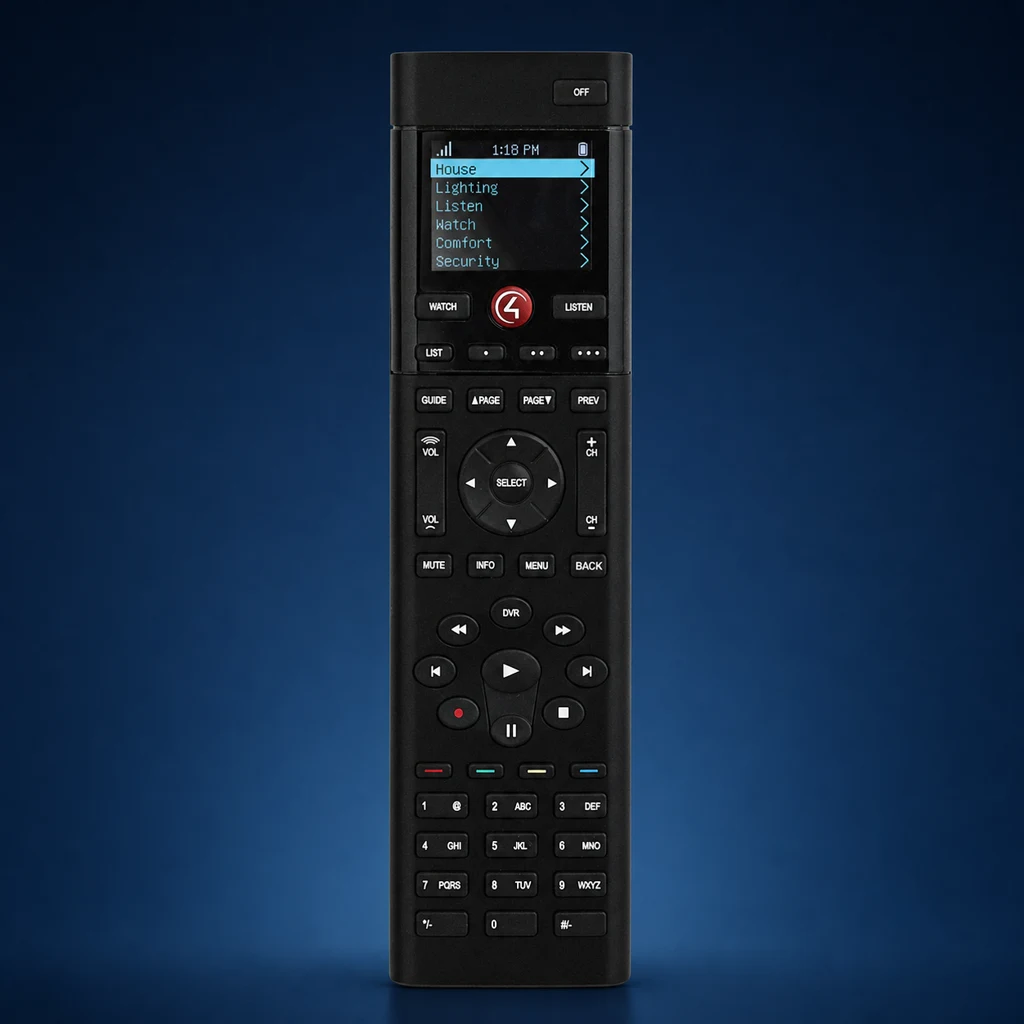 SR-260
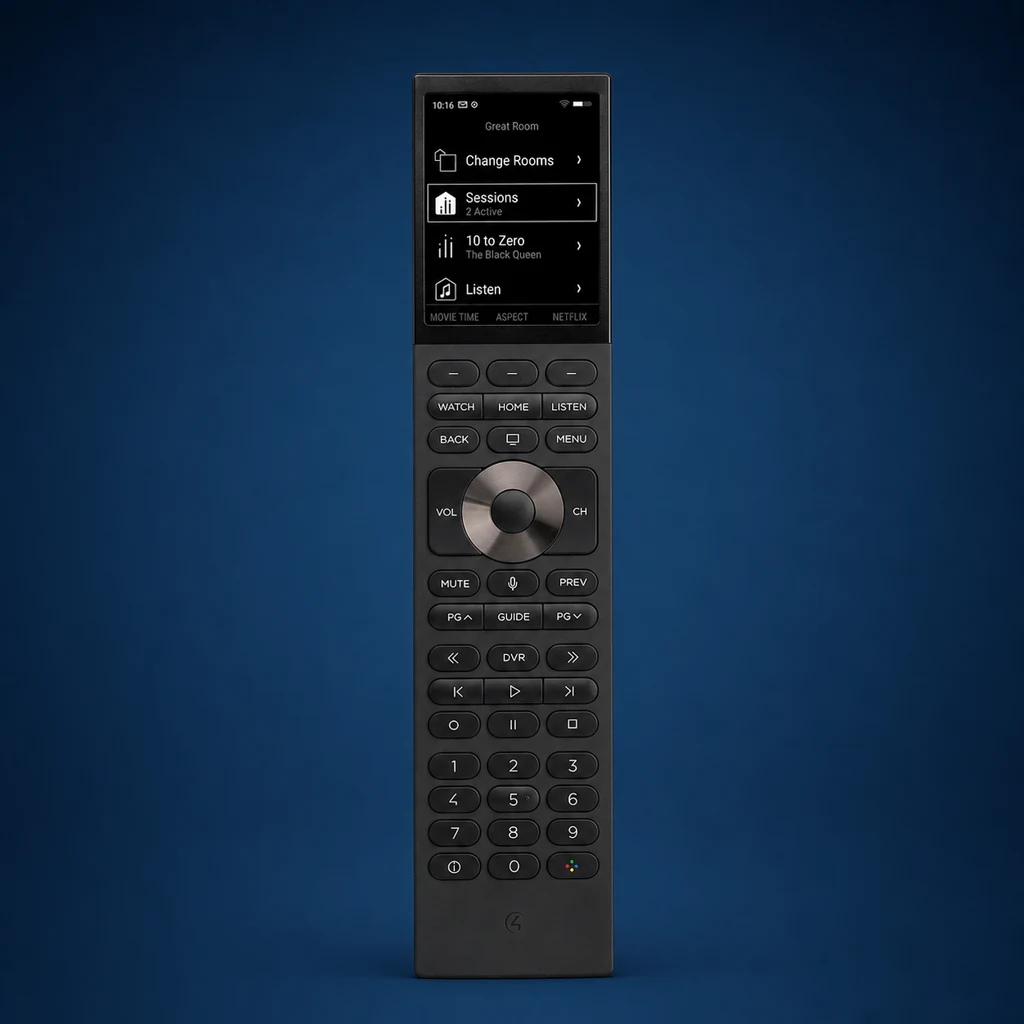 Halo
Halo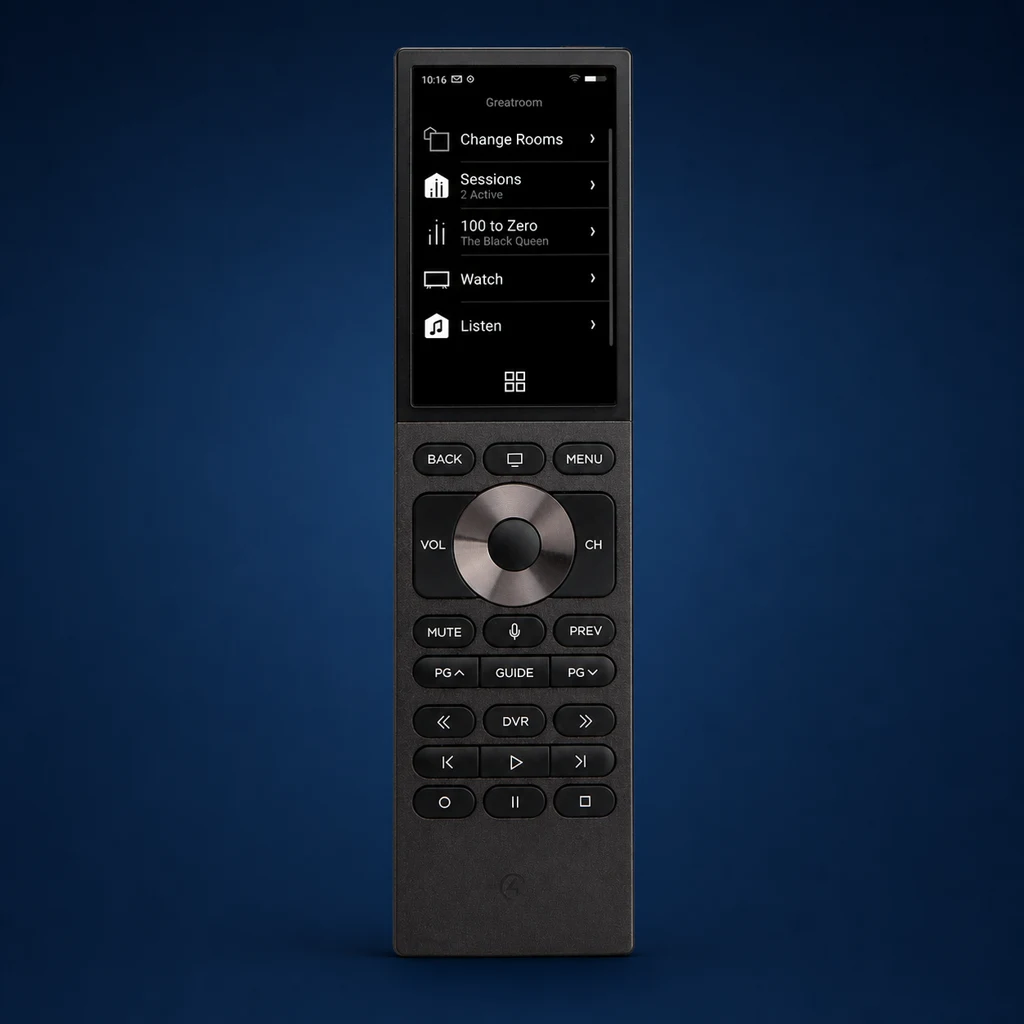 Halo Touch
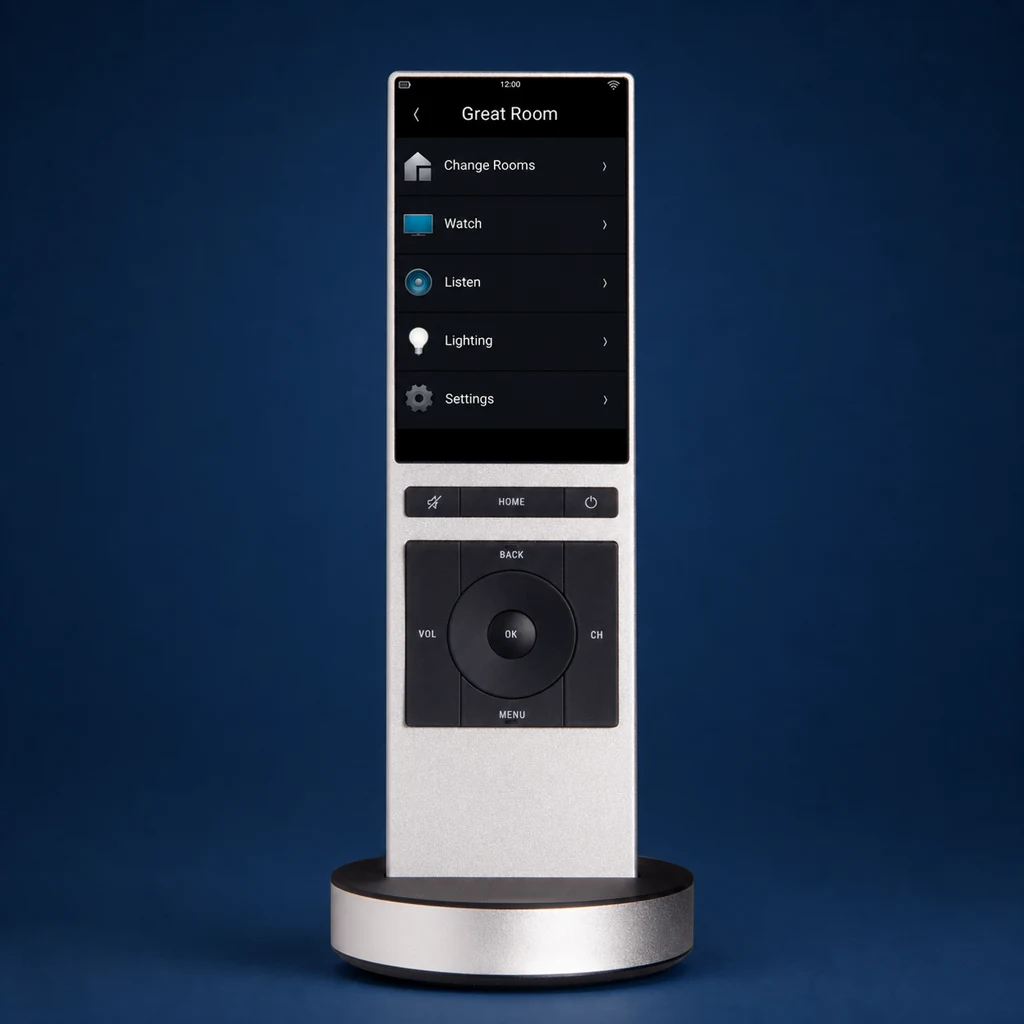 NEEO
NEEOWhere Halo Touch fits best: a family room, media room, or primary television where you want touchscreen favorites and room controls without giving up familiar volume, channel, playback, and navigation buttons.
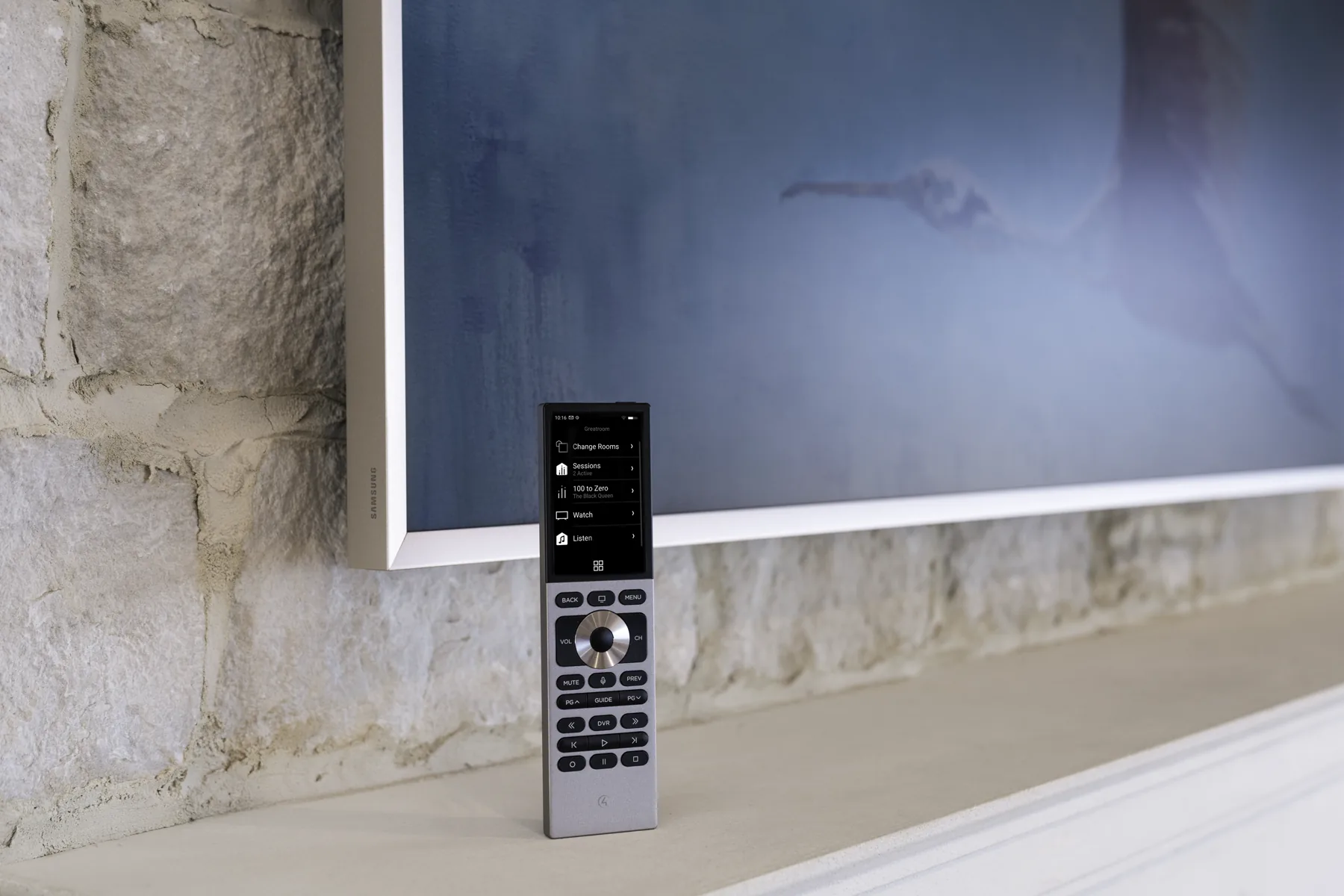
Halo Touch from two useful angles
The room view shows how the remote looks in a finished space. The studio views make its touchscreen, compact aluminum body, and charging position easier to compare.
The Control4 Halo Touch combines a 3.2-inch touchscreen with the physical controls used most often for television and media. It works as part of a professionally configured Control4 system—not as a stand-alone universal remote. How well it feels day to day depends on the home's WiFi coverage, connected equipment, and the quality of the system setup.
What is the Control4 Halo Touch?
Halo Touch is the touchscreen member of the current Halo remote family. The screen can expose programmed devices, media, favorites, scenes, lighting, and comfort functions, while dedicated buttons handle volume, channel, transport, navigation, mute, guide, and other frequent actions.
Key Specifications
- Display: 3.2-inch, 480 × 800 full-color capacitive touchscreen
- Housing: Anodized aluminum in black or silver
- Wireless: 2.4 GHz and 5 GHz WiFi
- Controls: Touchscreen, backlit hard buttons, microphone, speaker, and ambient-light sensor
- Battery: 1900 mAh rechargeable lithium-ion battery
- Charging: Docking station and USB-C power supply included
- System requirement: A compatible Control4 system running OS 3.3.2 or later
Key Features That Make the Halo Touch Stand Out
1. Touch for discovery, buttons for muscle memory
The screen is useful for favorites, room navigation, media browsing, scenes, and functions that would be awkward to assign to fixed buttons. Physical volume, channel, transport, and directional controls remain available without looking down.
2. A compact premium body
The anodized-aluminum body is available in black or silver. At about 7.62 inches tall, it is shorter than the button-heavy Halo model and is designed to return to its included charging dock between uses.
3. It follows the Control4 room
The remote communicates with the Control4 system over WiFi. Your Control4 controller then operates the television, audio equipment, lighting, shades, and other compatible features assigned to that room. What appears on the remote depends on the equipment and experiences included in your system.
4. Dual-band WiFi
Halo Touch supports 2.4 GHz and 5 GHz WiFi. That does not eliminate network design: coverage, roaming, channel planning, latency, and the condition of the home network still affect the experience.
5. More than television control
When those features are part of your Control4 system, Halo Touch can give you quick access to:
- Television, receiver, processor, soundbar, and source control
- Media favorites and supported browsing experiences
- Lighting scenes and compatible color-capable lighting
- Compatible shades, thermostats, and comfort controls
- Programmed custom commands and automation scenes
Not every feature works with every product. Denali Tech confirms compatibility before recommending or adding a function to your system.
6. Voice is integration-specific
The voice button can support Siri control with compatible Apple TV systems and voice functions with compatible Xfinity equipment. Voice features vary by connected device and system configuration, so the button does not act as a universal microphone for everything in the home.
Charging and battery expectations
The official specification lists a 1900 mAh lithium-ion battery and an included 10W charger with docking station. Control4 does not publish one guaranteed number of days for every home, so the practical recommendation is to give the dock a permanent, convenient location.
What can affect time between charges
- Screen and backlight use
- Voice use and media browsing
- WiFi signal quality and reconnect behavior
- Battery age, charging habits, and room temperature
Strengths and tradeoffs
Strengths
- Hybrid interaction: touchscreen plus the media buttons used every day
- Premium construction: compact anodized-aluminum body in black or silver
- Clear navigation: favorites, rooms, scenes, and media can be presented graphically
- Dual-band WiFi: supports 2.4 GHz and 5 GHz networks
- Included dock: provides a predictable home and charging location
Tradeoffs
- Control4 required: it only works with a compatible Control4 system
- Network dependency: poor WiFi design can affect response and connection quality
- Charging habit: the touchscreen remote works best when it regularly returns to the dock
- Touch is not for everyone: some people prefer a larger button set and number pad
- Compatibility matters: available controls depend on the products connected to the system
Is Halo Touch right for your home?
Halo Touch is a strong fit when:
- The room already has, or will include, a compatible Control4 system.
- Favorites, scenes, media, and room navigation benefit from a graphical screen.
- The homeowner still wants physical media controls for one-handed use.
- A permanent charging location can be placed near the usual seating position.
- WiFi coverage has been verified where the remote will actually be used.
Another interface may fit better when:
- Your home does not use a Control4 system.
- You want a full number pad and a button-first layout; compare Halo.
- The user wants a permanent whole-home interface; compare a T5 touchscreen or keypad.
- The existing room is comfortable with Neeo or SR-260 and no feature requirement justifies a change.
Halo Touch vs. Other Control4 Remotes
Halo Touch is not automatically the best remote for every room. Match the interface to the person and the task.
Choose Halo Touch when
- A 3.2-inch touch interface will make favorites and navigation easier
- A smaller premium body is preferred
- Physical media controls are still important
Choose Halo when
- The user prefers a button-led interface and full number pad
- Channel entry, DVR, and tactile control dominate daily use
- A non-touch display is sufficient for context and favorites
Read the dedicated Halo review for the button-first model, or use the Control4 remote comparison guide to see Halo Touch, Halo, NEEO, and SR-260 together.
Common Questions About the Halo Touch
Can I use the Halo Touch without a Control4 system?
No. Halo Touch works only as part of a compatible Control4 system running OS 3.3.2 or later. Denali Tech can check your controller, software, and network before you order one.
How long does the battery last?
Control4 specifies a 1900 mAh rechargeable battery but does not publish one guaranteed runtime for every household. Screen use, WiFi conditions, voice use, battery age, and charging habits all matter.
Can I customize the touchscreen layout?
Yes, within the options supported by your Control4 system. Denali Tech configures the rooms, devices, scenes, and custom controls. Homeowners can also personalize certain favorites and screen organization where the system supports it.
Does it need strong WiFi?
Yes. Halo Touch communicates over WiFi. Coverage should be tested at seating positions and while moving through any rooms where the remote is expected to work.
Our Verdict
Halo Touch is a strong choice when you want visual touchscreen navigation and familiar media buttons in one premium remote. The remote is only one part of the experience: reliable WiFi, compatible equipment, thoughtful programming, and a clear setup are what make it feel simple every day.
Official Control4 references
- Control4 Halo remote family overview
- Control4 Halo Touch official data sheet
- Control4 current controllers and platform services
See which Control4 remote feels right in your room
Tell us which room you want to control, what you watch, and whether you prefer a touchscreen or more physical buttons. If you already own Control4, we can also check compatibility before recommending an upgrade.
Ask Denali Tech